Unveiling the Power of Python Decorators
Estimated reading time: 10 minutes
Key Takeaways
- Python decorators are a powerful Python feature for modifying or enhancing functions/methods without altering their original code.
- They act as wrappers, adding functionality while keeping the original structure intact, promoting clean and reusable code.
- Python’s treatment of functions as first-class citizens enables decorators.
- The core syntax involves the `@` symbol, which is syntactic sugar for a common pattern.
- Decorators typically involve an outer function accepting the original function and an inner `wrapper` function executing added logic.
- Real-world applications include timing, logging, output transformation, and more.
- Class decorators enhance entire classes, while function decorators enhance individual functions.
- Multiple decorators can be stacked, with the order of application being crucial.
- Parametrized decorators add flexibility by accepting their own arguments.
Table of contents
- Introduction: Unveiling the Power of Python Decorators
- Understanding the Decorator Syntax: The @ Symbol Explained
- The Core Mechanics: How Python Function Decorators Work
- Your First Python Decorator: A Simple Example
- Real-World Applications of Python Function Decorators
- Python Class Decorators: Enhancing Classes
- Combining Decorators: Stacking and Order
- Decorators with Arguments: Parametrized Decorators
- A Comprehensive Python Decorator Tutorial: A Step-by-Step Example
- Best Practices and Final Thoughts
- Frequently Asked Questions
Introduction: Unveiling the Power of Python Decorators
In the ever-evolving landscape of software development, elegance and efficiency are paramount. Python, with its emphasis on readability and developer productivity, offers a suite of powerful features that contribute to these goals. Among them, python decorators stand out as a particularly ingenious construct. They provide a clean and expressive way to modify or enhance functions and methods without altering their original source code. At their core, decorators act as wrappers, injecting new functionality into existing objects while keeping their fundamental structure intact. This capability is a direct consequence of Python’s design philosophy of treating functions as first-class citizens. This means functions can be assigned to variables, passed as arguments to other functions, and returned as values from other functions. This flexibility is the bedrock upon which decorators are built, enabling us to add behavior *around* our functions—a concept that not only promotes cleaner, more reusable code but also significantly enhances maintainability.

The primary benefit of this pattern is the separation of concerns. You can define a core piece of logic within a function and then, using a decorator, apply cross-cutting concerns like logging, authentication, or performance monitoring without cluttering your primary function with these details. This approach adheres to the DRY (Don’t Repeat Yourself) principle and makes your codebase easier to understand and modify. This article will dive deep into the world of python decorators, exploring their syntax, mechanics, real-world applications, and best practices.
Understanding the Decorator Syntax: The @ Symbol Explained
The most visually recognizable aspect of decorators in Python is the `@` symbol. When you encounter code like this:
        @my_decorator

        def my_function():

            pass
It’s crucial to understand that this `@` syntax is not magic; it’s simply *syntactic sugar*. It’s a more readable and concise way to express a common pattern that would otherwise look like this:
        def my_function():

            pass

        my_function = my_decorator(my_function)
This underlying code clearly illustrates the core idea: the `my_decorator` function is called with `my_function` as its argument. The decorator function then performs some operations and *returns* a new function (or the original function, modified). This returned function then replaces the original `my_function`. The `@` symbol automates this process, making the intent much clearer. It’s a direct signal that the function or class definition immediately following it is being decorated. Understanding this relationship is key to grasping how decorators function. The decorator syntax python uses is designed for clarity, making it easier to identify and apply these enhancements to your code.
The Core Mechanics: How Python Function Decorators Work
To truly master decorators, we need to understand their internal workings. At its heart, a python function decorator is a function that takes another function as input, adds some functionality, and returns another function. The most common pattern involves nesting functions.
Consider this basic structure:
        def decorator(func):

            # This is the outer function that accepts the function to be decorated.

            def wrapper(*args, **kwargs):

                # This inner function is what will eventually replace the original function.

                # It contains the added logic.

                print("Something is happening before the function is called.")

                # Call the original function, passing any arguments it received.

                result = func(*args, **kwargs)

                print("Something is happening after the function is called.")

                # Return the result of the original function call.

                return result

            # The decorator returns the wrapper function.

            return wrapper
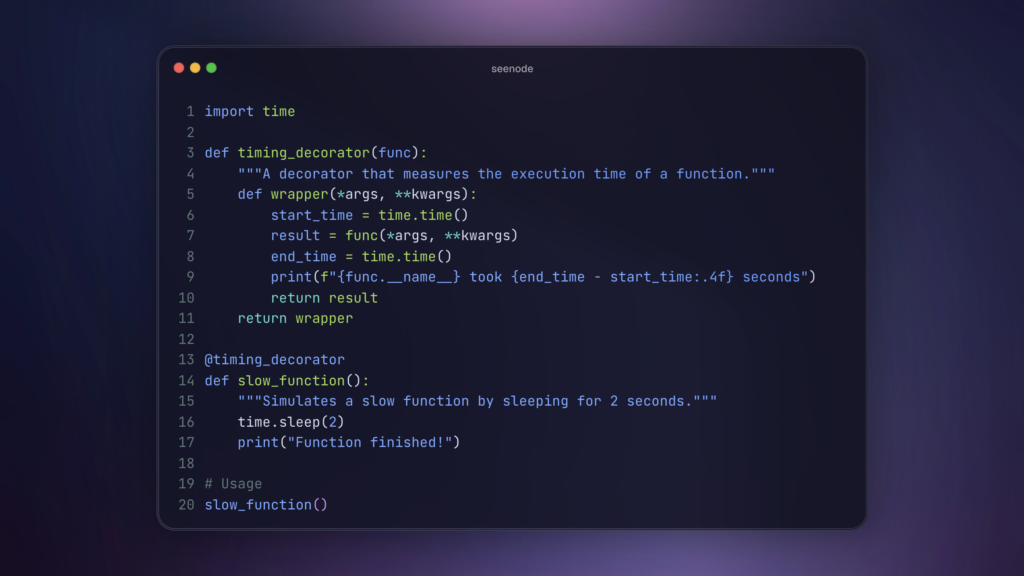
Let’s break this down:
- The outer function, `decorator`, accepts one argument: `func`, which is the function being decorated.
- Inside `decorator`, we define another function called `wrapper`. This `wrapper` function is designed to encapsulate the original function (`func`) and add extra behavior before and/or after its execution.
- The `wrapper` function uses `*args` and `**kwargs`. This is crucial for making the decorator general-purpose. It allows the `wrapper` to accept any number of positional and keyword arguments, ensuring that it can correctly pass them along to the original `func`, regardless of that function’s signature.
- Inside `wrapper`, we can place code that should execute *before* `func` is called (e.g., logging, validation) and code that should execute *after* `func` has completed (e.g., logging the result, timing).
- The `result = func(*args, **kwargs)` line is where the original function is actually invoked.
- Finally, the `decorator` function returns the `wrapper` function. When the `@decorator` syntax is used, the name of the decorated function is rebound to this `wrapper` function.
This pattern is fundamental to understanding how python function decorators achieve their goal of adding functionality without modifying the original function’s code. The `wrapper` function essentially becomes the new version of the decorated function, capable of executing the original logic and any additional logic you’ve defined.
Your First Python Decorator: A Simple Example
Now that we understand the mechanics, let’s create a practical, simple python function decorator. A common use case is adding logging to functions, indicating when they are entered and exited.
Here’s a decorator named `simple_logger`:
import functools # We'll explain this later, but it's good practice to include early
def simple_logger(func):
@functools.wraps(func) # Preserves original function metadata
def wrapper(*args, **kwargs):
print(f"Entering function: {func.__name__}")
result = func(*args, **kwargs)
print(f"Exiting function: {func.__name__}")
return result
return wrapper
@simple_logger
def say_hello(name):
print(f"Hello, {name}!")
say_hello("Alice")
When you run this code, the output will be:
        Entering function: say_hello

        Hello, Alice!

        Exiting function: say_hello
Notice how the `simple_logger` decorator successfully wrapped the `say_hello` function. Before `say_hello` executed its core logic (`print(f”Hello, {name}!”)`), the “Entering function” message was printed. After `say_hello` finished, the “Exiting function” message was printed. The original function’s behavior remains, but it’s now augmented with logging. This demonstrates the core concept of extending behavior without touching the original function’s source code. The use of `@functools.wraps(func)` is a best practice that copies essential metadata from the original function (`func`) to the `wrapper` function. This is important for debugging, introspection, and ensuring that tools can correctly identify the decorated function’s name, docstring, etc. (Source: Datacamp Tutorial)
Real-World Applications of Python Function Decorators
The utility of python function decorators extends far beyond simple logging. They are incredibly versatile and find application in numerous real-world scenarios:

- Timing Function Execution: In performance-critical applications, understanding how long functions take to execute is vital. A `timer` decorator can easily measure and report this. It typically uses `time.perf_counter()` to get precise timestamps before and after the function call. (Source: Real Python Primer)
- Logging Function Calls: As seen in our previous example, decorators are excellent for logging function entry, exit, arguments passed, and the returned value. This is invaluable for debugging and auditing. The `simple_logger` can be expanded to log these details more comprehensively.
- Output Transformation: Decorators can modify the return value of a function. For instance, you might have a decorator that ensures all string outputs are converted to uppercase, or that numerical results are formatted in a specific way.
- Access Control and Permissions: In web frameworks or APIs, decorators are frequently used to check if a user is authenticated or has the necessary permissions to access a specific resource or execute a function. If not, they might return an error or redirect the user.
- Caching: For computationally expensive functions, a decorator can cache results based on input arguments. If the function is called again with the same arguments, the cached result is returned instead of recomputing it, significantly improving performance for repeated calls.
- Input Validation: A decorator can be used to validate the arguments passed to a function before the function’s core logic is executed, raising an error if the inputs are invalid.
- Service Registration: In frameworks, decorators can automatically register functions or classes with a central registry. For example, in Flask, the `@app.route(‘/’)` decorator registers a function to handle requests to the root URL.
Here’s an example of an `uppercase_decorator`:
import functools
def uppercase_decorator(function):
@functools.wraps(function)
def wrapper():
func_result = function()
return func_result.upper()
return wrapper
@uppercase_decorator
def get_message():
return 'hello world'
print(get_message())
# Output: HELLO WORLD
Crucially, when implementing decorators that enhance functions, you should always consider using `@functools.wraps(func)`. This helper function is designed to preserve the original function’s metadata (such as its name `__name__`, docstring `__doc__`, and argument list) in the wrapper function. Without it, introspection tools and debuggers would see the `wrapper` function’s metadata instead of the original function’s, which can be very confusing. (Source: Real Python Primer)
Python Class Decorators: Enhancing Classes
Just as function decorators enhance functions, python class decorators exist to enhance entire classes. They operate on the class definition itself, allowing you to modify its behavior, add methods, or enforce certain conventions. This is distinct from function decorators, which typically target individual functions or methods within a class.
A class decorator is a function that takes a class as an argument and returns a modified class. Here’s a simple example of a class decorator that adds a `greet` method to any class it decorates:
import functools
def add_greeting_method(cls):
# This is the class decorator function. It receives the class 'cls'.
def greet(self):
# This is the new method we are adding to the class.
return f"Hello from {cls.__name__}!"
# Dynamically add the 'greet' method to the class.
cls.new_method = greet
# Return the modified class.
return cls
@add_greeting_method
class MyComponent:
pass
component = MyComponent()
print(component.new_method())
# Output: Hello from MyComponent!

In this example, `@add_greeting_method` is applied to `MyComponent`. The `add_greeting_method` function receives `MyComponent` as its `cls` argument. It then defines a new function, `greet`, which becomes a method of the class. This `greet` function is attached to the class as `cls.new_method`. Finally, the decorator returns the modified `MyComponent` class. When an instance of `MyComponent` is created, it now has access to the `new_method` that was added by the decorator. (Source: Real Python Primer)
Class decorators are particularly useful in scenarios such as:
- Framework Integration: Registering classes with a framework, like adding Django models to the admin interface or registering components in a GUI toolkit.
- Enforcing Class-Level Contracts: Ensuring that a class implements certain required methods or has specific attributes.
- Metaprogramming: Modifying class behavior at definition time, which can be powerful for creating domain-specific languages or abstract base classes.
The structure is similar to function decorators, but the target of the operation is the class object itself.
Combining Decorators: Stacking and Order
Python allows you to apply multiple decorators to a single function or class by stacking them using the `@` syntax. This can lead to very concise and powerful code.
Consider this example with two decorators, `decorator_a` and `decorator_b`:
        @decorator_b

        @decorator_a

        def my_function():

            pass
When Python processes this, it’s equivalent to:
        def my_function():

            pass

        my_function = decorator_b(decorator_a(my_function))
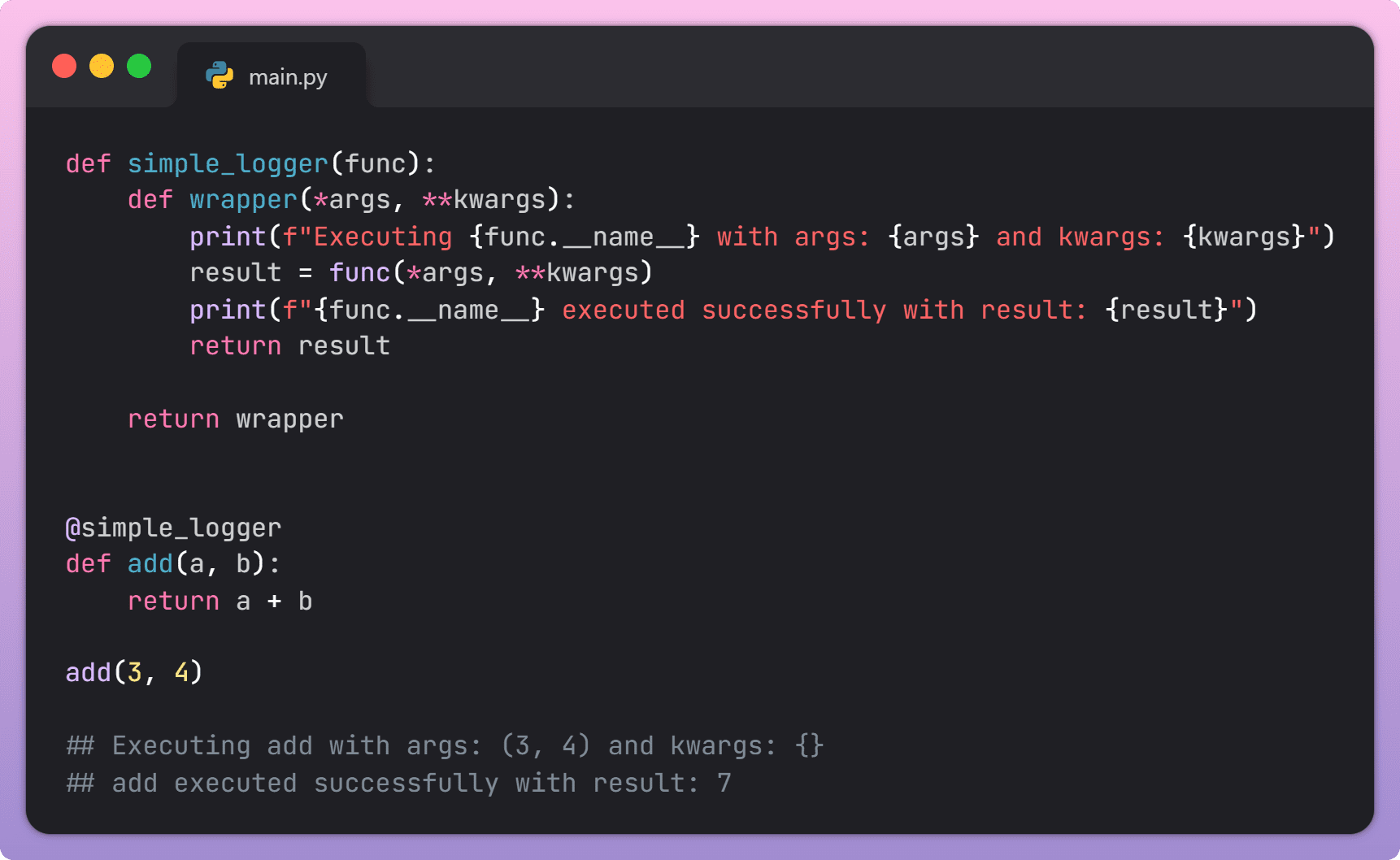
The key takeaway here is that the order of application matters significantly. The decorator closest to the function definition (`@decorator_a` in the example) is applied *first*. Then, the decorator above it (`@decorator_b`) wraps the result of the first decorator. So, `decorator_a` decorates `my_function`, and then `decorator_b` decorates the function returned by `decorator_a`. This means the execution flow will be: `decorator_b`’s wrapper code runs, then `decorator_a`’s wrapper code runs, then the original `my_function` code runs, and then the results are unwrapped in reverse order. (Source: Real Python Primer, k0nze.dev)
Understanding this execution order is crucial for debugging and predicting behavior when stacking decorators. If you need a specific sequence of operations (e.g., logging before timing, or vice-versa), you must arrange the decorators accordingly.
Decorators with Arguments: Parametrized Decorators
So far, we’ve seen decorators that enhance functions without taking any configuration. However, a common requirement is to have decorators that can be customized with arguments, often referred to as *parametrized decorators*. This adds another layer of flexibility.
To create a decorator that accepts arguments, you need an extra level of nesting. You define an outer function that accepts the decorator’s arguments and returns the actual decorator function. The actual decorator function then follows the standard pattern of accepting the function to be decorated.
Here’s an example of a `repeat` decorator that runs a function a specified number of times:
import functools
def repeat(num_times):
# This outer function accepts the decorator's arguments (num_times).
def decorator_repeat(func):
# This is the actual decorator that accepts the function 'func'.
@functools.wraps(func)
def wrapper_repeat(*args, **kwargs):
# This wrapper function executes the decorated function 'num_times'.
for _ in range(num_times):
result = func(*args, **kwargs)
return result
return wrapper_repeat
# The outer function returns the actual decorator.
return decorator_repeat
@repeat(num_times=3) # Here, repeat(3) is called, returning decorator_repeat
def greet_user(name):
print(f"Hello {name}!")
greet_user("Bob")
# Output:
# Hello Bob!
# Hello Bob!
# Hello Bob!
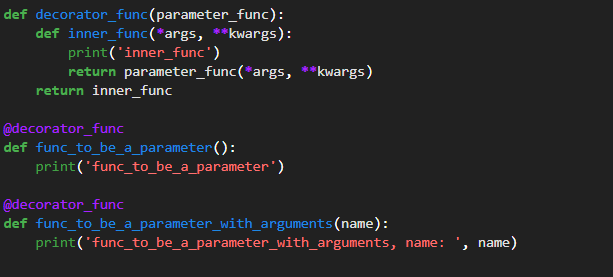
Let’s trace the execution:
- When Python sees `@repeat(num_times=3)`, it first calls `repeat(num_times=3)`.
- `repeat(num_times=3)` executes and returns the `decorator_repeat` function.
- Then, `decorator_repeat` is called with `greet_user` as its argument.
- `decorator_repeat` creates and returns `wrapper_repeat`.
- The name `greet_user` is rebound to this `wrapper_repeat` function.
- When `greet_user(“Bob”)` is called, `wrapper_repeat` executes, looping three times and calling the original `greet_user` each time.
This pattern is essential for creating configurable decorators. (Source: Real Python Primer)
A Comprehensive Python Decorator Tutorial: A Step-by-Step Example
Let’s bring everything together with a more complex, yet practical, example. This section serves as a capstone python decorator tutorial, demonstrating how to combine multiple functionalities into a single, configurable decorator.
Scenario: We will create an `advanced_enhancer` decorator that can:
- Optionally log function calls (entry and exit, with arguments and results).
- Measure and report the function’s execution time.
- Optionally apply a transformation to the function’s return value.
This decorator will be parametrized, allowing us to enable or disable these features as needed.
Step 1: Setup
First, we need to import the necessary modules:
        import functools

        import time
Step 2: Define the Decorator Factory
We create `advanced_enhancer` which accepts boolean flags and a transformation function.
        def advanced_enhancer(log_calls=False, transform_output=None):

            # This is the factory function that takes decorator arguments.
def decorator(func):
# This is the actual decorator that takes the function.
@functools.wraps(func)
def wrapper(*args, **kwargs):
# This is the wrapper that replaces the original function.
start_time = time.perf_counter() # Start timing
# Optional logging on entry
if log_calls:
print(f"--> Entering {func.__name__} with args: {args}, kwargs: {kwargs}")
# Execute the original function
result = func(*args, **kwargs)
end_time = time.perf_counter() # End timing
run_time = end_time - start_time # Calculate duration
# Optional logging on exit
if log_calls:
print(f"<-- Exiting {func.__name__} in {run_time:.4f}s with result: {result}")
# Optional output transformation
if transform_output:
result = transform_output(result)
if log_calls: # Log transformed result if logging is enabled
print(f" Transformed result: {result}")
return result
return wrapper
return decorator

Step 3: Apply the Decorator
Now, let's apply this versatile decorator to a couple of sample functions, showcasing different argument combinations.
        @advanced_enhancer(log_calls=True)

        def calculate_sum(a, b):

            time.sleep(0.1) # Simulate work

            return a + b
@advanced_enhancer(log_calls=True, transform_output=str.upper)
def get_data():
time.sleep(0.1)
return "sample data"
@advanced_enhancer(transform_output=lambda x: x * 2)
def multiply_by_ten(value):
return value * 10
Step 4: Explain the Outcome
Let's call these decorated functions and observe their behavior:
        print("--- Calling calculate_sum ---")

        sum_result = calculate_sum(10, 20)

        print(f"Final sum result: {sum_result}\n")
print("--- Calling get_data ---")
data_result = get_data()
print(f"Final data result: {data_result}\n")
print("--- Calling multiply_by_ten ---")
multiplied_result = multiply_by_ten(5)
print(f"Final multiplied result: {multiplied_result}\n")
The output will demonstrate the decorator's capabilities:
        --- Calling calculate_sum ---

        --> Entering calculate_sum with args: (10, 20), kwargs: {}

        <-- Exiting calculate_sum in 0.1001s with result: 30
        Final sum result: 30

        --- Calling get_data ---
        --> Entering get_data with args: (), kwargs: {}

        <-- Exiting get_data in 0.1001s with result: sample data
            Transformed result: SAMPLE DATA
        Final data result: SAMPLE DATA

        --- Calling multiply_by_ten ---
        Final multiplied result: 100
As you can see, `calculate_sum` logged its entry and exit, showing arguments and the final result, along with its execution time. `get_data` did the same and also transformed its output to uppercase. `multiply_by_ten` only applied the transformation, as `log_calls` was not set to `True`. This comprehensive example highlights the power and flexibility of python decorators, especially when combined with arguments, to create reusable and highly functional code enhancements. This detailed walk-through serves as a robust python decorator tutorial. (Keywords: python decorators, python function decorators, decorator syntax python, python decorator tutorial)
Best Practices and Final Thoughts
To ensure your use of decorators is effective and maintainable, adhere to these best practices:

- Preserve Metadata with `@functools.wraps(func)`: As repeatedly emphasized, this is critical. It ensures that the decorated function retains its original name, docstring, and other attributes, which is essential for debugging, documentation, and introspection. (Source: Real Python Primer)
- Handle `*args` and `**kwargs` for Maximum Compatibility: Always include `*args` and `**kwargs` in your wrapper function's signature and pass them to the original decorated function. This makes your decorators work with functions of any signature. (Source: Real Python Primer)
- Keep Decorators Focused and Single-Purpose: A decorator should ideally do one thing well (e.g., timing, logging, authorization). Combining too many concerns into a single decorator can make it complex and hard to reuse or debug.
- Document Your Decorators: Use docstrings to explain what a decorator does, its arguments (if parametrized), and any side effects. This is vital for anyone else (or your future self) using your decorator.
- Be Mindful of the Order When Stacking: The order in which decorators are applied profoundly affects the execution flow and the final result. Always test and verify the order to ensure it behaves as expected. (Source: Real Python Primer, k0nze.dev)
- Consider Decorators as Part of the Function's Interface: When designing APIs, think about which operations are best implemented as decorators (e.g., common pre/post processing).
Libraries like Flask and Django leverage decorators extensively for their core functionalities. For example, routing in Flask is handled by `@app.route()`, which is a decorator. Similarly, Django uses decorators for authentication checks (`@login_required`) and other middleware-like functionalities. This widespread adoption underscores the real-world importance and practicality of decorators.
In summary, python decorators are a powerful and elegant feature that significantly enhance code quality by promoting modularity, reusability, and readability. They allow developers to add cross-cutting concerns to functions and classes in a clean, declarative way, leading to more maintainable and understandable codebases. By mastering their syntax, mechanics, and best practices, you can unlock a new level of Python programming proficiency. We encourage you to practice creating and using decorators in your own projects; the more you experiment, the more natural this powerful concept will become.
Frequently Asked Questions
What is the fundamental purpose of Python decorators?
The fundamental purpose of python decorators is to modify or enhance functions or methods without altering their original code. They act as wrappers that add new functionality, making code more reusable and maintainable.
Why is `@functools.wraps` important when creating decorators?
`@functools.wraps(func)` is important because it copies the original function's metadata (like its name, docstring, and argument list) to the wrapper function. This makes the decorated function behave more like the original one, which is crucial for debugging, introspection, and documentation.
Can I use a decorator on a class?
Yes, you can use python class decorators to enhance entire classes. These decorators take a class as input and return a modified version of that class, allowing you to add methods, modify behavior, or enforce conventions at the class level.
What happens if I apply multiple decorators to a function?
When multiple decorators are applied by stacking them, the decorator closest to the function definition is applied first, and then the decorator above it wraps the result of the first decorator. The order matters significantly and dictates the execution flow.
How do parametrized decorators work?
Parametrized decorators involve an extra layer of nesting. An outer function accepts the decorator's arguments and returns the actual decorator function. This actual decorator then takes the function to be decorated and returns the wrapper function. This structure allows decorators to be configured with custom values.
What is the difference between function decorators and class decorators?
Function decorators enhance individual functions or methods, wrapping their execution. Class decorators, on the other hand, operate on the entire class definition, modifying the class itself rather than just its methods.
Where are decorators commonly used in Python frameworks?
Decorators are extensively used in Python frameworks like Flask (for routing, e.g., `@app.route('/')`) and Django (for authentication, e.g., `@login_required`), as well as for various middleware and utility functions.