Holographic Fan PC Systems: The Next Revolution in PC Building
Estimated reading time: 15 minutes
Key Takeaways
- Holographic fan PC systems integrate programmable LEDs into fan blades to display dynamic 3D holograms, merging cooling with immersive visuals.
- This technology relies on persistence of vision (POV), an optical illusion that creates stable images from rapid light flashes, enabled by high-speed motors and precise LED control.
- While visually stunning, current holographic fans are primarily passive visual displays with cooling performance similar to standard fans, representing a trade-off between aesthetics and peak thermal efficiency.
- Integration involves microcontrollers, custom software, and compatibility with existing RGB ecosystems, positioning it within broader hardware advancements and CES 2026 PC trends.
- Ideal for enthusiasts, showcase builders, and early adopters, these systems highlight the evolution of innovative PC cooling tech toward smarter, connected components that enhance user interaction.
Table of Contents
- Holographic Fan PC Systems: The Next Revolution in PC Building
- Key Takeaways
- The Hook: Next-Level PC Aesthetics
- What is a Holographic Fan PC System?
- How Do Holographic Fans Work? The Technical Breakdown
- Cooling Performance: Reality Check
- Trade-Offs: Thermals, Noise, and Airflow
- Integration into Your PC Build
- Software and Ecosystem Synergies
- CES 2026 and Industry Trends
- Complementary Technology for a Future-Proof Build
- Actionable Takeaways for PC Builders
- Frequently Asked Questions
The Hook: Next-Level PC Aesthetics
For PC builders obsessed with the latest cooling tech, the chase never ends—it’s a relentless pursuit of builds that balance top-tier performance with jaw-dropping visuals. Where RGB lighting once reigned supreme, it now feels like a relic of the past. Enter the holographic fan PC system, the revolutionary next step that fuses functional cooling with dynamic, immersive holograms displaying real-time data like temperatures and fan speeds right in the airflow. This innovative PC cooling tech isn’t just about looks; it’s about transforming how we interact with our machines. As we look ahead to 2026, for enthusiasts tracking cutting-edge hardware, this technology represents a pivotal shift from static lighting to alive, communicative components that make your PC feel like a living entity.
What is a Holographic Fan PC System?
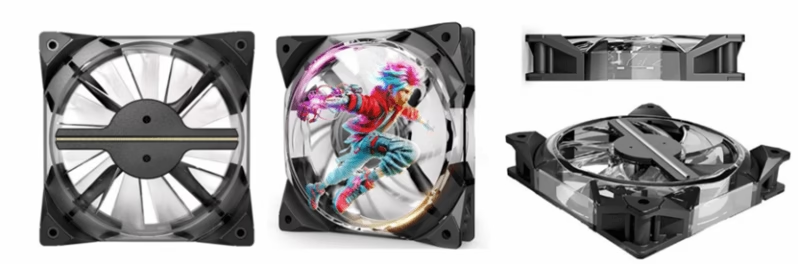
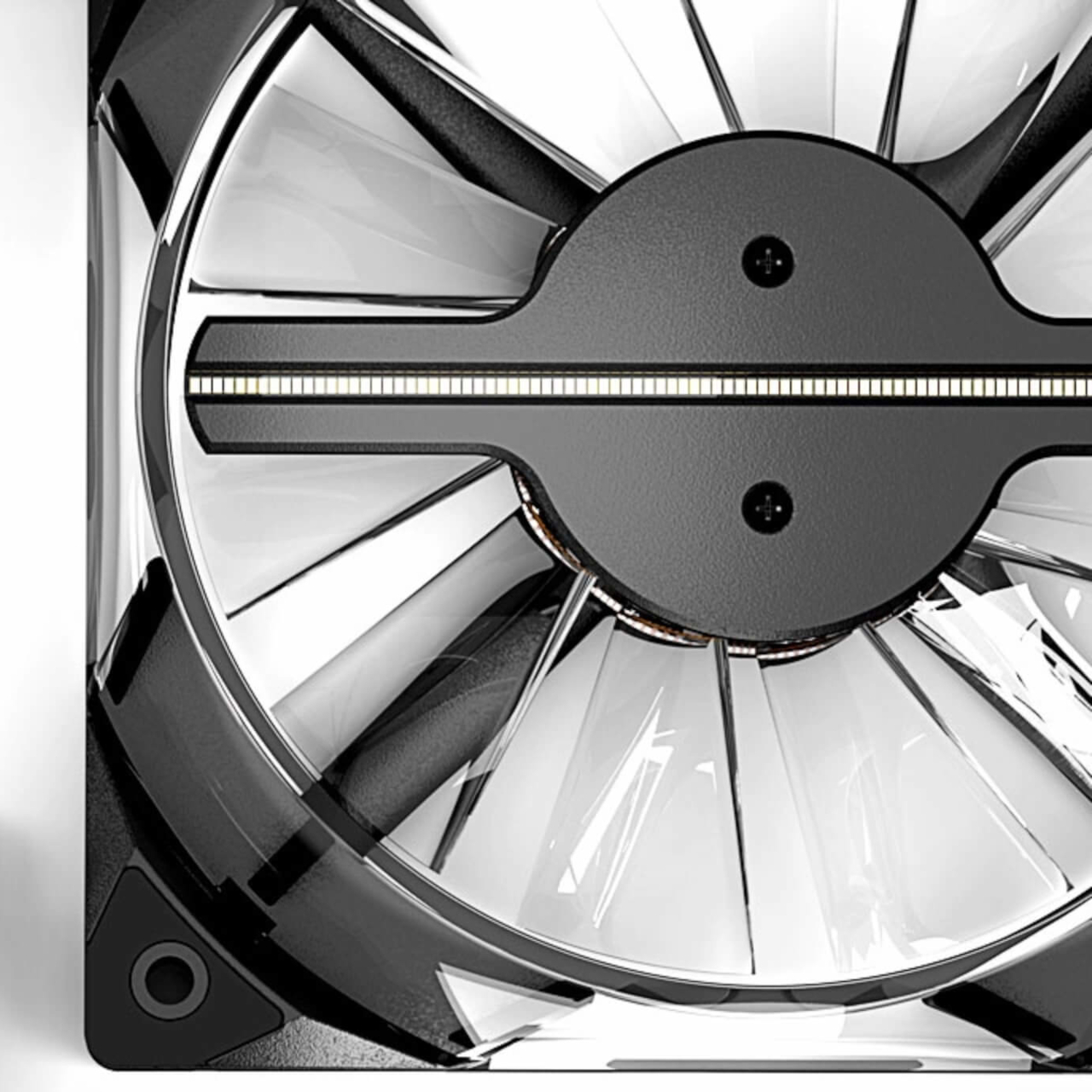
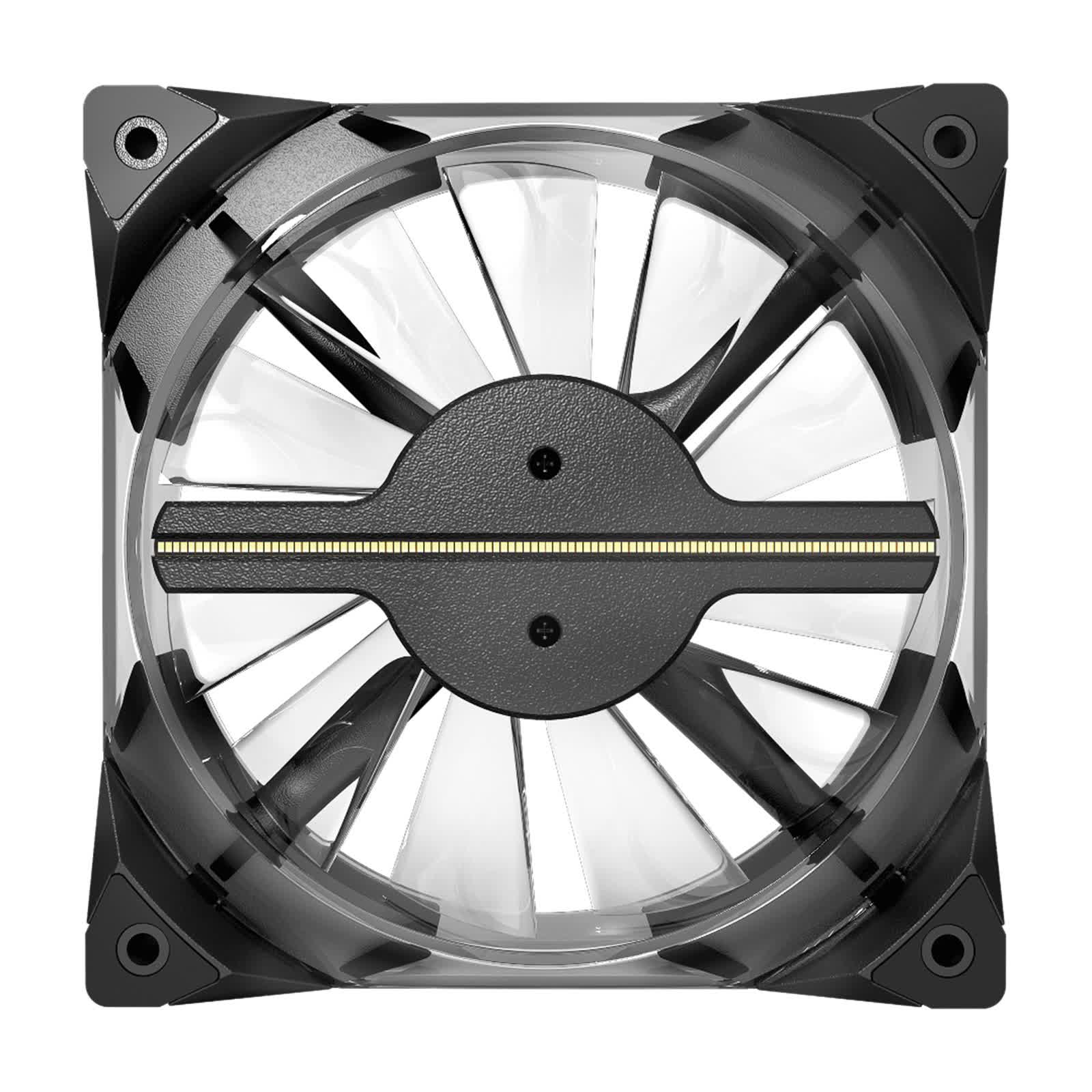
At its core, a holographic fan PC system is a PC case fan that integrates programmable LED arrays into its blades to create the illusion of three-dimensional images and animations floating in mid-air. But how does this magic happen? It all boils down to persistence of vision (POV), an optical phenomenon where the human eye retains an afterimage for a fraction of a second. By exploiting this, rapidly spinning LEDs can form coherent pictures that our brains perceive as stable holograms. For a deeper dive, resources like Lumina Fans’ explanation break down the science behind it, highlighting how this principle has been adapted from classic visual tricks to high-tech PC components.
How Do Holographic Fans Work? The Technical Breakdown
Let’s peel back the layers for non-experts. The fan employs a high-speed motor spinning blades embedded with 256 or more individually controlled LED lights at speeds exceeding 400 RPM. As it rotates, these LEDs flash in precise synchronization with the blade’s rotation, forming patterns that our eyes interpret as stable 3D images. This synchronization is key—every flash is timed to the microsecond to maintain the illusion, often managed by an onboard microcontroller. Interestingly, videos used for these displays are formatted with black backgrounds so that when LEDs are off, the blades become nearly invisible, isolating the hologram. You can see this in action in demonstration videos, where the fan seems to disappear, leaving only the floating image. This engineering marvel underscores the hardware advancements driving the holographic fan PC system from concept to reality, showcasing how meticulous design can turn simple cooling into an interactive display.

Cooling Performance: Reality Check
Now, let’s address the elephant in the room: cooling. Currently, holographic fans act mainly as passive visual displays rather than groundbreaking coolers. They are layered onto standard fan designs where performance hinges on blade design, motor efficiency, and airflow. As noted by Coolify and TechSpot, these fans are about augmenting aesthetics, not redefining thermal dynamics. However, they incorporate innovative PC cooling tech aspects like construction from polycarbonate sheets for lightweight durability under high-speed spin, and power efficiency via advanced LEDs and brushless motors for low consumption without requiring power upgrades. This means that while they won’t outcool dedicated performance fans, they hold their own in typical scenarios, making them a viable choice for builds where visual impact is paramount.
Trade-Offs: Thermals, Noise, and Airflow
Every innovation comes with compromises. With holographic fans, high RPM (400+) may raise noise levels depending on bearing quality and balance—think of a subtle hum versus the whir of traditional fans. Compared to traditional fans, they offer comparable or slightly reduced raw cooling capacity since the optics aren’t optimized for airflow—this is a visual vs. peak thermal trade-off. But frame this within the context of innovative PC cooling tech: these are smart engineering choices prioritizing immersive experiences over marginal gains in cooling. For builders, it’s about knowing when to choose style over substance, or better yet, finding a balance that suits your build’s theme. *Consider using holographic fans as accent pieces in non-critical cooling spots, like rear exhausts, while relying on high-performance fans for CPU and GPU cooling.*

Integration into Your PC Build
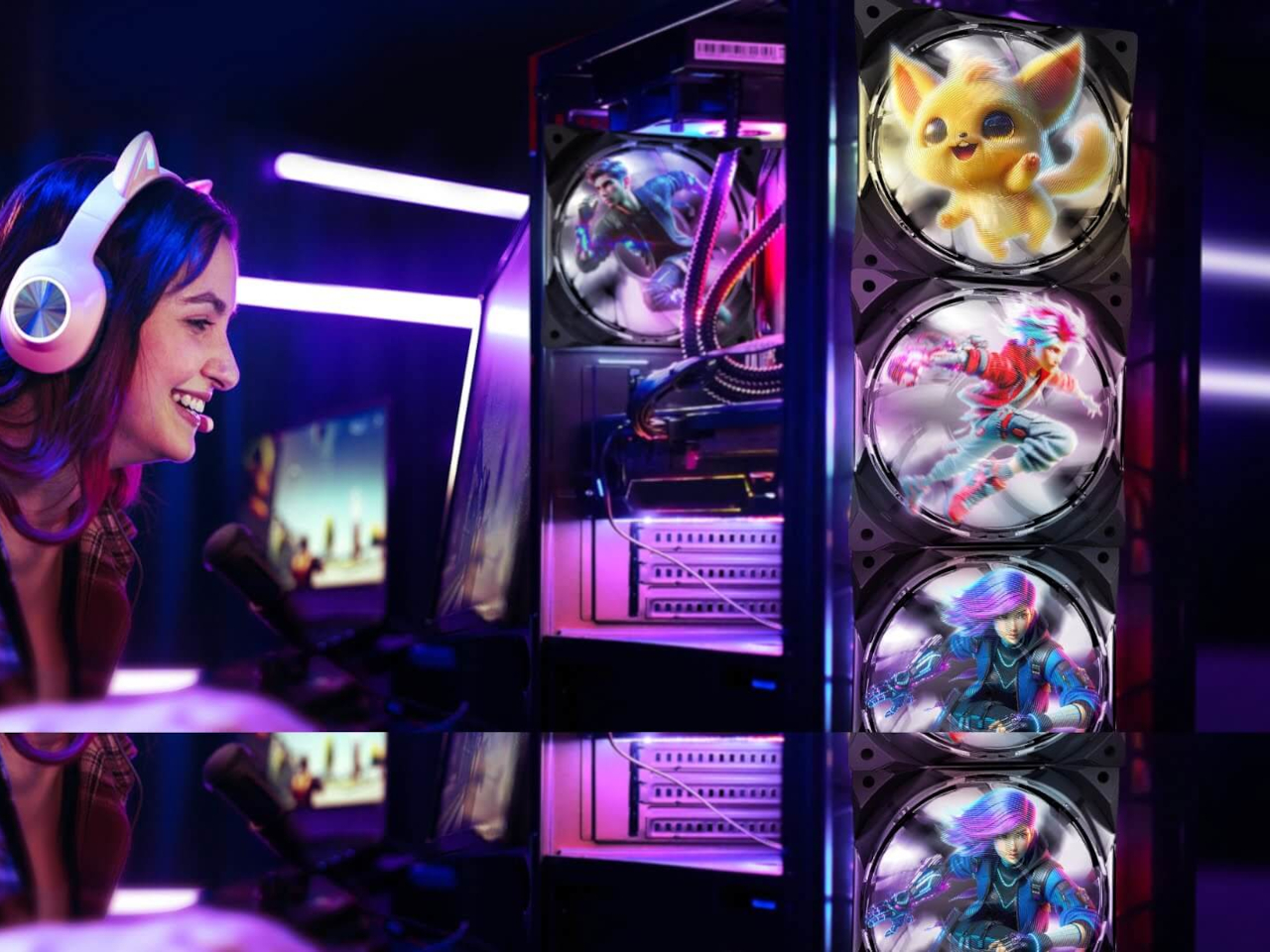
Seamlessly adding a holographic fan to your rig involves a microcontroller or digital signal processor (DSP) to sync LED flashing with fan speed, often built into the fan itself. Users load specially formatted video or image files via internal memory or external storage using dedicated software or apps. The customization possibilities are vast: from text and logos to 3D visuals or real-time data like temperatures and fan speeds, allowing you to display system vitals as floating holograms. Thankfully, most models come with standard mounting brackets and power connections, ensuring aftermarket compatibility. As TechSpot reports, this plug-and-play approach makes adoption straightforward for tinkerers and professionals alike, though you might need to tinker with software settings to perfect the hologram clarity and timing.

Software and Ecosystem Synergies
The magic doesn’t stop at hardware. These fans integrate with RGB-like control suites, allowing syncing of multiple fans, content adjustment, and animations from a single dashboard. This positions them within broader hardware advancements like sensor networks, OLED components, and unified monitoring for hyper-visualization. Imagine your entire PC responding visually to load changes—a holographic fan PC system can be the centerpiece of such an ecosystem, displaying GPU temperature spikes as color-shifting holograms or fan speed increases as animated patterns. Resources from Coolify and Holofex highlight how software elevates the user experience, enabling creators to design custom sequences that match their gaming sessions or workflow, turning data into art.

CES 2026 and Industry Trends
The holographic fan PC system is poised to be a flagship of CES 2026 PC trends, exemplifying experiential premium building where hardware communicates via real-time visuals. Previews suggest immersive feedback for CPU/GPU loads, multifunctional roles beyond cooling, and aesthetics as performance art—think of fans that display victory animations after a gaming win or system alerts during overclocking. To understand how gaming hardware is evolving, check out our analysis of the Best Gaming Consoles of 2025: PS5 vs Xbox Series X vs PC Gaming – Which Should You Buy? and the broader shift in Cloud Gaming vs Traditional Gaming: Understanding the Latest Advancements in 2025. This trend underscores a move toward personalized, interactive computing that blends form and function in ways previously confined to science fiction.

Complementary Technology for a Future-Proof Build
Holographic fans shine brightest when paired with other cutting-edge components. Synergies with cooling/display innovations at CES-like events tie back to innovative PC cooling tech and hardware advancements evolving toward smarter, connected components. For instance, pairing these fans with the latest GPU technology, like the NVIDIA GeForce RTX 40 Series GPUs, can create a truly cutting-edge visual and performance setup where holograms reflect GPU utilization in real-time. This is part of a larger trend in immersive technology, much like the developments explored in The Future of Virtual Reality: What’s Next for VR and AR?, where hardware becomes an extension of the user’s digital experience, blurring lines between reality and simulation.

Actionable Takeaways for PC Builders
So, who should consider a holographic fan PC system? Ideal users are PC enthusiasts, showcase builders, and early adopters who value aesthetics over pure thermal value. Weigh the pros—immersive visuals perfect for glass cases or streaming—against the cons—they aren’t the best for cost-effective cooling. Embrace this as part of the wave of innovative PC cooling tech, CES 2026 PC trends, and overall hardware advancements. For builders looking to complete their setup, our guide on Top Gaming Accessories for 2023: Best Gaming Headphones, Keyboards, and More is an excellent resource. *Remember: start with one fan as a test, ensure your case has good airflow elsewhere, and dive into the software customization to unlock its full potential.*
Frequently Asked Questions
Q: Are holographic fans good for cooling, or are they just for show?
A: Primarily for show. They offer cooling comparable to standard fans but excel in visual appeal. Think of them as enhanced aesthetic components rather than performance coolers—best used in builds where looks are prioritized over extreme overclocking.
Q: How do I control the holograms on these fans?
A: Through dedicated software that allows you to upload custom images or videos, often syncing with RGB ecosystems for unified control. Most brands provide apps for PC or mobile to tweak animations, colors, and data displays.
Q: Are holographic fans noisy due to high RPM?
A: They can be, depending on the model and bearing quality. Look for fans with quiet operation features like fluid dynamic bearings or PWM control to minimize noise, especially in quiet-focused builds.
Q: Can I use holographic fans with any PC case?
A: Yes, as long as they fit standard fan mounts (typically 120mm or 140mm). Always check compatibility before purchasing, and ensure your case has clearance for the fan’s depth, as some models might be slightly thicker due to LED arrays.
Q: What’s the power consumption like for holographic fans?
A: Generally low, thanks to efficient LEDs and brushless motors. They shouldn’t require additional power upgrades in most builds, but check the specifications—typically, they draw between 2-5 watts, similar to RGB fans.
Final Thought: This technology blurs the lines between hardware and interface, turning fans into “windows into your machine’s soul” for builds that feel alive. As we look to CES 2026 PC trends, now is the time to experiment in your next build. Share your thoughts in the comments on adopting holographic fan PC systems, and start visualizing your build’s future today—stay tuned for more hardware advancements!