
Humane AI Pin 2 Features: Imagining the Next Screenless Assistant
Estimated reading time: 12 minutes
Key Takeaways
- This article is a forward-looking look at humane ai pin 2 features, grounded in the realities of the first-generation device and the broader screenless assistant evolution.
- There is currently no official Humane AI Pin 2. This article uses the original Humane AI Pin’s design, reviews, and teardown insights to imagine what a second-generation could look like.
- A hypothetical Pin 2 would need privacy and performance improvements to solve Gen 1’s heat, battery, and latency issues.
- Refined voice gesture updates are critical to make interactions feel effortless and intuitive for a true wearable AI experience.
- The success of such a device hinges on making ambient, screenless computing feel trustworthy and genuinely useful in daily life.
Table of contents
- Humane AI Pin 2 Features: Imagining the Next Screenless Assistant
- Key Takeaways
- The Quest for a Screenless Future
- Grounding Speculation – What the First Humane AI Pin Does Today
- Speculative Humane AI Pin 2 Features – Fixing Gen 1’s Biggest Weaknesses
- Interface Evolution – What Voice Gesture Updates a Pin 2 Would Need
- Trust, Privacy and Performance Improvements – Making a Body‑Worn AI Acceptable
- Humane AI Pin 2 in Context – The Broader Screenless Assistant Evolution
- Frequently Asked Questions
We’re living in a moment where people are actively searching for the next evolution in wearable, screenless AI assistants. The dream is a device that keeps us connected and informed without trapping us in the glowing rectangles of our smartphones. The original Humane AI Pin emerged as one of the first high-profile attempts to build exactly that: a screenless AI assistant that clips to your clothes, using a blend of AI, voice, a laser projector, and a camera instead of a traditional screen.
In this article, we’ll explore the humane ai pin 2 features that would be needed to turn Humane’s ambitious first-generation device into a truly everyday screenless assistant. We’ll look at the essential hardware upgrades, the refined voice gesture updates required for seamless interaction, the non-negotiable privacy and performance improvements, and how all of this fits into the exciting, broader screenless assistant evolution.
Grounding Speculation – What the First Humane AI Pin Does Today
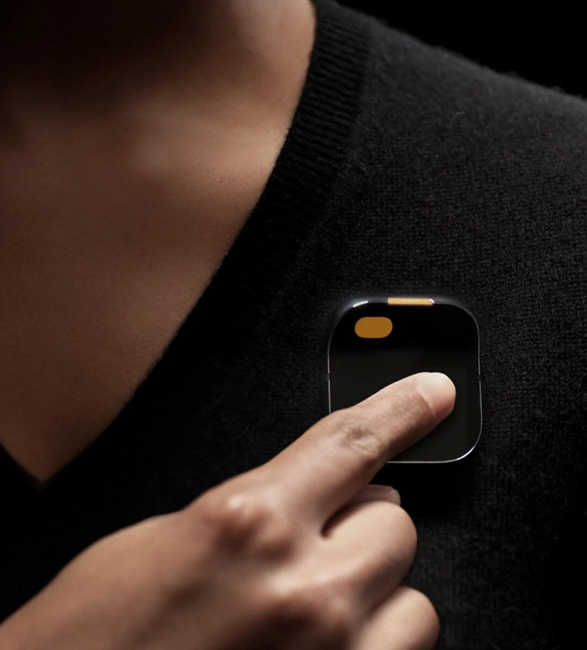
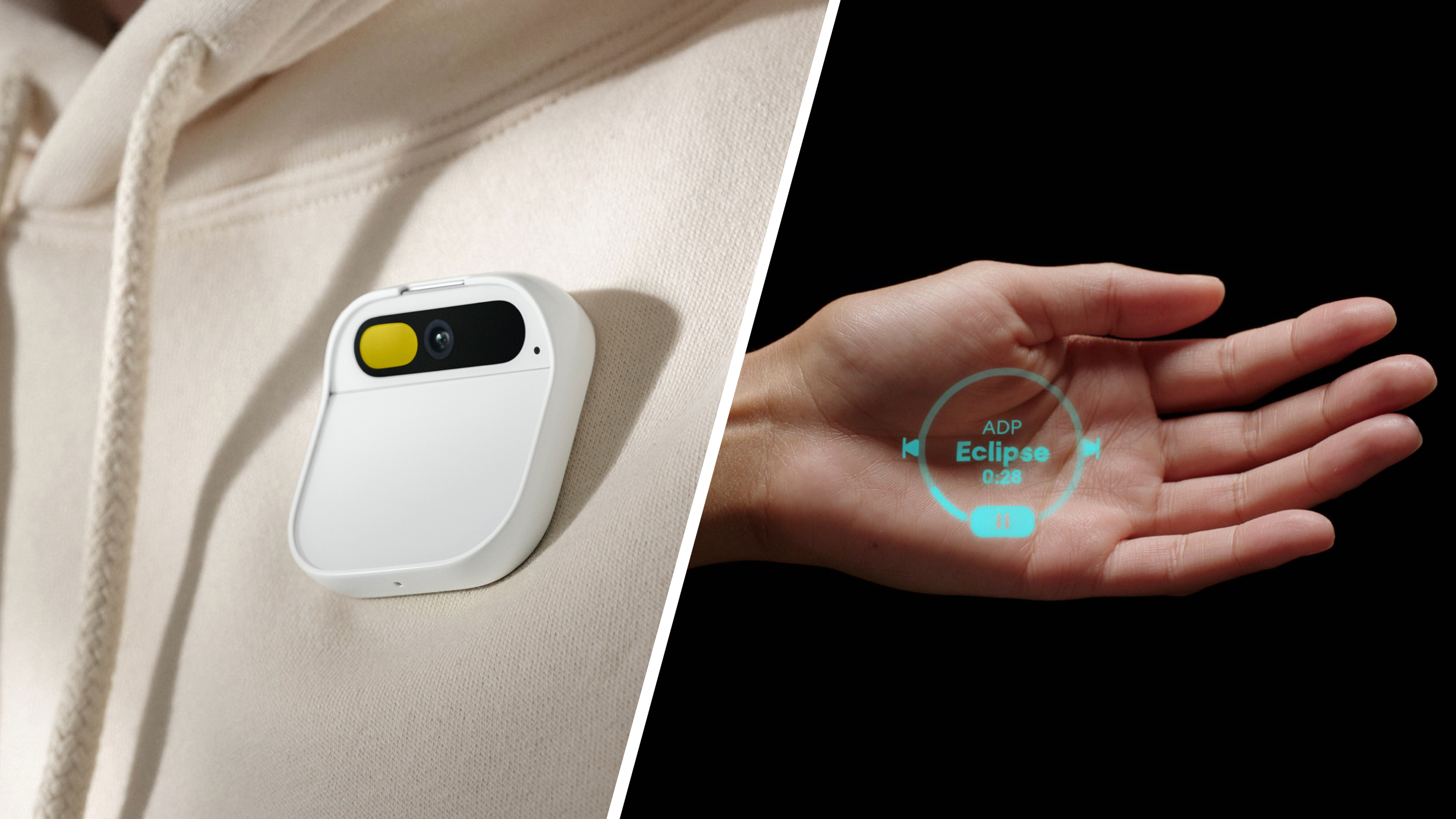
To imagine a successor, we must first understand the foundation. The core concept of the first Humane AI Pin is a screenless AI wearable that magnetically clips to your clothing, acting as an always-with-you assistant. It answers questions, translates languages, manages notifications, and captures photos and video, all powered by AI (Tech.co). Its compact, square form factor is made possible by a magnetic “battery booster” that sits inside your clothing, serving as both a power source and a secure mount (iFixit).
Let’s break down its hardware, which forms the baseline for any speculation about humane ai pin 2 features:
- Processor & Connectivity: It uses a Qualcomm Snapdragon-class processor (similar to a 720G) to handle system tasks, with heavy AI processing offloaded to the cloud. Connectivity includes 4G LTE, Wi-Fi, Bluetooth, and GPS (Tech.co).
- Camera & Sensors: A 12 MP camera on the front, accompanied by depth and motion sensors to support computer vision and the projected interface (Tech.co).
- Audio & Microphones: A “personic” speaker directs sound toward your ear, and a dual-microphone array captures voice commands and ambient sound (YouTube Review).
- Laser Projection Display: Instead of a screen, a “Laser Ink” projector casts a green-tinted, roughly 720p interface onto your palm. It’s a Class 2 laser, deemed safe for normal use (iFixit).
- Input Methods: Control is a mix of voice (press-and-hold to talk, signaled by a trust light), a touchpad on the device, and gestures performed in the projected UI (YouTube Review).
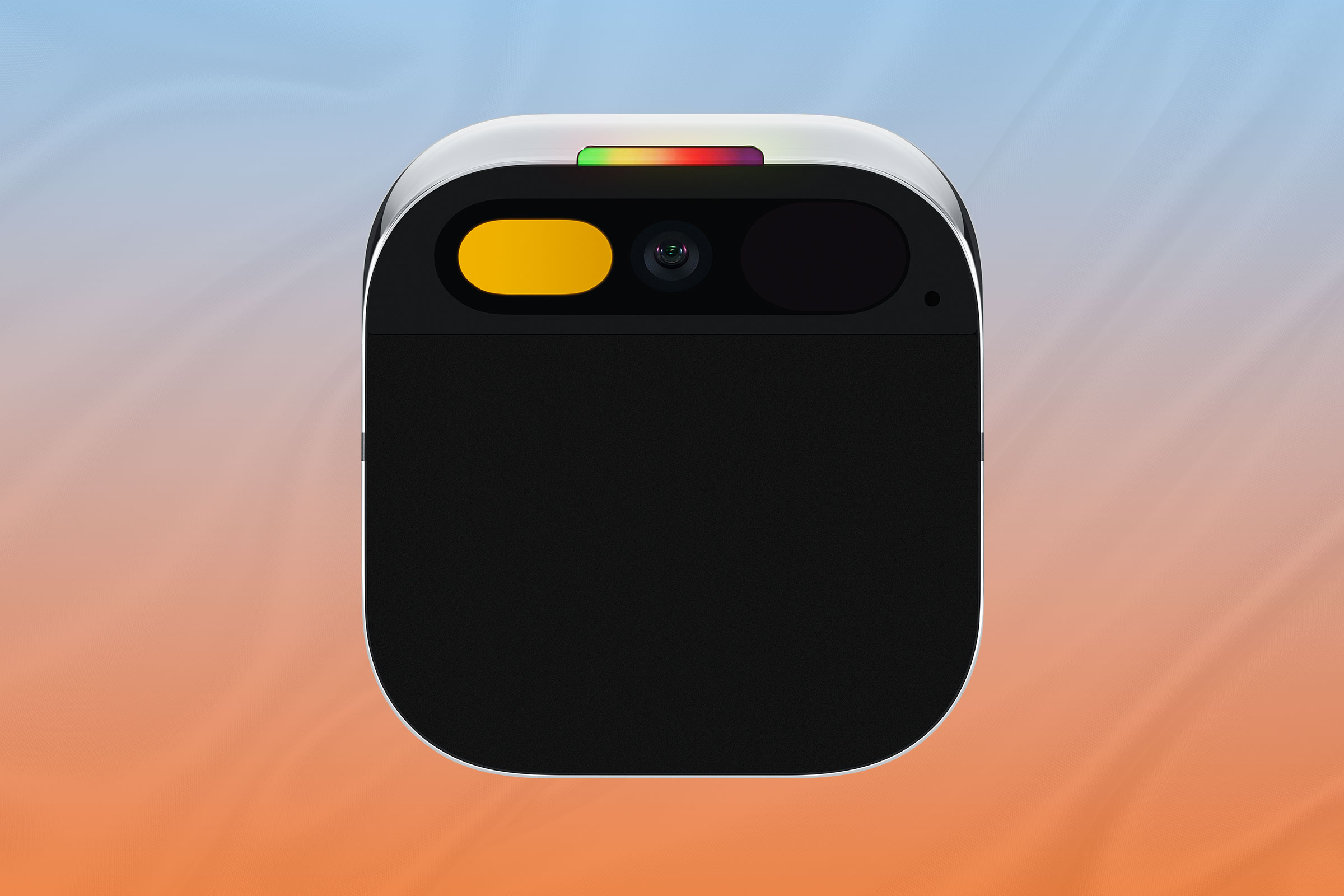
However, early reviews highlighted critical pain points that a second generation must solve. Users reported a very short realistic use time for the projector—approximately 6–9 minutes of continuous use before heat or battery concerns forced a pause (YouTube Review). The device can run noticeably hot during intensive tasks, and its heavy reliance on cloud AI leads to noticeable latency and inconsistency in poor connectivity (YouTube Review). These realities form the crucial starting point for imagining the humane ai pin 2 features needed to enable a true screenless assistant evolution.
Speculative Humane AI Pin 2 Features – Fixing Gen 1’s Biggest Weaknesses
Any plausible second-generation device must directly address the first model’s limitations. Here’s a grounded look at the humane ai pin 2 features that could turn potential into daily utility.
Battery Life and Thermal Design
Gen 1’s limited projection time and overall battery life are major constraints (YouTube Review). A Pin 2 would likely need:
- Higher-Density Batteries: Larger-capacity or more advanced battery cells in the magnetic booster, without adding significant weight or bulk.
- More Efficient Silicon: A next-generation Snapdragon-class chip with built-in AI acceleration that delivers more performance per watt, drastically reducing power draw for core tasks.
- Intelligent Thermal Management: Improved heat spreaders, a more efficient internal layout, and smarter software that preemptively manages demanding components (like the projector) to prevent user discomfort.

For the screenless assistant evolution to succeed, the hardware must become “forgettably comfortable”—free from hot spots and constant charging anxiety.
Core Hardware Upgrades
The sensory suite is the device’s window to the world. Upgrades here would directly enable new capabilities:
- Enhanced Camera & Sensors: A camera upgrade for better low-light photos and a wider field of view. Adding a more advanced depth sensor (like Time-of-Flight) could enable precise hand tracking and better spatial awareness.
- Context-Aware Sensors: Always-on, low-power sensors (accelerometer, gyroscope, ambient light) to help the AI infer context—are you walking, driving, or in a meeting?—enabling more intelligent, proactive assistance.
Projection and Visual UX
The current laser projection is innovative but limited in brightness and continuous use (Tech.co). A Pin 2’s projector would need to be:
- Brighter and More Efficient: Readable in outdoor light with better contrast, while drawing less power to extend usage sessions.
- Smoother and More Responsive: A higher effective frame rate and smoother animations to make the interface feel less like a tech demo and more like a reliable tool.
- Better at Tracking: Improved hand and palm detection for more natural, less exaggerated hand positioning.

On‑Device AI and Reduced Cloud Dependence
Gen 1’s heavy reliance on cloud AI (via partners like OpenAI/Microsoft) creates latency and privacy questions (Tech.co). A key set of humane ai pin 2 features would center on a hybrid AI model:
- Dedicated NPU (Neural Processing Unit): Hardware capable of running compact language and vision models locally for instant, private responses to common tasks: wake-word detection, simple Q&A, quick translations, and basic image recognition.
- Intelligent Task Routing: Simple tasks processed on-device; complex queries escalated to the cloud. This hybrid approach would deliver the most visible privacy and performance improvements—faster responses and fewer failures when your signal dips.
Interface Evolution – What Voice Gesture Updates a Pin 2 Would Need
The current interface—voice with press-and-hold, palm gestures, and a touchpad—shows promise but has friction. Reviews note latency, misrecognition in noise, and a learning curve for gestures (YouTube Review). The next generation demands refined voice gesture updates.
Voice Interaction Updates
For a screenless AI assistant to feel invisible, talking to it must be effortless.
- Optional Wake-Word Activation: Moving beyond only push-to-talk to include a “Hey Humane” option, backed by even stronger privacy signals and controls.
- Conversational Continuity: The AI should remember context across a day. Ask about the weather in the morning, and later say “should I bring a jacket?” for a relevant follow-up.
- Advanced Noise Suppression: Leveraging multiple microphones and AI filtering to isolate the wearer’s voice clearly on a busy street or in a crowded cafe.
- Local Speech Recognition: Processing wake words and simple commands (“take a photo,” “next song”) entirely on-device for instant response and offline privacy.

Gesture Control Improvements
Gestures need to transition from a neat trick to a reliable input method.
- Precision Tracking: The projected UI should stick to your hand like glue, tracking natural movements without requiring an awkward, fixed pose.
- Expanded Gesture Vocabulary: Simple, intuitive gestures like a swipe to dismiss, a pinch to select, or a flick to scroll through information.
- Reduced Accidental Triggers: Smarter software that understands the difference between a deliberate command and you just adjusting your glasses.
- Multimodal Interaction: Seamlessly blending voice and gesture. Say “show my messages” and then swipe through them on your palm without another word.

These voice gesture updates are not mere tweaks; they are essential to transforming the device from an interesting prototype into an invisible everyday tool, a true milestone in the screenless assistant evolution.
Trust, Privacy and Performance Improvements – Making a Body‑Worn AI Acceptable
A device worn on your body, with an always-available camera and microphone, lives or dies on trust. The Gen 1 Pin established a foundation with its trust light and press-to-talk consent mechanism (Tech.co). But its cloud-dependent AI model and performance hiccups—latency, thermal throttling, and network dependence (YouTube Review)—highlight areas for critical improvement.
Speculative Privacy and Performance Improvements for Pin 2
Privacy Improvements:
- Clear Data Separation: A transparent, user-controllable divide between on-device and cloud data. Personal context stays local; only anonymized, minimal data is sent for complex tasks.
- Transparent Controls: Simple voice/projection commands to review and delete recent data logs, giving users clear agency.
- Hardware Privacy Features: A physical camera shutter that’s visibly obvious and software-proof, and a secure enclave for sensitive data like payment or health info.
- Bystander Protections: Default software that avoids storing or clearly blurs faces captured in public spaces unless explicitly intended by the wearer.

Performance Improvements:
- On-Device AI Acceleration: As mentioned, a capable NPU to handle common tasks locally, slashing response times and enabling functionality even offline.
- Smarter Power Management: Software that intelligently prioritizes core assistant functions (voice, notifications) while managing power-hungry features (projector, camera) in efficient bursts.
- Adaptive Connectivity: Robust offline modes where taking notes, setting reminders, and accessing cached info work seamlessly without a network signal.
For a device that resides on your body, these privacy and performance improvements are not optional features—they are the essential bedrock of user trust and daily utility, core to any successful suite of humane ai pin 2 features.
Humane AI Pin 2 in Context – The Broader Screenless Assistant Evolution
The Humane AI Pin is a single player in a larger movement toward ambient, screenless computing—where AI, sensors, voice, and subtle visuals replace our constant gaze at smartphone screens (iFixit). It’s useful to place a hypothetical Pin 2 within this evolving landscape:
- Smart Earbuds: Pure audio assistants (like advanced hearables) offer screenless help but lack any visual component (PenBrief).
- Smart Glasses / AR Headsets: These overlay information in your field of view but are often bulkier and more socially conspicuous than a simple pin.
- Other AI Pins: The category is forming. For example, leaks suggest companies like Motorola are exploring their own AI pin-style devices (PhoneArena).

This context shows why a perfected Pin 2 could be a milestone. If Gen 1 was the proof-of-concept, then humane ai pin 2 features would need to deliver all-day comfort, frictionless voice gesture updates, and robust privacy and performance improvements. This unique combination—audio-first, with subtle projection when needed—positions it between earbuds, smart glasses, and smartphones.
The implications of success in this screenless assistant evolution are profound: less time buried in screens, more natural and context-aware help with navigation, translation, and memory, and a fundamental shift from “open app and type” to “just speak or gesture.”
Reiterating that there is no official device yet, any second-generation Humane AI Pin would require major improvements in hardware, battery, and projection to succeed. The refinement of its voice gesture updates will determine if interacting with it feels effortless or frustrating. Ultimately, the essential privacy and performance improvements will decide if users are comfortable welcoming an always-on, body-worn AI into their lives. Whether Humane builds it or not, the ideas behind these humane ai pin 2 features are charting the course for the screenless assistant evolution, pushing us toward a future where computing fades into the background and AI becomes a natural, helpful part of how we move through the world (PenBrief).
Frequently Asked Questions
Has Humane announced an AI Pin 2?
No, Humane has not announced a second-generation AI Pin. This article is a speculative exploration based on the strengths and weaknesses of the first-generation device, imagining what features a successor would need to be successful.
What was the biggest flaw in the first Humane AI Pin?
Based on early reviews, the most limiting flaws were related to thermal management and battery life, particularly for the laser projector. Continuous projection was limited to just a few minutes before the device needed to cool down, significantly hindering the core screenless interface (YouTube Review).
Why is on-device AI processing important for a device like this?
On-device AI processing is crucial for two reasons: performance and privacy. It enables near-instant responses for common tasks (no network latency) and allows sensitive queries (e.g., personal notes, voice commands) to be processed locally without being sent to the cloud, building essential user trust.
How does the Humane AI Pin concept differ from smart glasses?
While both aim for ambient computing, the AI Pin uses a small laser projector to display information on your hand only when you need it, otherwise remaining invisible. Smart glasses typically have a persistent display in your field of view (either always-on or activated). The Pin is also a smaller, clothing-based form factor compared to eyewear.
Can the Humane AI Pin work without a smartphone?
Yes, that is the core concept of the first-generation device. It has its own cellular connection (4G LTE) and operating system, designed to be a standalone device that reduces reliance on a smartphone (Tech.co).