Introduction: What is JSON Schema and Why It Matters
In the ever-evolving landscape of software development, efficient and reliable data exchange is paramount. At the heart of this exchange often lies JSON (JavaScript Object Notation), a lightweight data-interchange format. However, the inherent flexibility of JSON can sometimes lead to unpredictability. This is where **JSON Schema** steps in, acting as a powerful tool to bring order to this flexibility.

What exactly is **JSON Schema**? In essence, it’s a vocabulary that describes the structure and validation rules of JSON data. Think of it as a blueprint or a contract for your JSON. Its fundamental purpose is to provide a reliable, predictable, and well-documented way to exchange data in modern applications. This predictability is crucial for ensuring that systems, whether they are APIs, databases, or different microservices, can communicate effectively without errors.
For developers, the importance of **JSON Schema** cannot be overstated. It plays a critical role in ensuring data consistency across various parts of an application or between different systems. By enforcing a defined structure, it significantly reduces the occurrence of runtime errors that often stem from unexpected data formats. This contribution to interoperability between systems [Source: https://blog.promptlayer.com/how-json-schema-works-for-structured-outputs-and-tool-integration/, https://leapcell.io/blog/understanding-json-and-json-schema, https://json-schema.org] is invaluable. Furthermore, it simplifies the process of documentation and enables automation, as the schema itself serves as a form of machine-readable documentation.
At its core, **JSON Schema** allows developers to explicitly **define JSON structure**. This means you can specify the expected field names, the data types for each field (like strings, numbers, booleans), validation rules (e.g., a number must be greater than zero), and other structural requirements that ensure the JSON data adheres to your specifications [Source: https://blog.promptlayer.com/how-json-schema-works-for-structured-outputs-and-tool-integration/, https://leapcell.io/blog/understanding-json-and-json-schema]. This explicit definition is the key to unlocking reliable data handling.
The Problem: Challenges with Unstructured JSON Data
JSON’s widespread adoption is a testament to its simplicity and flexibility. It’s easy for humans to read and write, and it’s readily parsed by machines. However, this very flexibility can be a double-edged sword.
Without a defined structure, JSON data can become inconsistent and unpredictable. Imagine an API that’s supposed to return a user’s age as a number, but sometimes it returns it as a string, or it’s missing altogether. This inconsistency is a breeding ground for problems.
These inconsistencies significantly increase the risk of errors and integration issues in applications and APIs [Source: https://blog.promptlayer.com/how-json-schema-works-for-structured-outputs-and-tool-integration/, https://json-schema.org, https://blog.stoplight.io/five-ways-json-schema-can-help-you-create-better-apis]. When one system sends data in a format that another system doesn’t expect, applications can crash, data can be corrupted, or operations can fail silently, leading to frustrating debugging sessions and unreliable user experiences.

This reality highlights the pressing need for a mechanism to enforce data integrity and predictability. Developers need a way to ensure that the JSON data they receive or send conforms to a set of agreed-upon rules, acting as a safeguard against the chaos of unstructured data. This is precisely the gap that JSON Schema fills.
The Solution: Understanding JSON Schema Validation
Enter **JSON Schema validation**, the elegant solution to the challenges posed by unstructured JSON data. It’s the process by which we ensure that a given piece of JSON data conforms to a predefined structure and set of rules defined in a JSON Schema.

Essentially, **JSON Schema validation** involves setting clear, explicit rules within a schema. Software can then use these rules to automatically **validate JSON data** before it’s further processed, stored, or transmitted [Source: https://blog.promptlayer.com/how-json-schema-works-for-structured-outputs-and-tool-integration/, https://latitude-blog.ghost.io/blog/how-json-schema-works-for-llm-data/, https://leapcell.io/blog/understanding-json-and-json-json-schema]. This automated checking acts as a critical gatekeeper, preventing malformed or inconsistent data from causing downstream problems.
The benefits of **JSON Schema validation** are manifold and directly address the pain points of unstructured data:
-
Ensuring Data Integrity: Guarantees that data adheres to expected types, formats, and constraints, maintaining its accuracy and reliability.
-
Preventing Invalid or Malformed Data: Catches errors early in the data processing pipeline, saving development time and preventing potential crashes or data corruption.
-
Promoting Reliable Automation: Enables automated processes to run more smoothly, as they can depend on the data they receive being in a predictable and correct format.
-
Streamlining API and System Integration: Makes it significantly easier to integrate different services and systems by providing a clear, enforceable contract for data exchange [Source: https://blog.promptlayer.com/how-json-schema-works-for-structured-outputs-and-tool-integration/, https://leapcell.io/blog/understanding-json-and-json-json-schema, https://json-schema.org].

In essence, JSON Schema validation transforms JSON from a potentially chaotic format into a robust and trustworthy data structure, essential for building resilient and scalable applications.
Core Components: How to Define JSON Structure with JSON Schema
To effectively use JSON Schema, it’s important to understand its fundamental building blocks. These components work together to precisely describe the expected structure of your JSON data.
At the most basic level, JSON Schema defines data types. The standard JSON data types that can be specified include:
-
string: For text values.
-
number: For floating-point or integer numbers.
-
integer: A subset of ‘number’ for whole numbers.
-
boolean: For true or false values.
-
object: For JSON objects, which are collections of key-value pairs.
-
array: For ordered lists of values.
-
null: For null values.
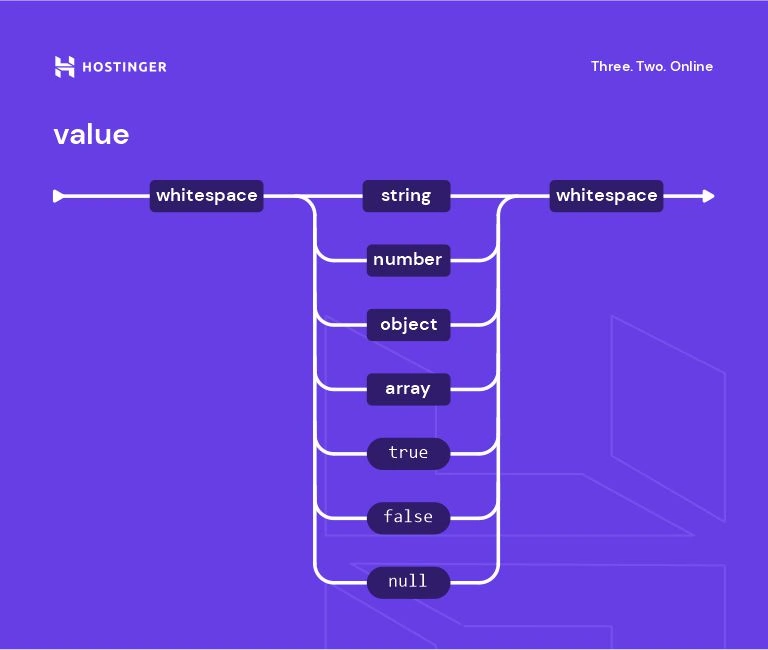
These basic types form the foundation for describing your data. Beyond these, several essential keywords are used to **define JSON structure** more granularly:
-
type: This is arguably the most fundamental keyword. It specifies the expected data type for a given value. For example,"type": "string"indicates that the value should be a string. -
properties: Used within an object schema, this keyword defines the fields (key-value pairs) that the object is expected to contain. Each property name is a key, and its value is another schema describing the expected type and constraints for that property’s value. For example,"properties": { "name": { "type": "string" }, "age": { "type": "integer" } }. -
required: This keyword, typically used within an object schema, is an array of strings listing the property names that *must* be present in the JSON object. If a required property is missing, the data will fail validation. For example,"required": ["name", "email"]. -
items: Used within an array schema, this keyword specifies the schema that each element within the array must conform to. If an array can contain items of different types, you might use"items": { "anyOf": [ { "type": "string" }, { "type": "number" } ] }, or more commonly, a single schema if all items should be of the same type, like"items": { "type": "string" }.
By combining these core components, developers gain the power to precisely **define JSON structure**. They can describe expected fields, their exact data types, whether they are mandatory, and even the structure of items within arrays. This explicit definition is the bedrock of robust data handling [Source: https://blog.promptlayer.com/how-json-schema-works-for-structured-outputs-and-tool-integration/, https://json-schema.org].
Putting It into Practice: Practical JSON Schema Examples
Understanding the concepts of JSON Schema is one thing; seeing them in action is another. Let’s explore some practical **JSON Schema examples** that illustrate its power and flexibility in defining various data structures.
Example 1: Simple User Profile Schema
Consider a common scenario: managing user profiles. We need to ensure that a user object has a name, an age, and an email, with specific constraints.
Here’s a schema that defines this structure:
{
  "type": "object",
  "properties": {
    "name": {
      "type": "string",
      "description": "The user's full name."
    },
    "age": {
      "type": "integer",
      "description": "The user's age in years.",
      "minimum": 0
    },
    "email": {
      "type": "string",
      "description": "The user's email address.",
      "format": "email"
    }
  },
  "required": [
    "name",
    "email"
  ]
}
In this example:
-
We declare the root element as an
"object". -
Under
"properties", we define"name"as a"string","age"as an"integer"with a"minimum"value of 0, and"email"as a"string"with a specified"format"of “email” (which many validators can check further). -
The
"required"array specifies that both"name"and"email"fields must be present for the JSON to be considered valid.
This schema effectively helps **define JSON structure** for user data, ensuring that names and emails are provided and age is a non-negative number.
Example 2: Complex Order Object with Nested Arrays
Now, let’s tackle a more complex scenario: an e-commerce order. An order typically includes customer details and a list of items purchased, each with its own properties.
Here’s a schema to represent such an order:
{
  "type": "object",
  "properties": {
    "orderId": {
      "type": "string",
      "description": "Unique identifier for the order."
    },
    "customer": {
      "type": "object",
      "properties": {
        "customerId": {
          "type": "string"
        },
        "name": {
          "type": "string"
        },
        "shippingAddress": {
          "type": "string"
        }
      },
      "required": [
        "customerId",
        "name"
      ]
    },
    "items": {
      "type": "array",
      "description": "List of items in the order.",
      "items": {
        "type": "object",
        "properties": {
          "productId": {
            "type": "string"
          },
          "productName": {
            "type": "string"
          },
          "quantity": {
            "type": "integer",
            "minimum": 1
          },
          "price": {
            "type": "number",
            "format": "float",
            "minimum": 0
          }
        },
        "required": [
          "productId",
          "quantity",
          "price"
        ]
      }
    },
    "totalAmount": {
      "type": "number",
      "format": "float",
      "minimum": 0
    }
  },
  "required": [
    "orderId",
    "customer",
    "items",
    "totalAmount"
  ]
}
This example showcases the power of **JSON Schema** to **define JSON structure** for intricate data formats:
-
The
"customer"property itself is a nested"object"with its own properties and required fields. -
The
"items"property is an"array". Crucially, the"items"keyword inside the array definition specifies that *each element* within this array must be an"object"describing a product, including its"productId","quantity"(which must be at least 1), and"price". -
We also have a
"totalAmount"which is a number, and various other required fields throughout the structure.
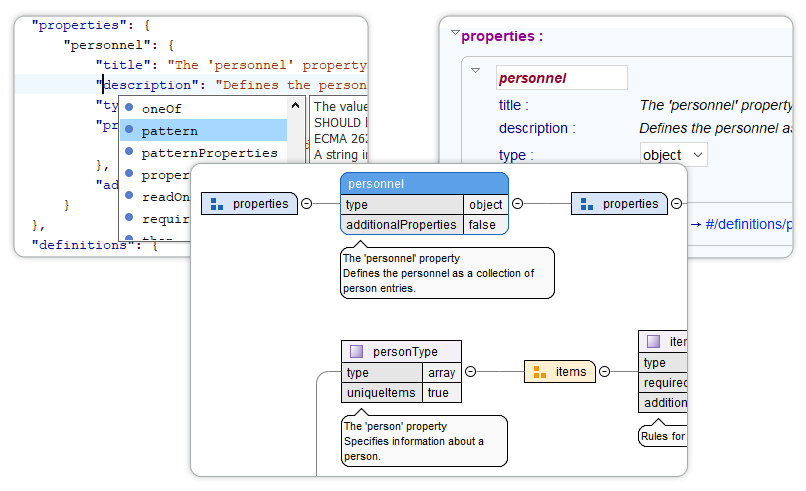
These examples demonstrate how **JSON Schema** provides a robust mechanism for defining data contracts, ensuring that complex, nested data structures are consistently and predictably formatted.
The Validation Workflow: How to Validate JSON Data
Now that we understand what JSON Schema is and how to define structures, let’s walk through the practical steps involved in using it to **validate JSON data**. This process is typically automated within your application’s codebase.
The validation workflow generally follows these steps:
-
1. Create a JSON Schema: This is the foundational step. You’ll write a JSON Schema file (or define it as a JSON object within your code) that accurately describes the expected structure, data types, and constraints of the JSON data you intend to validate. This schema acts as your data contract.
-
2. Utilize a JSON Schema Validator: You’ll need a tool or library that implements the JSON Schema specification to perform the actual validation. These validators take your schema and the JSON data as input [Source: https://blog.promptlayer.com/how-json-schema-works-for-structured-outputs-and-tool-integration/, https://json-schema.org].
-
3. The Validator Compares Data Against Schema: The core of the process. The validator systematically checks each part of your JSON data against the rules defined in the schema. It ensures that:
-
All specified properties are present (if marked as required).
-
The data types of values match the schema (e.g., a string where a string is expected).
-
Any format, pattern, minimum/maximum, or other constraints are satisfied.
-
Array items conform to the specified item schema.
-
-
4. Determine the Outcome: Based on the comparison, the validator provides a result. If the JSON data conforms perfectly to the schema, it’s considered valid. If there are any discrepancies, the validator will typically return specific error messages detailing exactly *what* went wrong and *where* in the data [Source: https://blog.promptlayer.com/how-json-schema-works-for-structured-outputs-and-tool-integration/].
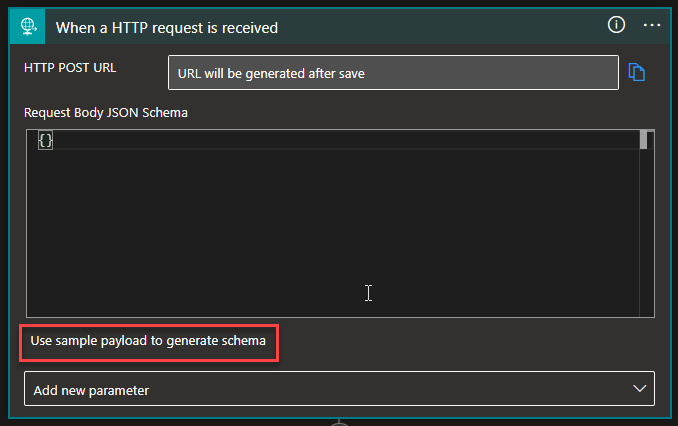
This feedback loop is invaluable for debugging and ensuring data quality. Developers often integrate these validators into their data ingestion pipelines, API endpoints, or configuration loading processes.
There are many popular and robust validator tools and libraries available for various programming languages. Some prominent examples include:
-
AJV (Another JSON Schema Validator): A highly performant validator for JavaScript.
-
jsonschema: A popular validator for Python. -
Everit JSON Schema: A Java library for JSON Schema validation.
Beyond these libraries, you can also find online JSON Schema validators that are useful for quick checks, and many Integrated Development Environments (IDEs) offer plugins that provide real-time schema validation as you write JSON or schema files [Source: https://json-schema.org].
Getting Started: A Step-by-Step JSON Schema Tutorial
Ready to start implementing JSON Schema in your projects? Here’s a beginner-friendly, step-by-step tutorial to get you going. We’ll use Node.js with the popular AJV library for this example, but the principles apply across languages.
Step 1: Set Up Your Validation Environment
First, ensure you have Node.js and npm (or yarn) installed. Then, create a new project directory and initialize it:
mkdir json-schema-demo
cd json-schema-demo
npm init -y
Now, install the AJV library:
npm install ajvStep 2: Write Your First JSON Schema
Create a file named userSchema.json (or define it directly in your JavaScript file). Let’s create a simple schema for a user object that requires a name (string) and an optional age (integer):
// userSchema.json
{
  "type": "object",
  "properties": {
    "name": {
      "type": "string",
      "minLength": 1
    },
    "age": {
      "type": "integer",
      "minimum": 0
    }
  },
  "required": ["name"]
}
Step 3: Test Your Schema with Sample Data
Create a file named validateUser.js. This script will load the schema, create a validator instance, and test it against some sample data.
// validateUser.js
const Ajv = require('ajv');
const ajv = new Ajv();

// Load the schema (or define it directly here)
const userSchema = {
  "type": "object",
  "properties": {
    "name": {
      "type": "string",
      "minLength": 1
    },
    "age": {
      "type": "integer",
      "minimum": 0
    }
  },
  "required": ["name"]
};

// Compile the schema
const validate = ajv.compile(userSchema);

// --- Test cases ---

// Valid data
const validUser1 = {
  name: "Alice",
  age: 30
};

const validUser2 = {
  name: "Bob" // age is optional
};

// Invalid data
const invalidUser1 = {
  age: 25 // missing required 'name'
};

const invalidUser2 = {
  name: "", // empty name violates minLength
  age: 20
};

const invalidUser3 = {
  name: "Charlie",
  age: -5 // violates minimum
};

// Perform validation
console.log("--- Validating validUser1 ---");
const isValid1 = validate(validUser1);
console.log("Is valid:", isValid1);
if (!isValid1) console.log("Errors:", validate.errors);

console.log("\n--- Validating validUser2 ---");
const isValid2 = validate(validUser2);
console.log("Is valid:", isValid2);
if (!isValid2) console.log("Errors:", validate.errors);

console.log("\n--- Validating invalidUser1 ---");
const isInvalid1 = validate(invalidUser1);
console.log("Is valid:", isInvalid1);
if (!isInvalid1) console.log("Errors:", validate.errors);

console.log("\n--- Validating invalidUser2 ---");
const isInvalid2 = validate(invalidUser2);
console.log("Is valid:", isInvalid2);
if (!isInvalid2) console.log("Errors:", validate.errors);

console.log("\n--- Validating invalidUser3 ---");
const isInvalid3 = validate(invalidUser3);
console.log("Is valid:", isInvalid3);
if (!isInvalid3) console.log("Errors:", validate.errors);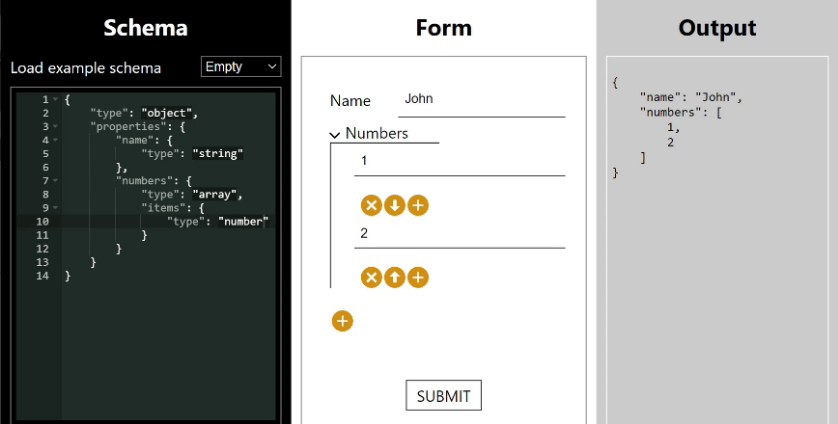
To run this, save the files and execute:
node validateUser.jsYou will see output indicating which data is valid and which is not, along with specific error messages for the invalid data, demonstrating how error reporting works.
Beyond the Basics: Advanced JSON Schema Features
While the core components like `type`, `properties`, `required`, and `items` are powerful, JSON Schema offers a rich set of advanced keywords and concepts that allow for even more precise and nuanced schema definitions. These features empower developers to **define JSON structure** to an extremely granular level, catering to complex real-world data requirements.
Here are some of the more advanced features you can leverage:
-
format: This keyword allows you to specify that a string value should conform to a particular recognized format. Common formats include"date","time","date-time","email","hostname","ipv4","ipv6", and"uri". Validators can use these formats to perform more specific string validation. -
pattern: For more custom string validation, the"pattern"keyword accepts a regular expression. Any string value must match this regular expression to be considered valid. This is incredibly useful for validating unique identifiers, codes, or specific text patterns. -
enum: This keyword restricts the possible values for a field to a predefined list or set. For example, if a status field can only be “pending”, “processing”, or “completed”, you would use"enum": ["pending", "processing", "completed"]. -
minLengthandmaxLength: These keywords apply to strings and arrays, setting constraints on their length. You can ensure a string has at least a certain number of characters or that an array contains no more than a specified number of items. -
minimum,maximum,exclusiveMinimum, andexclusiveMaximum: These keywords are used for numeric types to define acceptable ranges for values. They ensure that numbers fall within specified bounds, either inclusively or exclusively. -
uniqueItems: When applied to an array schema, setting"uniqueItems": trueenforces that all elements within the array must be unique. This is useful for lists of IDs or tags where duplicates are not allowed. -
Composing Schemas: Keywords like
anyOf,allOf,oneOf, andnotallow you to combine and relate different schemas, creating complex validation logic. For instance,anyOfmeans the data must be valid against *at least one* of the provided subschemas.
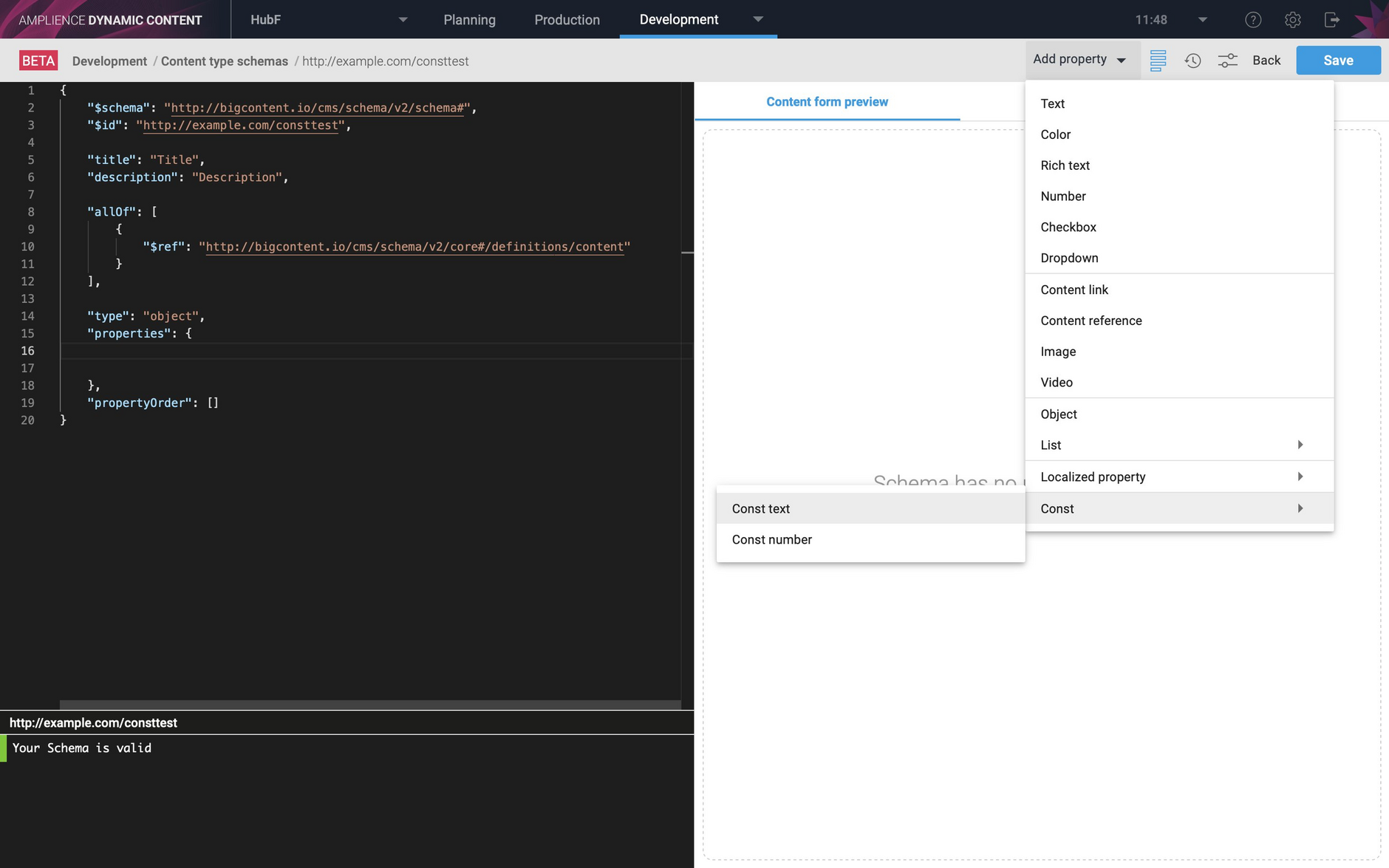
These advanced features provide granular control, enabling developers to define exceptionally complex and robust data structures that are precisely tailored to the demands of real-world applications. By mastering these, you can create data contracts that are not only descriptive but also highly restrictive, ensuring maximum data quality and predictability [Source: https://blog.promptlayer.com/how-json-schema-works-for-structured-outputs-and-tool-integration/, https://json-schema.org].
Conclusion: Mastering Data with JSON Schema
In the fast-paced world of software development, where data flows constantly between systems and services, maintaining data quality and predictability is not just a best practice—it’s a necessity. **JSON Schema validation** stands out as a critical tool in achieving this goal, ensuring that the JSON data you work with is consistent, reliable, and free from unexpected errors [Source: https://leapcell.io/blog/understanding-json-and-json-json-schema, https://json-schema.org].
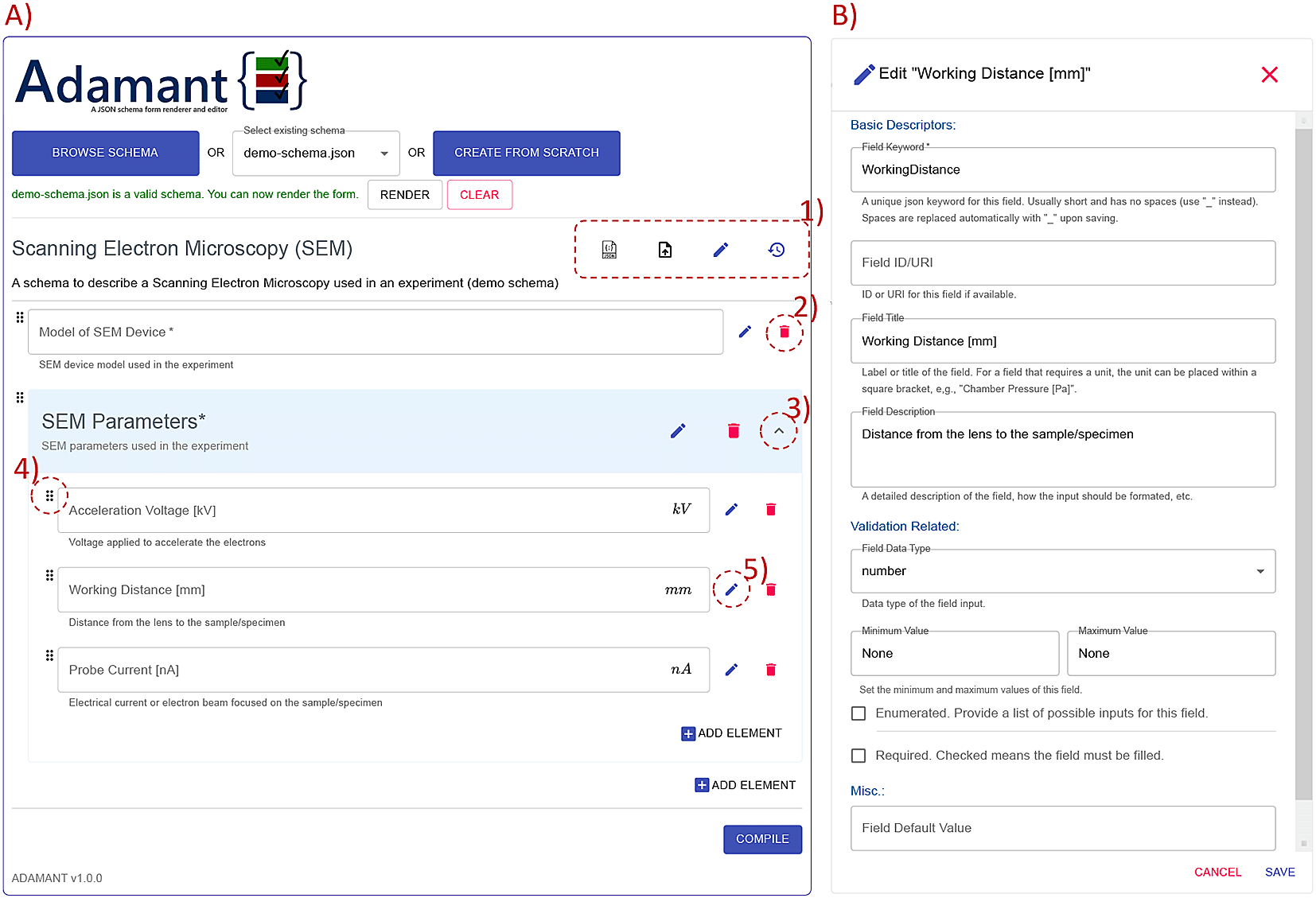
By learning how to **define JSON structure** using schemas and implementing **validate JSON data** processes, developers are equipped to avoid common pitfalls that plague many applications. This includes reducing runtime errors, simplifying debugging, enhancing system integrations, and building more robust and dependable automated data workflows. It provides a clear, machine-readable contract for data, making collaboration and development smoother.
We’ve explored the fundamentals, from basic data types and keywords to practical examples and advanced features. The journey into mastering JSON Schema is one of continuous learning and practical application. We encourage you to explore more **JSON Schema examples**, experiment with different keywords, and, most importantly, integrate **JSON Schema validation** into your next project. By doing so, you will significantly boost your application’s reliability, maintainability, and overall data integrity [Source: https://blog.promptlayer.com/how-json-schema-works-for-structured-outputs-and-tool-integration/, https://leapcell.io/blog/understanding-json-and-json-json-schema, https://json-schema.org].
Frequently Asked Questions
What is JSON Schema?
JSON Schema is a vocabulary that allows you to annotate and validate JSON documents. It defines the structure, data types, and constraints that JSON data must adhere to.
Why is JSON Schema important?
It ensures data consistency, reduces errors, improves interoperability between systems, and serves as a form of documentation for your data. It brings predictability to the flexible JSON format.
Can JSON Schema validate data types?
Yes, absolutely. JSON Schema’s primary function is to specify expected data types such as string, number, integer, boolean, object, array, and null for JSON values.
How does JSON Schema handle nested structures?
JSON Schema uses the `properties` keyword for nested objects and the `items` keyword for nested arrays. This allows you to define schemas for complex, hierarchical JSON data.
What are some common keywords in JSON Schema?
Key keywords include `type`, `properties`, `required`, `items`, `format`, `pattern`, `enum`, `minimum`, `maximum`, `minLength`, and `maxLength`.
Are there tools to help with JSON Schema validation?
Yes, numerous libraries and tools are available for various programming languages (e.g., AJV for JavaScript, jsonschema for Python) and online validators.
Can JSON Schema ensure a field is required?
Yes, the `required` keyword within an object schema is used to list the names of properties that must be present for the JSON data to be considered valid.