The Definitive Guide to Mastering Remote Team Communication
Estimated reading time: 8 minutes
Key Takeaways
- The loss of informal *water cooler* conversations and physical context is the primary challenge in remote work.
- Poor communication is the single biggest threat to productivity and morale when managing remote teams.
- The solution is **better designed communication**, not necessarily *more* communication.
- High-performing teams establish a formal Communication Charter and utilize **asynchronous communication** by default.
- Intentional social rituals and proactive documentation are essential to replacing lost physical connection and context.
Table of contents
- The Definitive Guide to Mastering Remote Team Communication
- Key Takeaways
- The Communication Challenge: Why Intentionality Matters
- Section 1: Establishing Intentional Communication Norms
- Building Your Communication Charter
- The Principle of Clarity Over Speed
- Defining Response Time Expectations (Internal SLAs)
- Section 2: Mastering the Async/Sync Balance
- Asynchronous Communication (Async) By Default
- Optimizing Synchronous Meetings
- Section 3: Leveraging Technology Thoughtfully
- Segmenting the Tool Stack
- Visual Communication Tactics
- Thoughtful Video Use
- Section 4: Building Connection and Trust Through Rituals
- Creating Digital “Water Coolers”
- Building Strong Feedback Loops
- Treat Documentation as Collaboration
- Section 5: The Power of Soft Skills in a Digital World
- Practice Empathy and Tone in Writing
- Active Listening in Virtual Settings
- Over-Communicate for Clarity
- Conclusion: Communication as a Product
- Frequently Asked Questions (FAQ)
The Communication Challenge: Why Intentionality Matters
When teams transitioned from the office to distributed work, we didn’t just lose desks and fancy coffee machines; we lost the spontaneous, *informal* knowledge transfer. The physical context disappeared, leading to the major challenge of misalignment and isolation. It’s hard to know what your colleague is working on when you can’t see their screen or overhear a hallway chat.

The statistics are stark. Studies repeatedly show that poor communication is the single biggest threat to productivity and morale when managing remote teams. The friction caused by unclear instructions or delayed responses can derail an entire project timeline. This isn’t just about efficiency; it’s about sustaining trust and psychological safety across vast distances.

We created this definitive guide because throwing more tools or scheduling more meetings simply generates noise. The real leverage lies in *better designed* communication, focusing on intentional habits and clear agreements. Below are the proactive, proven remote team communication tips necessary to maintain alignment, transparency, and connection.
Section 1: Establishing Intentional Communication Norms
High-performing remote teams operate on established “rules of the road.” These rules aren’t limitations; they are guardrails that reduce anxiety and unnecessary context switching. Without them, every interaction becomes an ambiguous effort.
Building Your Communication Charter
The Communication Charter is a foundational, living document defining *how*, *when*, and *where* your team communicates. Many global companies treat this as their core communication playbook, ensuring new hires and veterans alike understand the rhythm of collaboration.

Key elements to define include channel segmentation:
- **Slack/Teams:** Reserved strictly for quick questions, status checks, and time-sensitive pings.
- **Email:** Used for formal announcements, legal or HR matters, and communication requiring long-term archival.
- **Project Management Tools (e.g., Jira, Trello):** The source of truth for all tasks, status updates, and deliverables. If it’s a task, it goes here, not in chat.
- **Video Calls:** Reserved for complex discussions, emotional topics, relationship building, and necessary team alignment.
***Critical Rule:*** Always default to **public channels** for work-related topics. This reduces silo formation, creates a searchable history, and avoids forcing one person (often the manager) to act as a communication relay. Transparency is the antidote to isolation.
The Principle of Clarity Over Speed
In a remote environment, collaboration is heavily text-based. A poorly written message isn’t just inefficient—it can be destructive. Ambiguity is friction. Studies suggest that employees waste hours every week simply deciphering unclear requests or correcting misunderstandings caused by vague text.

To implement effective virtual communication strategies, written communication must be explicit and structured. Apply these concrete writing tips immediately:
- **Start with Context:** Before diving into the details, provide a one-sentence summary explaining *why* you are writing. *Example: “I am proposing a change to the Q3 reporting format to streamline data entry.”*
- **Label Your Ask:** Use clear prefixes to tell the reader what action is required. Use tags like **[Decision Needed]**, **[FYI]**, or **[Action: Please Review]**.
- **Use Bullets and Bolding:** Never send large, undigested blocks of text. Use lists and bolding to guide the reader’s eye toward the most important information.
- **The TL;DR Rule:** Structure messages with the most important conclusion or request placed right at the top (Too Long; Didn’t Read). Assume the reader will only skim the first sentence.
Defining Response Time Expectations (Internal SLAs)
One of the major sources of anxiety in remote teams is the unknown response time. *Did they see my message? Are they ignoring me? Is this urgent?* To eliminate this doubt, create explicit Internal Service Level Agreements (SLAs) for communication channels.
An effective SLA framework might look like this:
- **Urgent Issues (System Down, Client Crisis):** Require a response or acknowledgment within 30–60 minutes. Use dedicated alerting tools, not general chat.
- **Team Collaboration (Standard tasks, feedback requests):** Acknowledge or provide a substantive response within 4 working hours.
- **Non-urgent/FYI (Documentation review, social posts):** A response is expected within 24–48 hours, allowing time for deep work.
This framework allows employees to enter deep focus without constantly checking chat, knowing that truly urgent matters have a clear escalation path, while routine queries have a realistic timeframe.
Section 2: Mastering the Async/Sync Balance
The highest-performing remote organizations are **asynchronous communication** by default and synchronous by design. This means real-time meetings are the exception, not the rule. This approach respects focus time and accommodates global time zones.
Asynchronous Communication (Async) By Default
Async collaboration means simultaneous online presence isn’t required. It fosters deep work and ensures inclusivity for distributed teams working across different continents and schedules.
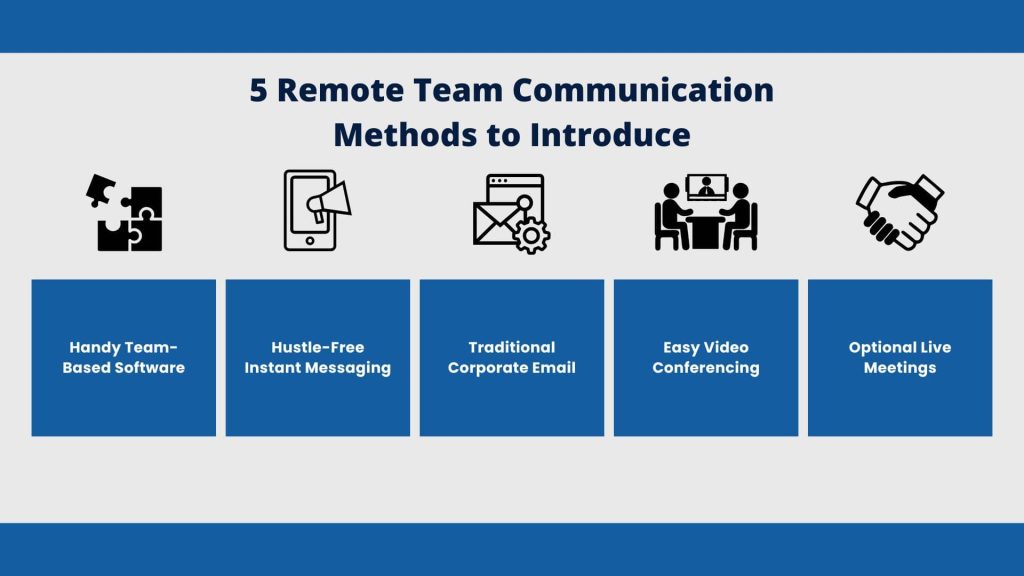
Async is best used for:
- Status updates and weekly summaries.
- Proposing decisions that require thoughtful, documented input.
- Detailed analysis or research sharing.
**Best Practice: Document decisions thoroughly.** When a decision is made, it must be captured immediately using a standard format (Context → Options Considered → Final Decision → Rationale). This crucial step prevents the same debate from happening again and allows future team members to understand the historical context. Ensure these documents are stored in a central, searchable place, ideally leveraging modern cloud storage solutions.
**Pro Tip:** Utilize short video recordings (3–5 minutes) with screen share for complex walkthroughs or software demos. Sending a brief, well-explained video is often far more efficient and informative than typing out dense instructions or holding a live, required meeting for a simple demonstration.
Optimizing Synchronous Meetings
Real-time interaction is valuable, but it should be reserved only for ambiguous topics, emotionally complex conversations, high-stakes negotiations, or genuine brainstorming sessions where rapid iteration is key. *Every other interaction should be async.*
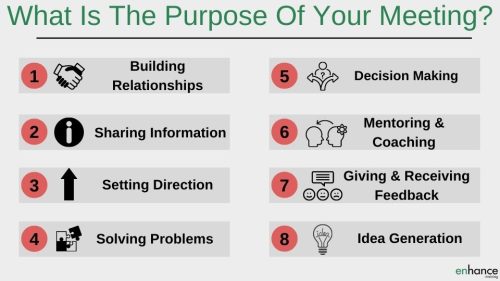
To ensure every meeting is worth the time, adhere to these non-negotiable standards:
- **Mandatory Advance Agenda:** An agenda must be shared at least 24 hours in advance, clearly listing objectives, time-boxes for each topic, and any required pre-reads. If the agenda isn’t ready, the meeting is cancelled.
- **Assign Roles:** Clearly define a Facilitator, who keeps time and manages participation, and a Note-taker, who is strictly responsible for capturing decisions and action items.
- **Explicit Closures:** End all discussion points with explicit decisions and action items, ensuring each item has a named owner and a specific due date. Ambiguity kills follow-through.
- **Recap and Share:** Record the meeting (if appropriate) and, regardless, share a written recap of decisions and next steps immediately. This ensures those who couldn’t attend are fully aligned without delay.
Section 3: Leveraging Technology Thoughtfully
Your tool stack amplifies good practices; it cannot, however, solve core communication problems rooted in unclear expectations. A bloated or confusing set of tools often increases friction rather than reducing it. Intentionality is required in tool deployment.
Segmenting the Tool Stack
The first step is minimizing “tool overlap.” Map every tool to a specific use case to avoid the constant question: *which tool for which job?* You should have one primary chat application, one primary project manager, and one primary document repository. Avoid having two collaboration tools that do essentially the same thing.
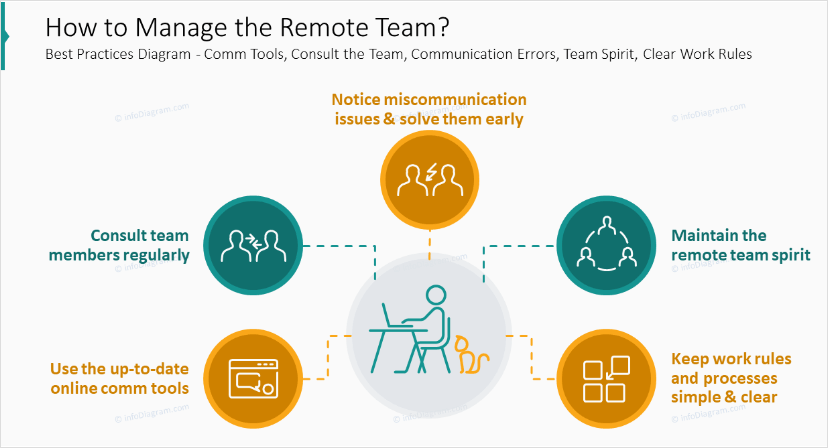
Consider integrating your tools wherever possible. For instance, linking your chat platform notifications directly to your project manager ensures that notes, tasks, and communication stay linked to the appropriate deliverable. Leveraging powerful productivity apps that integrate well streamlines workflows substantially.
Visual Communication Tactics
Remote teams lose access to the physical whiteboard—that critical space where complex ideas are sketched out and refined collaboratively. Visuals must be incorporated deliberately to replace this function.
- **Digital Whiteboards:** Utilize tools like Mural or Miro for brainstorming, process mapping, and explaining complex systems. These should be considered “live documents” and preserved after the meeting.
- **Standardize Templates:** Use standardized diagram or flow templates (e.g., swimlane diagrams, user journey maps) so everyone can quickly understand the visual language.
- **Accessibility:** Always add captions, alt text, or a brief written summary next to complex visuals. This ensures accessibility and supports async comprehension.
Thoughtful Video Use
Video calls should be strategic—reserved for high-value interactions like 1:1s, performance reviews, conflict resolution, or key team rituals (like a weekly kick-off). Not every chat requires faces.
We recommend implementing a **cameras-on policy** for key meetings by default, as seeing non-verbal cues drastically improves connection and comprehension. However, teams must be allowed to opt out for specific personal or bandwidth reasons without stigma. Trust is key here.
Good video etiquette is also essential: ensuring a stable internet connection, muting when not speaking, and having appropriate background/lighting show respect for your teammates’ time and focus.
Section 4: Building Connection and Trust Through Rituals
Trust is the lubricant of rapid communication. When trust is high, people assume good intent, and interactions move faster. Strong collaboration must be actively designed through intentional rituals and structures, critical for **improving remote collaboration**.
Creating Digital “Water Coolers”
Since remote employees can’t bump into each other in the kitchen, dedicated social time is mandatory. These non-work touchpoints are where rapport is built, and they directly translate into faster, more candid work-related communication later on.

Consider these ideas for fostering connection:
- **Dedicated Social Channels:** Create channels solely for non-work discussion, such as #pet-pics, #recipes, or #weekend-wins.
- **Virtual Coffee Chats:** Use an integration that randomly pairs colleagues for a 15-minute 1:1 chat once a week to discuss anything but work.
- **Structured Social Calls:** Schedule a 30-minute social call once a month that involves a simple, low-stakes game or icebreaker to encourage laughter and bonding.
Building Strong Feedback Loops
Structure feedback channels to prevent small communication issues—a slow response, an unclear tone—from growing into massive problems. This is essential for successful managing remote teams.
How to implement this:
- **Team Level Retrospectives:** Dedicate time in regular retrospectives specifically to reviewing communication norms. Ask: “What communication habit slowed us down this week?”
- **Anonymous Input:** Use pulse surveys or an anonymous suggestion box to gather feedback on meeting quality, chat etiquette, or documentation gaps.
- **Individual 1:1s:** Managers should proactively ask team members about needed context or confusing communication patterns. *Example: “Is the level of detail I provide in project updates helpful or overwhelming?”*
Treat Documentation as Collaboration
Documentation *is* passive communication. When done well, it dramatically reduces repetitive questions, friction, and the dependence on specific individuals for knowledge. Every time you write down a process, you save your team hours of interruption.
Ensure your centralized knowledge base includes:
- The Communication Charter.
- Standard Operating Procedures (SOPs) for routine tasks.
- Decision logs for all major project choices.
Assign clear ownership for documentation maintenance. Use change logs and version histories to maintain transparency—if the process changes, everyone needs to know *when* and *why*.
Section 5: The Power of Soft Skills in a Digital World
While systems and tools matter, success ultimately rests on soft skills. Empathy, tone, and listening are not just important in remote settings—they are *magnified*. The lack of non-verbal cues means a simple text phrase can be misinterpreted wildly.
Practice Empathy and Tone in Writing
Text strips away tone, facial expression, and body language. To counteract this, you must explicitly inject positive intent into your writing.
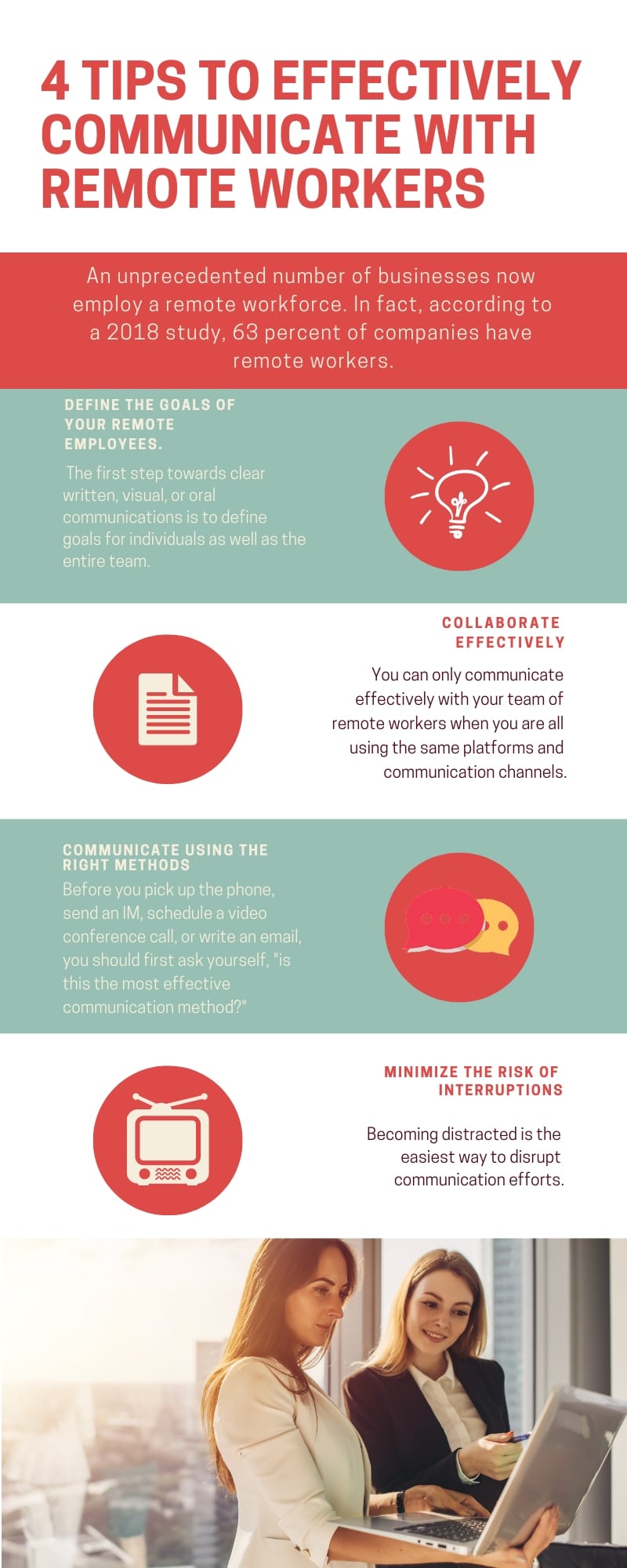
- **Lead with Appreciation:** Instead of launching directly into critique, always lead with context and appreciation. *Example: “Thanks for getting this report out so quickly. I have a few clarifying questions regarding the Q4 figures…”*
- **Avoid Sarcasm:** Humor, especially sarcasm, rarely translates well and should be minimized in professional written communication.
- **Use Qualifying Language:** When making a request, use phrases that reduce pressure, such as, “No rush on this, but…” or “Whenever you have a moment later today.”
Active Listening in Virtual Settings
It’s dangerously easy to multitask, check email, or talk over others in virtual meetings. Leaders must model active listening to set the standard:
- **Pause Before Speaking:** Give a full two-second pause after someone finishes to ensure they are truly done and to prevent accidental interruptions.
- **Invite Quiet Voices:** Explicitly call on team members who haven’t spoken. *Example: “Sarah, I’d love to hear your perspective on this, since you own the database.”*
- **Verbal Confirmation:** Use verbal confirmation cues to prove you were paying attention. *Example: “That makes sense. Let me repeat what I heard: We need to finalize the scope by Friday before contacting Legal.”*
Over-Communicate for Clarity
In remote settings, intentional redundancy is protective. It ensures critical information lands across different time zones, languages, and preferred work styles. Think of it as “writing once, referencing everywhere.”
For example, a major decision should be shared in three places:
- Announced in the synchronous meeting.
- Recapped in the dedicated team chat channel.
- Logged permanently in the central documentation repository.
Most importantly, encourage team members to ask for clarification without stigma. Normalize phrases like, *”Can you restate the goal for me?”* or *”Just to confirm, who owns the follow-up action here?”* This psychological safety is vital for ensuring clarity.
Conclusion: Communication as a Product
Effective remote team communication tips constitute an ongoing practice, not a static checklist. The core success factors are not about the volume of messages, but the quality, intentionality, and documentation surrounding those messages.
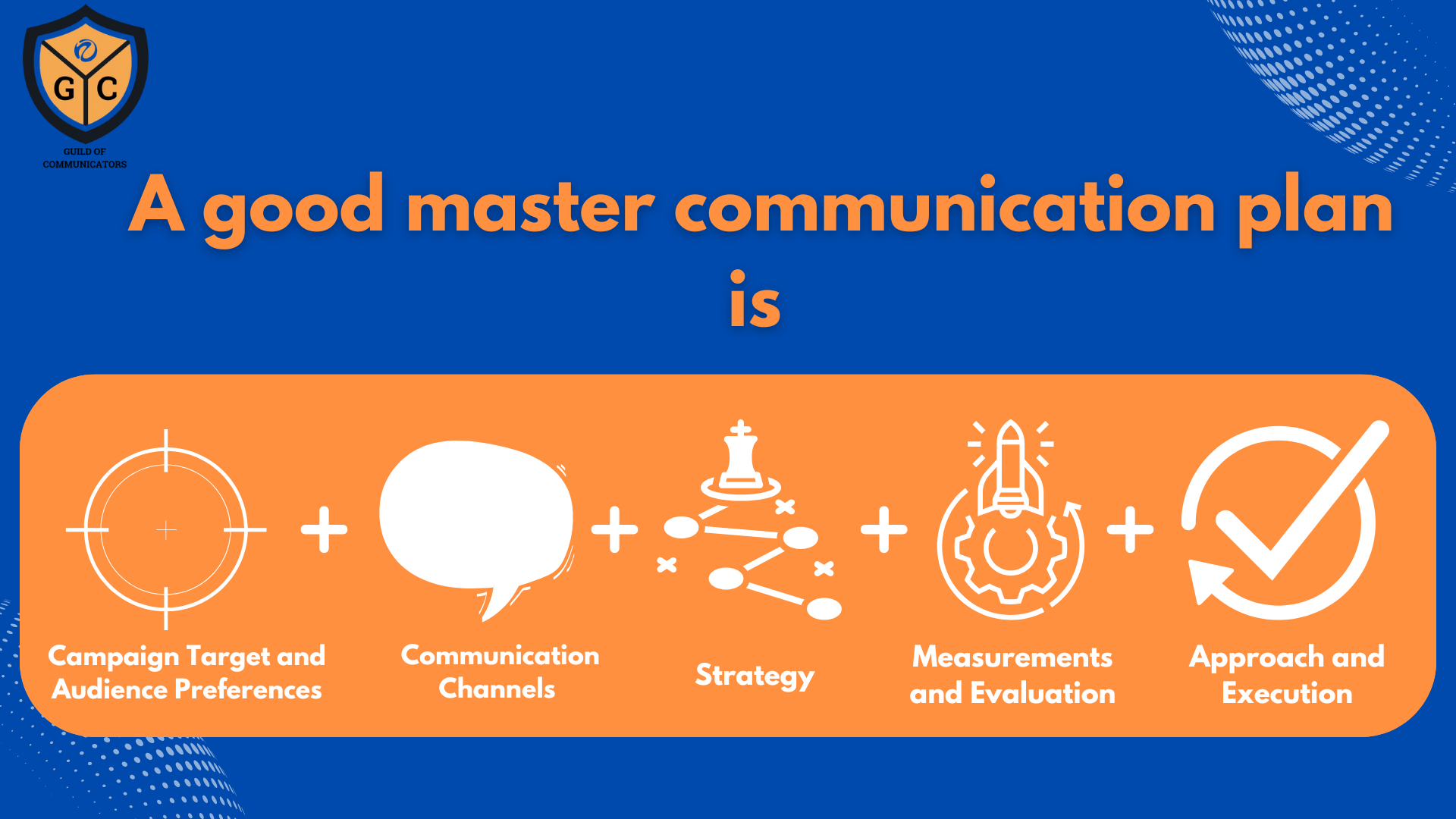
If you implement the changes discussed—setting a communication charter, leveraging asynchronous communication, designing the tool stack, building intentional social connections, and investing in soft skills—you will transform communication from an obstacle into a strategic asset. Treat your communication system like a product: constantly gather feedback, run small experiments on new tools or norms, and iterate. This intentional approach is how remote teams turn distance into a strategic advantage, enabling global talent and sustaining high alignment.
Frequently Asked Questions (FAQ)
Q: How often should we review our Communication Charter?
A: We recommend reviewing and potentially revising your Communication Charter quarterly, or whenever there is a major change to team size, structure, or time zone distribution. It should be a living document that adapts as your team matures.
Q: My team relies heavily on chat. How do I transition them to asynchronous communication?
A: Start by defining what belongs in Async tools (like project boards or documentation). Encourage managers to respond to questions in chat by saying, “Great question. Please capture this in the project tracker so we can document the response for everyone.” This teaches the team the appropriate routing of information.
Q: Is a “cameras-on” policy detrimental to employee privacy or mental load?
A: While cameras-on can increase connection, forcing it rigidly can cause burnout or anxiety. It should be the default for *key* interactions (e.g., 1:1s, high-stakes reviews), but always allow employees to opt out if they are having an off day, dealing with connectivity issues, or need to conserve mental energy. Empathy must supersede policy.