AI Dev Assistants Code Generation: Your Ultimate Coding Partner in 2026
Estimated reading time: 10 minutes
Key Takeaways
- AI dev assistants code generation leverages LLMs to instantly suggest, complete, or generate code from natural language, slashing time on repetitive tasks.
- These tools are evolving into a comprehensive software development AI suite, integrating generation, testing, debugging, and workflow automation for end-to-end productivity.
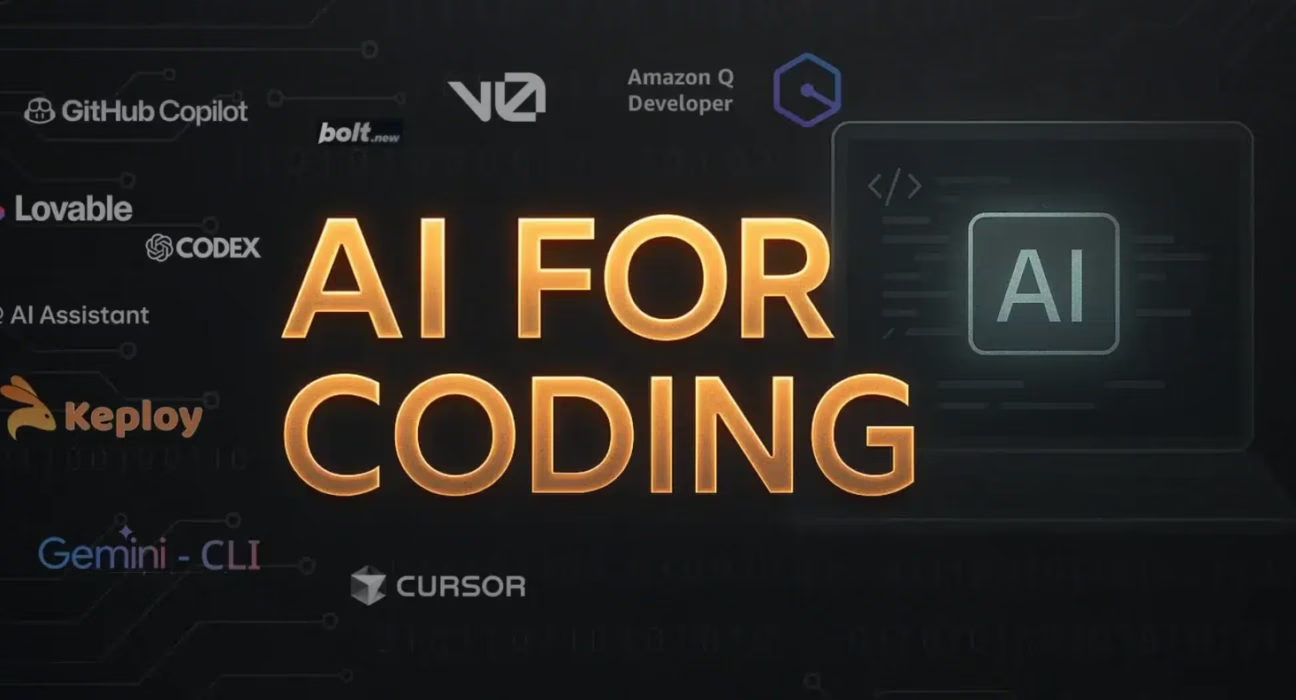
- Popular assistants like GitHub Copilot, Cursor, and Tabnine analyze IDE context to produce functional code, often handling entire applications from prompts.
- Automated testing AI tools enhance reliability by generating unit tests, identifying edge cases, and improving coverage in real-time.
- Debugging automation AI parses errors and logs to suggest root causes and fixes, cutting troubleshooting time by half or more.
- Choosing the right tool involves weighing accuracy, security, cost, and IDE integration, with step-by-step adoption maximizing gains.
Table of Contents
- Introduction: The AI Coding Revolution
- How AI Dev Assistants Code Generation Works
- Popular AI Coding Tools and Their Features
- Key Benefits of AI Code Generation
- Practical Example: From Prompt to Code
- Extending to Automated Testing AI Tools
- Debugging Automation: AI’s Fix-It Superpower
- The Integrated Software Development AI Suite
- Future Expansions and Trends
- Comparison Table: Choosing the Right Tool
- Step-by-Step Getting Started Guide
- Unlock Your AI Coding Potential
- Frequently Asked Questions
Have you ever wished for an AI partner that could instantly suggest, complete, or generate code from natural language prompts or codebase context, saving hours on repetitive tasks? Welcome to the world of ai dev assistants code generation, where this dream is now a reality. In today’s fast-paced development environment, these tools are no longer a luxury but a necessity for staying competitive.
AI dev assistants code generation is defined as AI tools using large language models (LLMs) trained on vast public code repositories to suggest, complete, or generate code snippets and functions from natural language prompts or codebase context. This technology harnesses patterns from millions of lines of code to provide context-aware assistance, transforming how developers approach coding challenges. As highlighted in resources from Infotech, the core mechanic revolves around LLMs processing code patterns for completions, refactoring, and translation.
The purpose of this blog is to explore ai dev assistants code generation and its evolution into a full software development ai suite covering generation, testing, debugging, and integrated workflows to boost developer productivity. These tools are transforming daily coding workflows for developers seeking efficiency, much like the broader transformation discussed in How AI is Changing the World. By integrating AI into the SDLC, developers can focus on creativity and complex problem-solving while automation handles the grunt work.
How AI Dev Assistants Code Generation Works
At its heart, ai dev assistants code generation relies on LLMs that have been trained on massive datasets of public code, such as GitHub repositories. These models learn syntax, semantics, and common patterns across programming languages. When you type a comment like “create a function to sort a list” or start coding, the AI analyzes the context—including your current file, project structure, and even open tabs—to predict and generate relevant code. As Infotech notes, this enables context-aware completions, refactoring suggestions, and natural language-to-code translation in real-time.
Think of it as having a senior developer peering over your shoulder, offering suggestions based on best practices and millions of prior examples. The AI doesn’t just copy code; it understands intent and generates original snippets that fit your specific needs. This process reduces cognitive load and accelerates development cycles, allowing you to iterate faster.
Popular AI Coding Tools and Their Features
The market is brimming with tools that leverage ai dev assistants code generation. Here are some standout options:
- GitHub Copilot: Integrated directly into IDEs like VS Code, it suggests whole lines or blocks of code as you type, learning from your codebase to improve accuracy.
- Cursor: An AI-native IDE fork of VS Code that provides deep codebase context, enabling refactoring, generation, and bug fixes across files with agent-like capabilities.
- Tabnine: Offers full-line and function completions with support for over 30 languages, emphasizing privacy with local model options.
- Replit Agent: A browser-based assistant that can generate entire applications from prompts, ideal for prototyping and education.
- Claude Code: Known for its large context window and reasoning skills, excelling in complex code generation and debugging tasks.
- Manus: A comprehensive tool highlighted in industry reviews for its ability to handle end-to-end development tasks within an integrated suite.
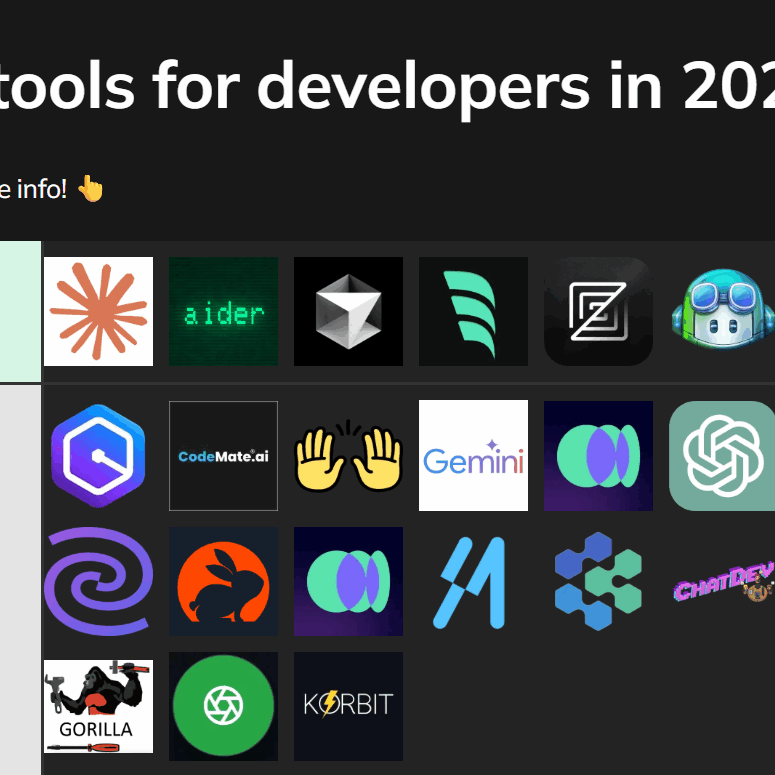
These tools analyze context from your IDE or project to produce functional code, often handling entire applications from simple prompts. As Cortex’s engineering guide emphasizes, the best tools adapt to your workflow, reducing friction and enhancing productivity.
Key Benefits of AI Code Generation
Adopting ai dev assistants code generation offers transformative advantages:
- Accelerated Productivity: By reducing boilerplate code, developers can focus on high-level logic and innovation. Tools like GitHub Copilot can cut coding time by up to 55%, according to user studies.
- Enhanced Learning: Beginners can learn new languages and frameworks faster by seeing AI-generated examples in context, while experts discover alternative approaches and best practices.
- Multi-Language Support: Seamlessly switch between Python, JavaScript, Java, and more with AI providing accurate syntax and library recommendations.
- IDE Integration: Most tools plug directly into popular editors like VS Code, JetBrains, or Neovim, ensuring a smooth workflow without context switching.

As Infotech reviews highlight, these benefits compound over time, leading to higher code quality and faster project delivery.
How AI Dev Assistants Code Generation Works in Practice: A Real Example
Imagine you’re building a React app and need a user authentication component. Instead of writing from scratch, you prompt the AI: “create a React component for user authentication with hooks and error handling.” Within seconds, the AI generates a full functional snippet:
import React, { useState } from 'react';
function AuthComponent() {
  const [email, setEmail] = useState('');
  const [password, setPassword] = useState('');
  const [error, setError] = useState(null);
  const handleSubmit = async (e) => {
    e.preventDefault();
    try {
      // API call logic here
      console.log('Authenticating:', email, password);
    } catch (err) {
      setError('Authentication failed. Please try again.');
    }
  };
  return (
    <form onSubmit={handleSubmit}>
      {/* Input fields and error display */}
    </form>
  );
}
export default AuthComponent;
This example shows how ai dev assistants code generation translates natural language into production-ready code, complete with state management and error handling—saving you time and ensuring best practices.
Extending to Automated Testing AI Tools
Beyond generation, AI is revolutionizing testing through automated testing ai tools. These tools analyze code logic to suggest unit tests, identify edge cases, and improve coverage in real-time within IDEs. For instance, Codium integrates with your editor to generate tests as you code, while CodeRabbit adds test writing during pull request reviews. Features include natural language test creation (e.g., “write tests for this API endpoint”) and multi-language support, as noted in Builder.io’s 2026 tool guide.

Impact: These tools enhance code reliability by filling coverage gaps, streamline workflows without manual test maintenance, and reduce bugs before deployment. A practical example: for a Python function that calculates factorial, AI can generate pytest cases including edge cases like empty inputs or invalid data types:
import pytest
def factorial(n):
    if n < 0:
        raise ValueError("Input must be non-negative")
    return 1 if n <= 1 else n * factorial(n-1)
# AI-generated tests
def test_factorial_positive():
    assert factorial(5) == 120
def test_factorial_zero():
    assert factorial(0) == 1
def test_factorial_negative():
    with pytest.raises(ValueError):
        factorial(-1)
This automation ensures robust testing, letting developers focus on feature development rather than tedious test writing.
Debugging Automation: AI's Fix-It Superpower
Another critical pillar is debugging automation, where AI parses errors, logs, and code to suggest root causes, bug predictions, and fix proposals, cutting troubleshooting time significantly. Tools like agents in Cursor, Windsurf, GitHub Copilot (Agent Mode), and Devin perform multi-step fixes across files. Snyk Code adds security-focused bug detection and automated patches, while CLI tools like Claude Code and Gemini CLI enable terminal-based debugging with file reading and test running. For a deep dive into command-line AI, see Unlocking the Power of Google Gemini CLI Features for Developers.
Real-world use: Paste an error stack trace, and AI might suggest: "Likely null pointer due to uninitialized variable on line 42—try adding this check." This instant feedback loop transforms debugging from hours of frustration to minutes of resolution. As Addy Osmani's workflow blog notes, integrating debugging AI into daily practice can reduce bug resolution time by over 50%.
The Integrated Software Development AI Suite
The true power lies in synthesizing these capabilities into a software development ai suite. This combines code generation, testing, and debugging into seamless workflows, as seen in AI-native IDEs like Cursor (using codebase context for generation, refactoring, and bugs) and agents like Replit Agent or Devin (handling end-to-end tasks from planning to deployment). These suites create cohesive developer workflows, turning isolated features into a productivity powerhouse—a key principle behind AI Workflow Automation for Businesses.
Quote from an engineering leader: "With an integrated AI suite, our team ships features 40% faster while maintaining higher code quality. It's like having a full-stack assistant that never sleeps."
Future Expansions and Trends
The evolution of ai dev assistants code generation points toward full SDLC coverage. Future expansions include planning via async agents like Jules or Copilot Agent (capable of repo cloning, PR creation), automated refactoring, and documentation summarization. As Builder.io predicts, by 2026, AI will handle routine maintenance, legacy code migration, and even architectural decisions, freeing developers for innovation. This integrated approach ensures that AI becomes a lifecycle partner, not just a code generator.

Comparison Table: Choosing the Right Tool
Selecting the best tool depends on your needs. Here’s a quick comparison based on key considerations:
| Consideration | Key Tools & Insights |
|---|---|
| Accuracy/Context | Cursor, Claude Code excel in large codebases with deep reasoning and large context windows, as per Manus and Cortex. |
| Security/Privacy | Tabnine offers self-hosting and zero data retention; Snyk scans for vulnerabilities, highlighted in Builder.io's guide. |
| Cost | CodeGPT (bring-your-own-key for affordability); free tiers in ChatGPT, Gemini, as noted in Cortex's guide. |
| IDE Integration | GitHub Copilot, Cursor (VS Code fork), Codium for broad editor support, per Infotech. |
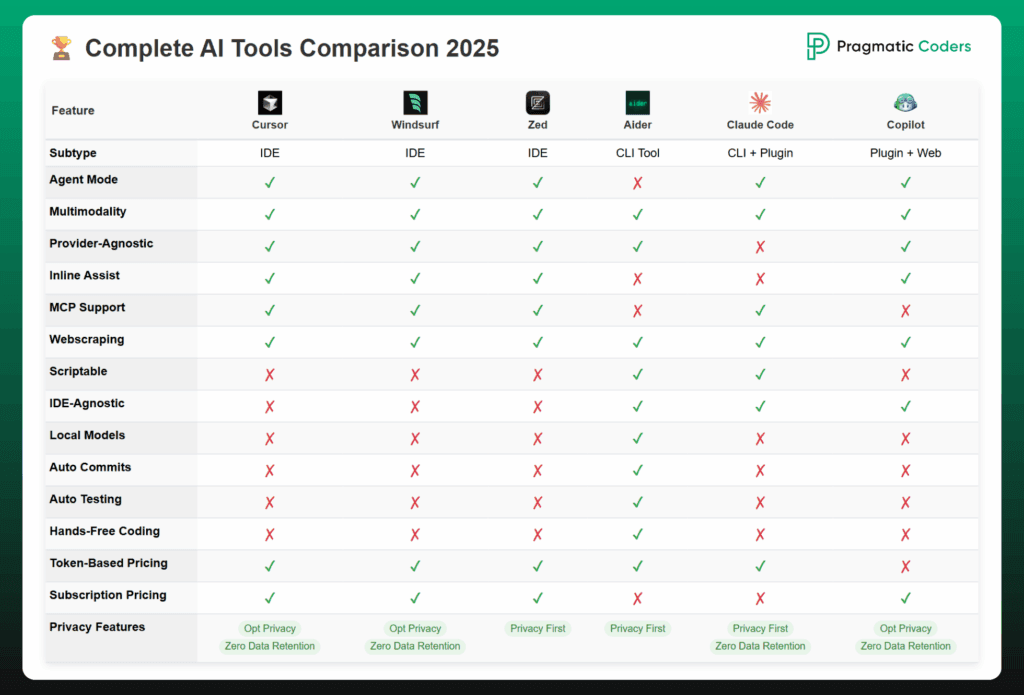
Use this table to weigh trade-offs and pick tools that align with your project scope, team size, and security requirements.
Step-by-Step Getting Started Guide
Ready to dive in? Follow this actionable guide:
- Start with a core generator: Install GitHub Copilot in your IDE for daily code completions and suggestions. Use it for routine tasks to build familiarity.
- Add testing via Codium: Integrate an automated testing AI tool like Codium to generate unit tests as you code, ensuring coverage from day one.
- Incorporate debugging with CodeRabbit: Use tools like CodeRabbit for PR reviews or Claude Code for CLI-based debugging automation to catch bugs early.
- Experiment with browser-based options: Try Bolt.new or Replit for quick prototypes without local setup, ideal for brainstorming and learning.
- Measure impact: Leverage analytics like Cortex’s Copilot Dashboard to track productivity gains and optimize usage, as suggested in Cortex's guide.
By gradually integrating these tools, you'll unlock the full potential of a software development ai suite without overwhelm.
Unlock Your AI Coding Potential
In summary, ai dev assistants code generation has matured into lifecycle partners via integrated software development ai suite like Manus and Devin, automating repetitive tasks while preserving developer control. For more innovative ways AI can boost your daily routine, see 5 Innovative Ways to Use AI Strategies to Boost Productivity and Improve Daily Routine. Now, take action: pick one tool like GitHub Copilot today, experiment with automated testing ai tools and debugging automation this week, and unlock the full software development ai suite potential to supercharge your coding in 2026. Start your AI journey now for massive efficiency gains, and explore a curated list of top applications in 10 Game-Changing AI-Powered Productivity Apps You Absolutely Need in 2024.
Frequently Asked Questions
Q: What is the primary benefit of ai dev assistants code generation?
A: The core benefit is accelerated productivity—these tools reduce boilerplate code, suggest best practices, and generate snippets from natural language, saving hours per week. They act as force multipliers for developers.
Q: How do automated testing AI tools ensure code quality?
A: They analyze code logic to generate comprehensive unit tests, identify edge cases, and improve test coverage in real-time. This proactive approach catches bugs early, enhancing reliability before deployment.
Q: Is debugging automation secure for sensitive projects?
A: Yes, tools like Tabnine offer self-hosted models with zero data retention, while Snyk Code focuses on security scanning. Always review privacy policies and opt for on-premise solutions if handling proprietary code.
Q: Can a software development AI suite replace human developers?
A: No—these suites augment human creativity by handling repetitive tasks. Developers remain essential for architectural decisions, complex problem-solving, and overseeing AI outputs. Think of AI as a collaborative partner, not a replacement.
Q: What's the best way to start with AI coding tools on a budget?
A: Begin with free tiers like GitHub Copilot for students or ChatGPT's code interpreter. Use open-source options like CodeGPT with your own API key, and gradually invest in paid tools as you scale.