AI Image Restoration Tools: Unlock Crystal-Clear Memories for Creators in 2026
Estimated reading time: 8 minutes
Key Takeaways
- AI image restoration tools leverage machine learning to automatically repair, enhance, and upscale damaged photos with astonishing speed and quality, far surpassing tedious manual methods.
- Specialized old photo enhancement AI can breathe new life into historical images by colorizing, sharpening, and reconstructing lost details in under a minute.
- Advanced artifact removal tech uses neural networks to intelligently clean up digital imperfections like noise, scratches, and JPEG compression without harming genuine image details.
- These tools are a core component of the broader visual editing AI ecosystem, integrating seamlessly with features for object removal, background replacement, and creative style transfer.
- Choosing the right tool depends on your workflow: web-based platforms offer speed and convenience, while desktop applications provide superior control and power for professional results.
Table of contents
- AI Image Restoration Tools: Unlock Crystal-Clear Memories for Creators in 2026
- Key Takeaways
- The AI Revolution in Photo Editing
- What Are AI Image Restoration Tools?
- The Magic Behind the Scenes: Core AI Technologies
- Bringing History Back to Life with Old Photo Enhancement AI
- The Art of Cleanup: Artifact Removal Tech Explained
- The Bigger Picture: Restoration in Visual Editing AI
- Choosing Your AI Ally: A Creator’s Guide to Tools
- Frequently Asked Questions
Imagine transforming a faded, scratched photograph of a grandparent into a vibrant, sharp portrait worthy of a family album centerpiece—in under 60 seconds. This is no longer the stuff of science fiction or hours of painstaking manual work in Photoshop. The revolution is here, powered by ai image restoration tools. These intelligent platforms are fundamentally changing how creators approach damaged or low-quality imagery, leveraging the broader power of visual editing ai to deliver professional-grade results with unprecedented ease. This post will serve as your essential guide, unpacking the capabilities, core technologies, and leading tools that are unlocking crystal-clear memories and empowering creators in 2026 and beyond, showcasing just one facet of how AI is changing the world.
What Are AI Image Restoration Tools?
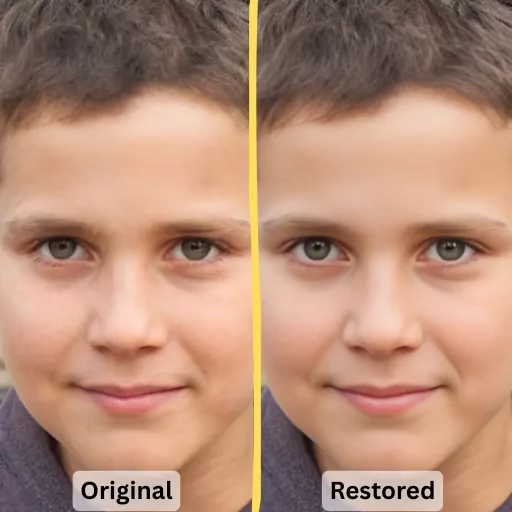
At their core, ai image restoration tools are specialized software or online platforms that utilize neural networks and machine learning algorithms. These AI models are trained on millions of image pairs—damaged and pristine—learning to intelligently analyze flaws like scratches, tears, fading, and noise. Unlike traditional editors such as Photoshop or GIMP, which require manual masking, cloning, and a skilled hand to reconstruct missing details, AI tools automate this process. They don’t just copy pixels; they predict and generate plausible content to fill in gaps while meticulously preserving the authentic character of the original image. This represents a paradigm shift from manual correction to intelligent reconstruction, saving creators countless hours. For a deeper dive into the manual process, you can explore resources on how to restore old photos traditionally, and see discussions on community comparisons of AI tools.

The Magic Behind the Scenes: Core AI Technologies
The power of these tools stems from advanced deep learning models. Think of them as digital art historians and forensic scientists combined. They employ technologies like:
- Generative Adversarial Networks (GANs) & Stable Diffusion Variants: These models are exceptionally good at understanding image context and generating highly realistic, new pixel data to replace damaged areas.
- Proprietary Upscaling Algorithms: Used by tools like Topaz Labs, these AI models can intelligently increase image resolution by adding detail that looks natural, turning a low-res scan into a high-fidelity asset suitable for large prints.
- Pattern Recognition Engines: The AI detects common degradation patterns—whether it’s the grain of aged film, the blockiness of JPEG compression, or the directional lines of a scratch—and applies a targeted correction.

This technological suite works non-destructively, offering creators a time-saving solution that was unthinkable a few years ago. It’s a prime example of the cutting-edge AI technologies shaping the future. The process typically involves the AI analyzing pixel data, predicting missing details, and applying enhancements that respect the original composition, a workflow detailed in guides on best solutions for restoring and enhancing old photos and AI picture restoration techniques.
Bringing History Back to Life with Old Photo Enhancement AI
One of the most emotionally resonant applications is through specialized old photo enhancement ai. This technology is engineered to tackle the specific ravages of time on physical photographs. We’re talking about:
- Color Fading & Shifting: AI can recalibrate washed-out colors or fully colorize black-and-white images with startling accuracy.
- Physical Damage: It automatically heals scratches, tears, and dust spots captured during scanning.
- Blur & Loss of Detail: Neural networks sharpen soft faces and reconstruct fine textures like lace or hair.
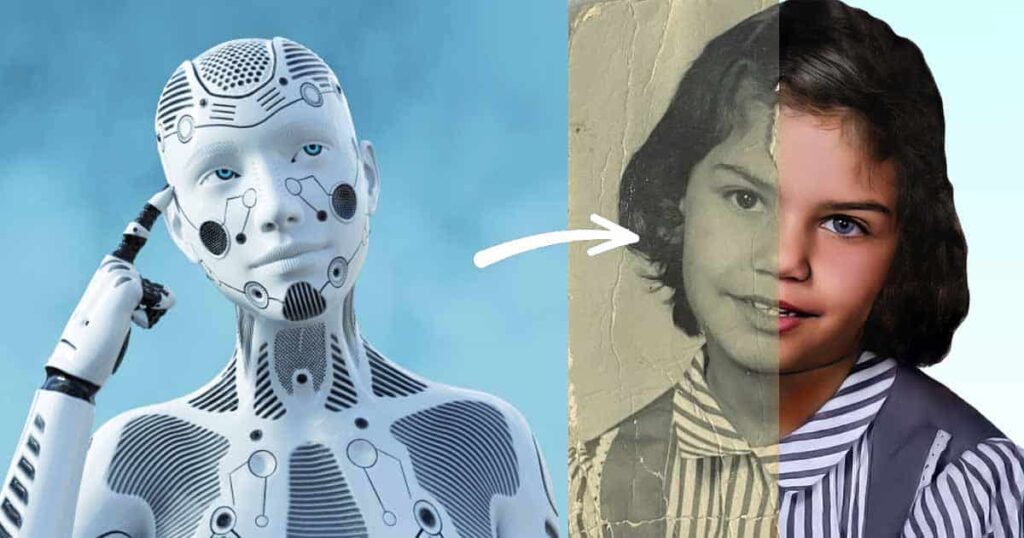
The result? A cherished family memory, restored to—or even beyond—its original glory in less than a minute. This capability is a boon not just for archivists and historians, but for anyone looking to preserve their personal heritage, complementing modern skills like how to improve your smartphone photography skills when digitizing old albums. Tools like LetsEnhance and others excel in this area, allowing users to upload a damaged photo and let AI restore sharpness and vibrancy while staying faithful to the original, perfect for archiving or creative projects as noted in comprehensive restoration guides.
The Art of Cleanup: Artifact Removal Tech Explained
In the digital realm, “artifacts” refer to unwanted imperfections that degrade image quality. Common culprits include:
- **JPEG compression blocks** (those ugly squares in low-quality images).
- **Digital noise** (graininess, often from low-light shots).
- **Dust spots and watermarks.**
- **Motion blur or lens softness.**
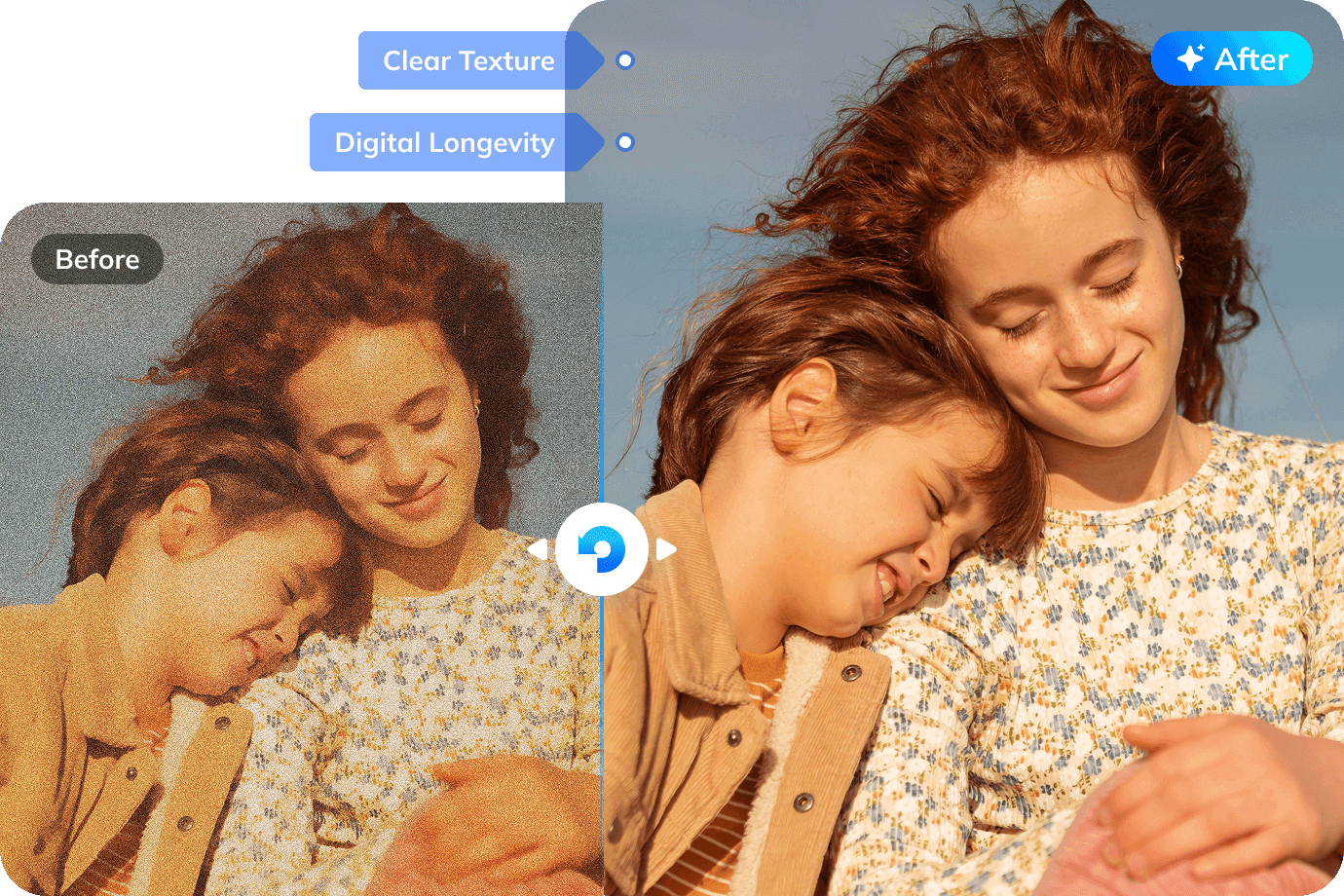
Traditional noise reduction often blurs an image, sacrificing detail for smoothness. Artifact removal tech in modern AI tools is smarter. Using trained algorithms, it identifies these anomalies through pattern recognition and inpaints seamlessly, rebuilding clean pixels that match the surrounding area. This technology is crucial for preparing images for professional prints or high-impact social media posts.
Modern tools like Topaz DeNoise AI or HitPaw employ sophisticated neural networks for this precise cleanup. For instance, they can perform targeted noise reduction while preserving edge detail, or even recover faces from blurry portraits. This level of detail recovery is what today’s creators demand, and it’s powered by the same rapid advancement seen in the astonishing AI camera technology in smartphones. These capabilities are highlighted in reviews of the best AI image resizers and comprehensive AI editor roundups.
The Bigger Picture: Restoration in Visual Editing AI
It’s important to understand that ai image restoration tools don’t exist in a vacuum. They are a powerful subset of the expansive visual editing ai ecosystem. This means restoration features often integrate seamlessly with other AI-powered capabilities:
- **Object Removal:** Seamlessly erase unwanted elements, power lines, or even people from a scene.
- **Background Replacement:** Change a dull sky to a dramatic sunset with a single click.
- **Style Transfer & Creative Filters:** Apply the aesthetic of famous art styles to your restored photo.

This integration creates a holistic, non-destructive workflow. You can restore an old photo, remove a distracting scratch (artifact removal), and then color-grade it—all within a unified AI suite. This mirrors the revolutionary integration seen in mind-blowing AI-powered CGI for film, where multiple AI processes work in concert. Platforms like WaveSpeedAI, which hosts hundreds of models, exemplify this by offering one-click upscaling, sharpening, and creative edits in a single streamlined workflow, as explored in analyses of the best AI image editors.
Choosing Your AI Ally: A Creator’s Guide to Tools
With a growing market of options, selecting the right tool is key. Your choice should hinge on your specific needs, workflow, and budget. Here’s how to evaluate ai image restoration tools, old photo enhancement ai, and artifact removal tech within the visual editing ai landscape:

- Deployment Type:
- Web-based (e.g., VanceAI, LetsEnhance): No installation, access from any device, often faster for quick jobs. Ideal for beginners or those needing speed.
- Desktop Apps (e.g., HitPaw, Topaz): More powerful processing, better for batch jobs and large files, often offer more control. Perfect for professionals.
- Plugins (e.g., for Photoshop or Luminar Neo): Integrate AI power directly into your existing editing suite.
- Key Evaluation Metrics: Prioritize output fidelity, processing speed, pricing model (subscription vs. one-time), supported file formats, and the balance between full automation and manual adjustment sliders.
To help you visualize the options, here’s a comparison of leading tools:
| Tool | Type | Key Strengths | Pricing | Best For |
|---|---|---|---|---|
| LetsEnhance | Web-based | Fast batch restoration, specialized old photo model, high detail recovery | $9/month (100 credits) | Budget batches, beginners |
| HitPaw | Desktop | Multiple AI models (Gemini, Flux), excels in color/detail restoration | Subscription (higher than LetsEnhance) | Versatile creative edits |
| VanceAI | Web-based | Instant upscale/restore, clean and simple interface | Free tier + paid plans | Quick online enhancements |
| Picsart | App/Web | AI + manual options, cheap trial for all-in-one editing | $5/month | Budget all-in-one editing |
| Topaz Gigapixel AI | Desktop/Plugin | Extreme upscaling (600%), excellent noise/face recovery | $299 bundle | Technical pros, large prints |
| MyHeritage | Web/Mobile | Beginner-friendly, incredibly fast colorization | $7.83/month | Simple family photo revivals |
Source data synthesized from leading reviews on best photo restoration tools, AI photo enhancer tips, best AI image editors 2026, and AI photo software insights.
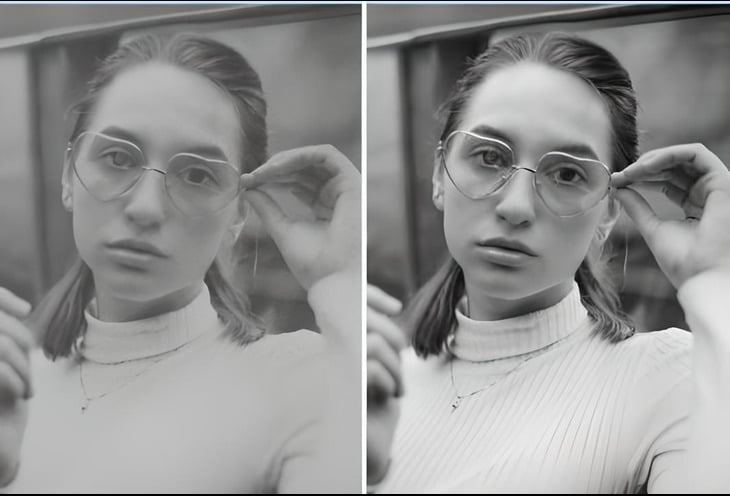
The most practical tip? Take advantage of free trials or tiers. Upload the same challenging image (a grainy low-light shot, a torn old portrait) to two or three shortlisted tools. Compare the results side-by-side. Does the AI preserve important textures? Does the colorization look natural? This hands-on test is the best way to find your perfect visual editing ai partner.
Frequently Asked Questions
Are AI image restoration tools ethical for historical photos?
This is an important consideration. For strict historical documentation, any alteration should be noted. However, for personal use and creative storytelling, these tools are invaluable. The key is intent—using AI to reveal what was likely there versus inventing a new reality. Most reputable tools strive for authentic enhancement.
Can AI completely replace tools like Photoshop?
Not entirely, but it’s reshaping the workflow. AI excels at automating tedious, repetitive tasks like scratch removal, upscaling, and basic color correction. This frees up creators to focus on the artistic aspects of editing in Photoshop—complex compositing, precise masking, and creative design. They are becoming powerful complementary partners.
What’s the biggest limitation of current AI restoration tech?
AI struggles with extreme information loss. If a large portion of a face is torn away or is completely blurred, the AI must hallucinate the missing features, which can sometimes produce plausible but inaccurate results. Human oversight is still crucial for verifying critical details in severely damaged images.
Do I need a powerful computer to use these tools?
It depends on the tool. Web-based services do the processing on their servers, so your computer’s power is less relevant—you just need a good internet connection. Desktop applications (like Topaz suites) perform processing locally and will benefit significantly from a strong GPU (graphics card) and ample RAM for faster results.
Will AI make photo restoration skills obsolete?
It transforms them rather than eliminates them. Understanding color theory, composition, and historical context remains vital. The skilled restorer’s role is evolving from manually cloning pixels to becoming a “creative director” for the AI—guiding the process, making artistic choices, and intervening where the AI falls short. The tool is smarter, but the creator’s eye is irreplaceable.