Unlock the Future of Music: How Apple Music AI Playlists Revolutionize Your Listening Experience
Estimated reading time: 7 minutes
Key Takeaways
- Apple Music AI playlists use advanced machine learning to curate music dynamically, adapting to your habits in real time for a truly hands-off experience.
- The shift from static, human-curated playlists to AI-generated playlists represents a leap in personalization, driven by algorithms analyzing your data.
- Core technologies include collaborative filtering, content-based filtering, and neural networks that map songs and users into multi-dimensional spaces for nuanced matching.
- Your interactions—like listens, skips, and loves—feed the personalized listening AI, making it smarter over time to deliver smart music recommendations.
- Automated mood tracks like Chill Mix and Get Up! Mix use AI to select songs fitting specific moods or activities, tailored to your tastes.
- Features such as Discovery Station, Favorites Mix, and New Music Mix blend your history with editorial input for exploration and familiarity.
- Innovations like AutoMix in iOS 26 use AI to DJ-style blend songs with seamless transitions, elevating playlist playback.
- Optimize your experience by actively using the “Love” button, skipping songs, diversifying your library, and enabling features like AutoMix.
Table of contents
- Unlock the Future of Music: How Apple Music AI Playlists Revolutionize Your Listening Experience
- Key Takeaways
- Tired of the Same Old Playlists?
- From Static Curation to AI Dynamic Generation
- The AI Engine Under the Hood: How It Works
- What Feeds the AI: Your Listening Signals
- Music for Every Moment: Automated Mood Tracks
- Beyond Mixes: Discovery, Favorites, and New Music
- How the AI Learns and Adapts Over Time
- Seeing It in Action: Smart Recommendations Across the App
- The DJ of the Future: Apple Music AutoMix
- How to Access and Use Apple Music AI Features
- Pro Tips to Optimize Your AI Music Experience
- Frequently Asked Questions
Tired of the Same Old Playlists?
Do you find yourself scrolling through the same static playlists, wishing for a music experience that adapts to your mood, habits, and tastes without lifting a finger? You’re not alone. The frustration with one-size-fits-all curation has led to a revolution in streaming: enter apple music ai playlists. Powered by advanced artificial intelligence, these playlists dynamically curate music based on your listening patterns, preferences, and even song attributes in real time, offering a truly personalized journey. This personalized listening AI is designed to learn from you, making every session unique. In this post, we’ll dive deep into how these features work, how to use them, and the benefits they bring to your daily soundtrack.
From Static Curation to AI Dynamic Generation
Music streaming has evolved dramatically. Gone are the days when playlists were solely crafted by human editors—while they offer expertise, they can’t adapt to individual listeners. Today, AI-generated playlists take center stage, using machine learning algorithms to analyze your data and behavior. This shift means playlists update dynamically, reflecting your recent listens and evolving tastes. As noted in industry insights, this move from editorial to algorithmic curation is key to keeping users engaged with fresh, relevant content.

The AI Engine Under the Hood: How It Works
At the core of apple music ai playlists and personalized listening AI are sophisticated technologies that work in tandem:
- Collaborative Filtering: This method identifies patterns in your listening history and compares them to millions of other users. If you enjoy Artist A, and users with similar tastes like Artist B, the system recommends Artist B to you. It’s about finding musical neighbors to expand your horizons.
- Content-Based Filtering: Here, the AI analyzes audio features of songs you’ve played—such as genre, tempo, instrumentation, and mood—to surface similar tracks. For instance, if you listen to upbeat pop, it might suggest other high-energy songs with comparable acoustic properties.
- Neural Networks and Embedding Models: Going beyond simple genres, these advanced systems represent songs and users as vectors in a multi-dimensional space. This allows for nuanced similarity matching, capturing subtle preferences like “melancholic indie rock” versus “uplifting electronic.” As AI capabilities expand, these models become more precise, enabling deeper personalization.
What Feeds the AI: Your Listening Signals
The power of smart music recommendations lies in the data you provide. Every interaction is a signal that refines the AI:
- Recent Listening History: Tracks played over the last 24-72 hours have the most weight, ensuring recommendations stay current.
- Library Additions: Songs you save indicate long-term preferences.
- “Love” Actions: Favoriting songs is a strong positive signal.
- Play Counts and Skips: Replays show engagement, while skips help the AI understand what to avoid.
- Autoplay and Radio Listening: These passive interactions reveal broader tastes and willingness to explore.
In essence, the more you listen, the smarter the AI becomes—turning your habits into a tailored music ecosystem.

Music for Every Moment: Automated Mood Tracks
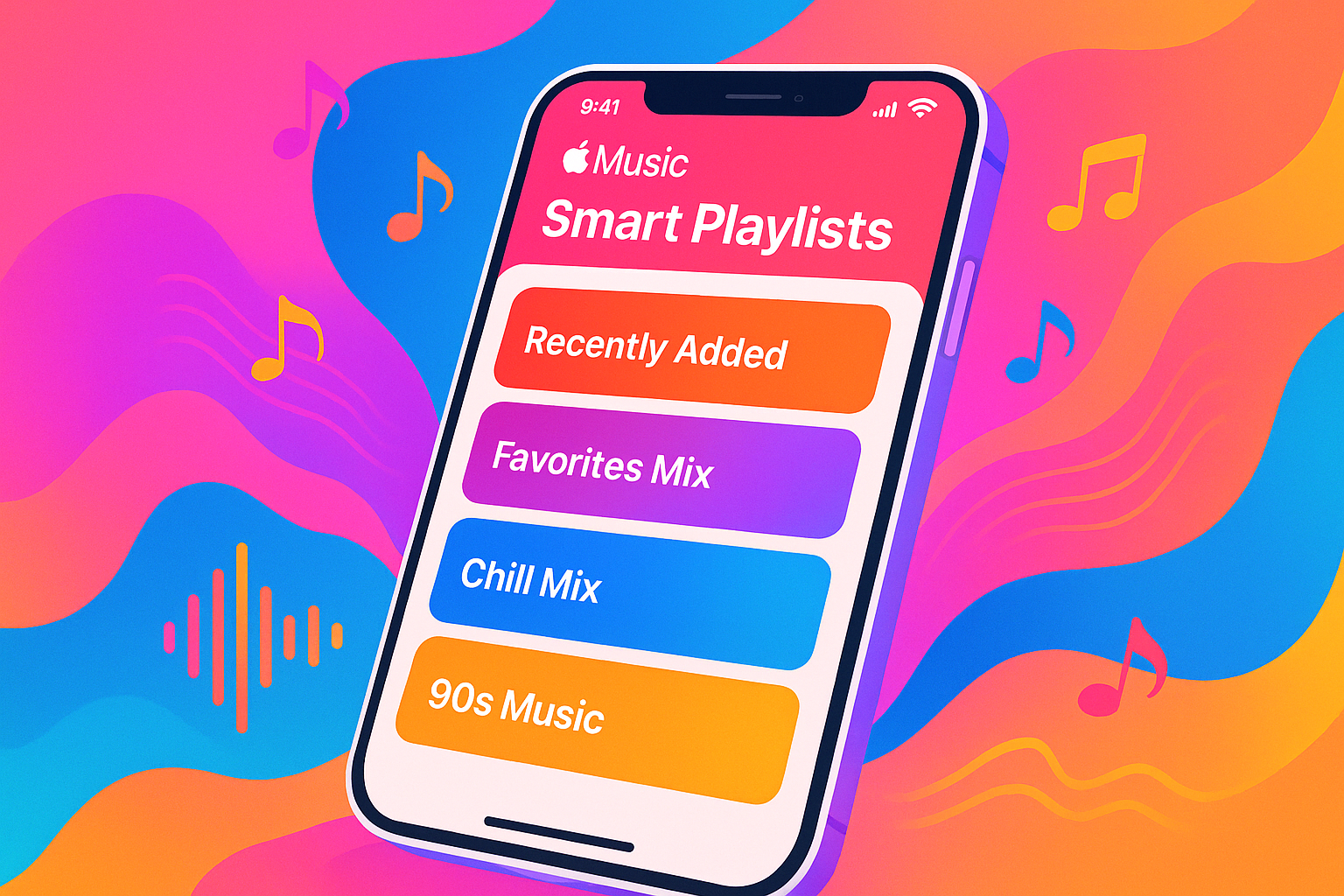
One of the standout features is automated mood tracks, where AI creates playlists for specific vibes or activities. Categories like Chill Mix (for relaxation) or Get Up! Mix (for workouts) are dynamically generated based on your listening data. How does it work? The AI selects tracks fitting the mood—say, low-energy acoustic songs for winding down—but personalizes them to your preferred genres and artists. This means your Chill Mix might blend indie folk you love with similar ambient discoveries, ensuring it feels uniquely yours.

Beyond Mixes: Discovery, Favorites, and New Music
Apple Music’s AI extends beyond mood-based playlists to enhance exploration and nostalgia:
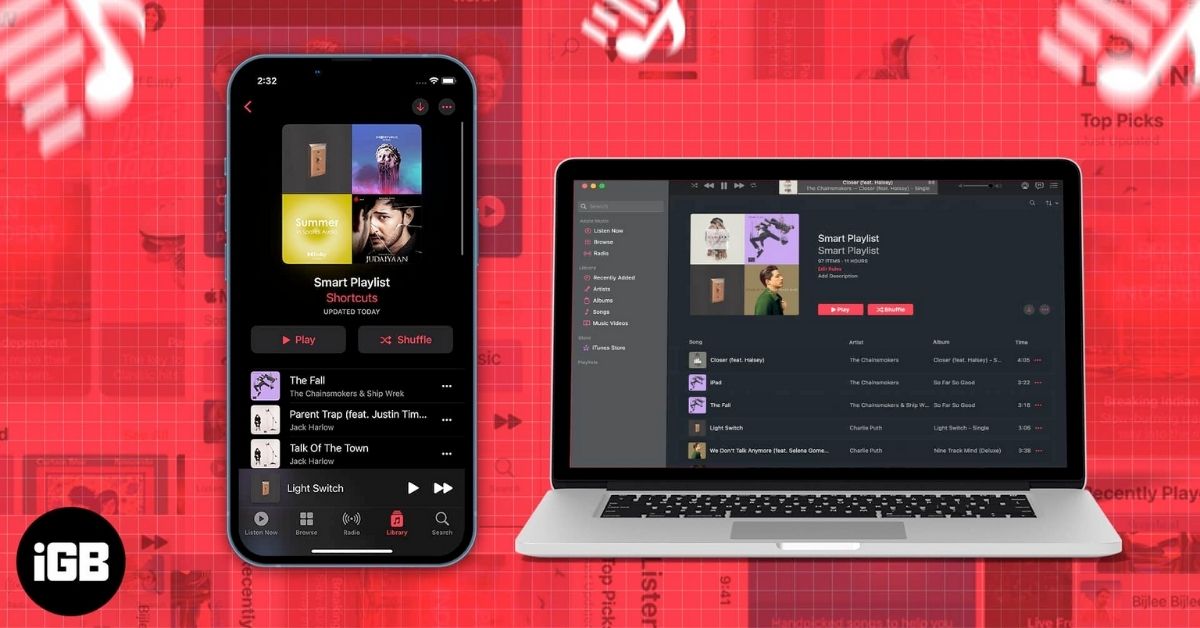
- Discovery Station: This feature analyzes your library and history to recommend unknown music, pushing boundaries while staying relevant to your tastes. It’s perfect for when you’re in the mood to find new favorites.
- Favorites Mix: Leveraging historical data like iTunes ratings and “Love” actions, this mix curates familiar favorites you’ve enjoyed over time, offering a comforting, personalized throwback.
- New Music Mix: Focused on new releases from artists you follow or similar ones, this blend of your history with editorial flags keeps you updated on the latest tunes. As AI-generated music advances, these mixes may even incorporate tracks created by AI, though currently they prioritize human-made content.
How the AI Learns and Adapts Over Time
The personalized listening AI is a continuous learning engine. It refines itself through:
- Usage Signals: Skips, pauses, replays, and library additions all feed into the model, adjusting recommendations in real time.
- Behavioral Patterns: Loved songs are tracked via replay frequency and the “Love” button, reinforcing preferences.
- Editorial Input: Human curators still play a role by flagging songs for playlists, blending artistry with algorithm.
However, there can be drawbacks, like repetitive recommendations if your listening is narrow. To counter this, use the “Suggest Less” feature on overplayed songs and diversify your library by exploring new genres. This keeps the AI fresh and responsive.
The DJ of the Future: Apple Music AutoMix
A groundbreaking innovation is AutoMix, a key smart music recommendations feature in iOS 26. Here, AI acts as a DJ by blending songs with seamless transitions. It analyzes tempo, key, and audio structure, using time stretching and beat matching to create cohesive sets—going beyond simple crossfades. This elevates playlists to professional-grade mixes, making listening feel like a curated live performance. As highlighted in reports and Apple’s updates, AutoMix represents the next step in AI-driven music enjoyment.
How to Access and Use Apple Music AI Features
Ready to dive in? Here’s a step-by-step guide to unlock apple music ai playlists and features:
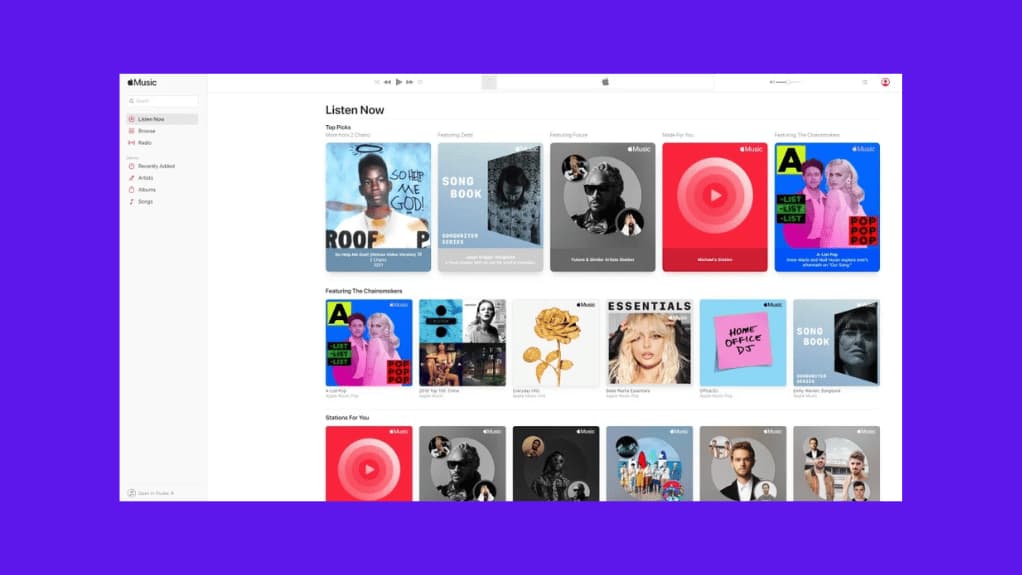
- On iPhone/iPad: Open the Music app and go to the Listen Now tab for personalized mixes and recommendations. To customize transitions like AutoMix, navigate to Settings → Apps → Music and adjust Song Transitions options.
- On Mac/Web: Access similar features with parity to iOS 26, ensuring a consistent experience across devices.
- Via Third-Party: Use extensions like the ChatGPT integration for conversational song searches and playlist creation, as noted in guides. This adds another layer of AI-powered convenience.

These steps make it easy to harness AI for a smarter music journey, reflecting how AI is changing the world of personal entertainment.
Pro Tips to Optimize Your AI Music Experience
To get the most out of personalized listening AI and automated mood tracks, follow these detailed tips:
- Use the “Love” Button Liberally: This is the strongest positive signal—tap it on favorites to reinforce your tastes.
- Skip Unresonant Songs: Don’t hesitate to skip; it helps the AI learn what you dislike.
- Build a Diverse Library: Add songs across genres to prevent recommendation loops and broaden the AI’s understanding.
- Engage with Features: Regularly explore Listen Now, Discovery Station, and Autoplay to provide more data points.
- Enable AutoMix: Turn on this feature for polished, DJ-style playback that enhances any playlist, as recommended in expert insights.

By actively shaping your inputs, you ensure the AI delivers a richer, more aligned experience.
Frequently Asked Questions
What exactly are Apple Music AI playlists?
Apple Music AI playlists are dynamically generated collections of songs created by artificial intelligence, based on your listening history, preferences, and real-time behavior. Unlike static playlists, they update regularly to match your tastes and moods.
How does personalized listening AI differ from traditional recommendations?
Personalized listening AI uses advanced machine learning models like neural networks to analyze multiple data points—from skips to loves—for nuanced matching. Traditional recommendations often rely on simpler genre-based or collaborative filtering without the same level of real-time adaptation.
Can I control what the AI recommends to avoid repetition?
Yes! Use the “Suggest Less” option on overplayed songs, skip tracks you dislike, and diversify your library by adding new genres. These actions provide clear signals to the AI for more varied recommendations.
What is AutoMix, and how do I enable it?
AutoMix is an AI feature in iOS 26 that blends songs DJ-style with seamless transitions. To enable it, go to Settings → Apps → Music on your iOS device, then customize Song Transitions to include AutoMix options.
Are AI-generated playlists replacing human-curated ones?
Not entirely. AI-generated playlists complement human-curated ones by offering personalization at scale. Editorial playlists still provide expert curation, while AI handles dynamic, individual adaptation—blending both for a balanced experience.
How can I use AI to discover new music outside my usual tastes?
Explore the Discovery Station feature, which recommends unknown music based on your library analysis. Also, try listening to Autoplay after diverse playlists or use third-party tools like ChatGPT extensions for conversational discovery.