The Espresso Lite 15 Portable Monitor: Budget Pro Display Tech for On-the-Go Productivity
Estimated reading time: 8 minutes
Key Takeaways
- The espresso lite 15 portable monitor delivers affordable, high-performance portability as essential work from home screen gear for remote workers and productivity enthusiasts.
- Priced at $249, it stands out as budget pro display tech with a 15.6-inch Full HD IPS panel, 400 nits brightness, and 100% sRGB color coverage, ideal for dual-screen workflows.
- As a full hd usb-c monitor, it uses single-cable USB-C for power and video, ensuring plug-and-play compatibility with laptops, phones, and tablets while drawing only 5W power.
- Weighing just 1.55 pounds and featuring an ultra-slim design, it enhances mobility for travel, co-working spaces, and hybrid work setups without sacrificing durability.
- While lacking premium features like 4K or touch, it excels in productivity tasks like coding, content creation, and video conferencing, offering tremendous value for everyday use.
Table of Contents
- The Espresso Lite 15 Portable Monitor: Budget Pro Display Tech for On-the-Go Productivity
- Key Takeaways
- Introduction: The Rise of Portable Dual-Screen Workflows
- Product Overview: What Is the Espresso Lite 15?
- Display Quality: Crisp Full HD for Productivity
- Connectivity and Ease of Use: The USB-C Advantage
- Design and Portability: Built for Mobility
- Productivity Boosts: Why This Monitor Enhances Your Workflow
- Ergonomics and Practical Benefits: Smart Work from Home Screen Gear
- Value Analysis: Budget Pro Display Tech at Its Best
- Comparisons to Alternatives: How It Stacks Up
- Ideal User: Who Should Buy the Espresso Lite 15?
- Frequently Asked Questions
Introduction: The Rise of Portable Dual-Screen Workflows
In today’s remote work era, the demand for budget pro display tech is skyrocketing among productivity enthusiasts and digital nomads. Why? Because portable monitors like the espresso lite 15 portable monitor unlock dual-screen setups on the go, transforming cafes, airports, and home offices into powerful workstations. Imagine extending your laptop screen seamlessly for coding, editing, or multitasking—anywhere, anytime.
Enter the espresso lite 15 portable monitor: an accessible solution priced at $249 that positions itself as essential work from home screen gear. Compatible with laptops, phones, and tablets, it boosts mobility and productivity without breaking the bank. This blog aims to deliver a comprehensive review based on verified specs and tests of this full hd usb-c monitor, helping you decide if it fits your needs for affordable, high-performance portability. We’ve drawn insights from sources like TechRadar and Tom’s Hardware to ensure accuracy.

Product Overview: What Is the Espresso Lite 15?
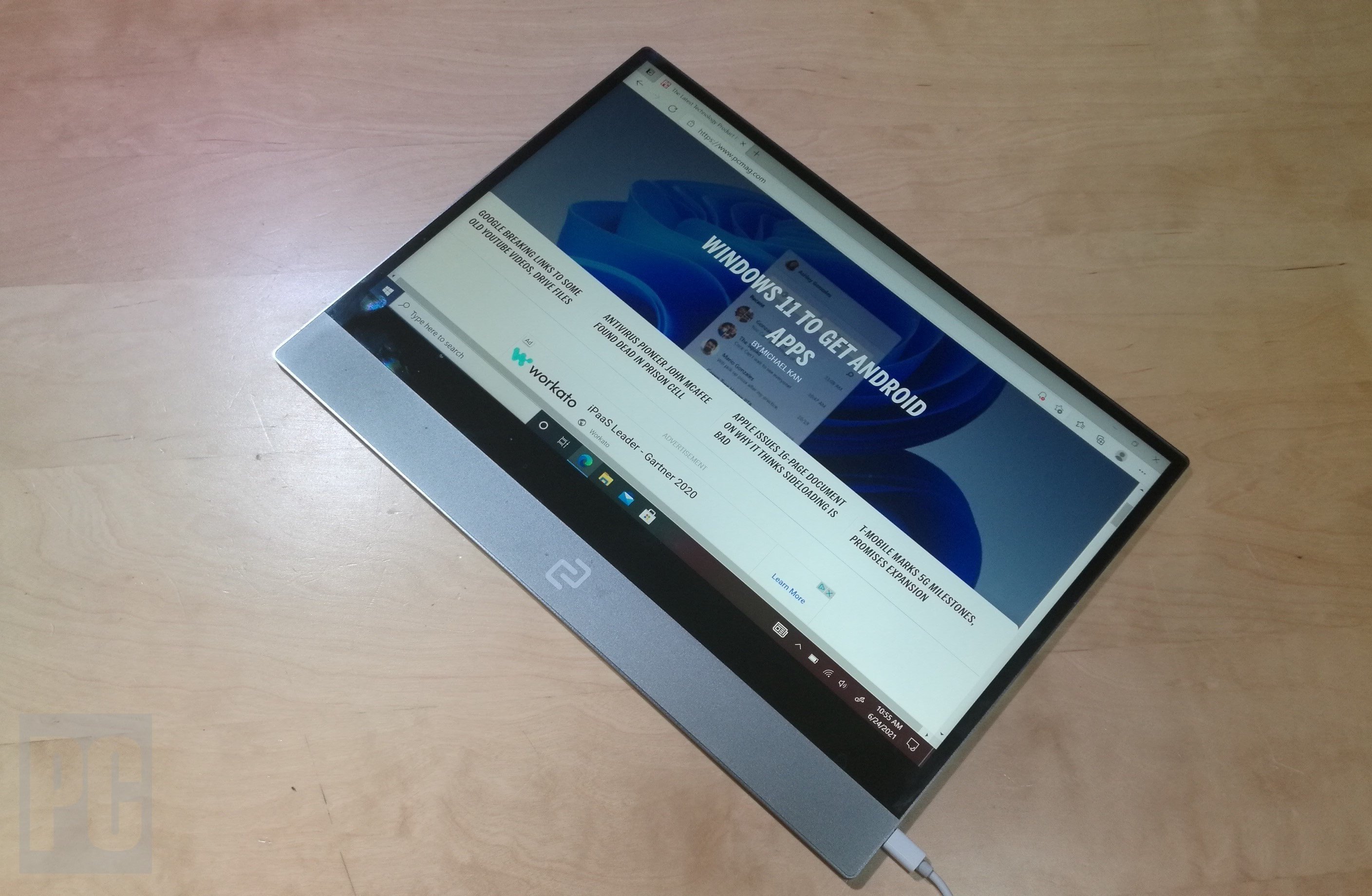
The espresso lite 15 portable monitor features a 15.6-inch Full HD (1920×1080) IPS LCD panel with a 60Hz refresh rate. Weighing just 1.55 pounds (700g) and measuring a mere 0.37 inches (9.5mm) thick, it uses lightweight ABS plastic construction for ultimate portability without sacrificing durability. It’s designed to slip into your laptop bag as easily as a notebook.
Positioned in the market as budget pro display tech, it serves as an affordable alternative to pricier Espresso models like the 4K Pro line. By skipping premium features, it focuses on mass accessibility while delivering core performance—perfect for those shopping smart on a budget, as highlighted in guides like this one.

Primary use cases include:
- Enabling remote work dual-screen workflows for extended desktop space.
- Coding and development with multiple windows open side-by-side.
- Content creation tasks like light photo or video editing.
- Versatile setups with smartphones, tablets, or laptops, making it true work from home screen gear that aligns with productivity hacks from experts.
Display Quality: Crisp Full HD for Productivity
Diving into display quality, this full hd usb-c monitor offers 100% sRGB coverage for 16.8 million colors, 400 nits maximum brightness, 8-bit color depth, and a 1000:1 contrast ratio. According to Tom’s Hardware, it’s ideal for tasks like document reading and basic editing, though not suited for HDR or professional design work due to its limitations outdoors.
“The IPS panel provides vibrant colors and wide viewing angles, making it a reliable companion for daily productivity,” as noted in reviews.

Key specs at a glance:
- Resolution: 1920×1080 Full HD – sharp enough for text and images.
- Brightness: 400 nits peak, but real-world tests show ~258-300 nits, adequate for most indoor settings.
- Color Accuracy: 100% sRGB ensures faithful reproduction for non-critical work.
- Refresh Rate: 60Hz ensures smooth scrolling and video playback.
While it won’t replace a high-end studio monitor, it strikes a balance for budget-conscious users seeking quality.
Connectivity and Ease of Use: The USB-C Advantage
As a full hd usb-c monitor, the Espresso Lite 15 uses a single USB-C cable for both power and video via DisplayPort Alt Mode, plus a second USB-C port for passthrough charging. This simplicity is a game-changer: plug in one cable, and you’re ready to go. Sources like TechRadar praise its broad compatibility with laptops, phones, and tablets.
Here’s why connectivity shines:
- Power Efficiency: Draws only 5W, preserving laptop battery life during travel.
- Plug-and-Play: No external power bricks needed for most devices—just connect and display.
- Versatility: Works with USB-C devices including MacBooks, iPads, and Android phones, as confirmed by Tom’s Hardware.
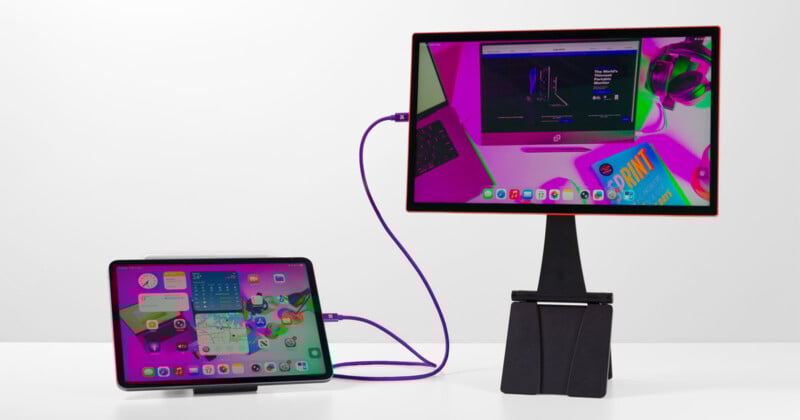
Forget tangled cables; this monitor streamlines your setup, whether you’re at a desk or on a train.
Design and Portability: Built for Mobility
The design focuses on portability: a durable yet lightweight ABS plastic build with an ultra-slim profile that fits easily in laptop bags. It includes a versatile stand for landscape or portrait orientation, allowing you to switch between modes for coding or reading. However, it lacks built-in speakers, an on-screen display (OSD), or touch functionality, relying instead on the EspressoFlow app for adjustments like brightness and rotation.
From PetaPixel and Tom’s Hardware, key design points include:
- Weight: 1.55 pounds – lighter than most tablets.
- Thickness: 0.37 inches – slimmer than a smartphone.
- Stand: Adjustable for ergonomic positioning, though it’s basic compared to premium mounts.
- Controls: App-based via EspressoFlow, which some users may find intuitive after a learning curve.

This minimalist approach keeps costs down while ensuring it’s travel-ready.
Productivity Boosts: Why This Monitor Enhances Your Workflow
The espresso lite 15 portable monitor supports portable dual-screen setups for multitasking, delivering crisp text for documents and spreadsheets. With solid color accuracy—e.g., 109% sRGB measured in similar models by Tom’s Hardware—it handles light photo editing well, turning any space into an efficient workstation.
Consider these productivity enhancements:
- Extended Desktop: Drag windows between screens for research, coding, or communication apps.
- Color Consistency: Accurate sRGB gamut ensures visuals look right for client presentations.
- Reduced Clutter: Single-cable setup means less time fumbling with connections, more time focusing.

As remote work evolves, having a reliable secondary display can be the difference between a good day and a great one.
Ergonomics and Practical Benefits: Smart Work from Home Screen Gear
Ergonomically, the included stand allows flexible positioning for better posture in any environment, from coffee shops to home offices. Combined with the low 5W power draw, which minimizes battery drain during travel or hybrid work, it proves itself as reliable work from home screen gear. Resources like PenBrief highlight how such accessories optimize tech setups.
Practical benefits include:
- Posture Support: Adjust the stand to eye level to reduce neck strain.
- Battery-Friendly: 5W consumption means your laptop lasts longer on the go.
- Quick Deployment: Set up in seconds for impromptu meetings or deadlines.

It’s a tool that adapts to your lifestyle, not the other way around.
Value Analysis: Budget Pro Display Tech at Its Best
At $249, the espresso lite 15 portable monitor provides reliable 1080p/60Hz portability that outperforms basic options. It’s a smart budget pro display tech pick, especially when compared to costlier Espresso 15 variants or Pro models with 550 nits/4K resolution, as seen in reviews from TechRadar and AppleInsider forums. For budget-friendly shopping tips, this guide offers insights.

Value breakdown:
- Price-to-Performance: $249 for Full HD, USB-C, and portability beats many competitors.
- Cost Savings: Skip premium features you might not need, like 4K for everyday tasks.
- Long-Term Utility: Durable build ensures it lasts through travel and daily use.
In a market flooded with overpriced gadgets, this monitor delivers where it counts.
Comparisons to Alternatives: How It Stacks Up
Compared to alternatives, the Espresso Lite 15 offers superior sRGB coverage and color consistency over entry-level portables. It’s ideal as dependable work from home screen gear without needing 4K or touch features. For instance, while brighter rivals like ViewSonic reach 363 nits, this monitor holds its own for indoor productivity, per Tom’s Hardware.

Key comparisons:
- Vs. Premium Models: Espresso Pro 15 costs $799+ for 4K and Adobe RGB—overkill for most users.
- Vs. Budget Brands: Better color accuracy and build quality than no-name portable monitors.
- Vs. Laptop Screens: Extends your display without the bulk of a second laptop.
It finds a sweet spot between affordability and performance.
Ideal User: Who Should Buy the Espresso Lite 15?
The ideal user is productivity-focused remote professionals seeking a secondary display under $300 for daily tasks. This matches search intent for budget displays, as highlighted by PetaPixel. Think freelancers, students, coders, or hybrid workers who value portability and simplicity.
Is it for you? Consider if you:
- Need a dual-screen setup for travel or flexible workspaces.
- Prioritize plug-and-play compatibility over advanced features.
- Want to boost productivity without a hefty investment.
- Use USB-C devices regularly for work or creativity.
If so, this monitor could be your new best friend.
Frequently Asked Questions
Q: Is the Espresso Lite 15 compatible with all laptops and phones?
A: Yes, as a full hd usb-c monitor, it works with any device supporting USB-C DisplayPort Alt Mode, including most modern laptops, Android phones, and iPads. For non-USB-C devices, you may need an adapter.
Q: How bright is the display for outdoor use?
A: With 400 nits peak brightness (real-world ~258-300 nits), it’s suitable for indoor productivity but limited outdoors. For bright environments, consider shades or indoor settings.
Q: Does it have built-in speakers or touchscreen?
A: No, to keep costs low, it omits speakers and touch functionality. Audio must come from your connected device, and adjustments are made via the EspressoFlow app.
Q: What is the power consumption, and does it drain my laptop battery?
A: It draws only 5W, minimizing battery drain. In most cases, your laptop can power it without issues, but for extended use, plugging in is recommended.
Q: Is the Espresso Lite 15 good for photo editing?
A: For light editing, yes—its 100% sRGB coverage ensures decent color accuracy. However, professional designers needing wider gamuts like Adobe RGB should look at higher-end models.