Holographic Desk Companion AI: Your Sci-Fi Workspace Sidekick is Here
Estimated reading time: 7 minutes
Key Takeaways
- A holographic desk companion ai projects a 3D, interactive AI assistant onto your desk for a hands-free productivity boost.
- The core personal assistant projection tech uses tensor holography, deep learning, lasers, and sensors to create realistic 3D images.
- Current interactive desk ai gadgets like prototypes offer functions from calendar management to esports coaching and 3D design.
- Productivity holographic tech reduces screen fatigue and consolidates tasks into a single, intuitive visual interface.
- While still evolving with challenges like cost, the technology is rapidly advancing from sci-fi fantasy to a real-world desk consolidator.
Table of Contents
- Holographic Desk Companion AI: Your Sci-Fi Workspace Sidekick is Here
- Key Takeaways
- 1. The Sci-Fi Vision Brought to Life
- 2. What is a Holographic Desk Companion AI?
- 3. How Does It Work? The Tech Behind the Magic
- The Core Technology: Tensor Holography
- AI Integration: The Brains Behind the Beauty
- User Interaction: Voice, Gesture, and Context
- 4. Core Functions: What Can It Actually Do?
- Advanced and Future Uses
- 5. The Productivity Power-Up
- Benefits vs. Traditional Assistants
- Experiential Perks: Beyond Pure Efficiency
- 6. Current Limitations and Real-World Positioning
- 7. The Future Evolution of Your Desk Companion
- Frequently Asked Questions (FAQ)
The Sci-Fi Vision Brought to Life
Imagine a workspace where a holographic desk companion ai floats above your desk, not on a screen, but in the air. It’s like having JARVIS from Iron Man or a Star Trek holodeck character as your personal aide. This interactive desk ai gadget offers real-time advice, manages your schedule, and even watches your screen to provide contextual help.
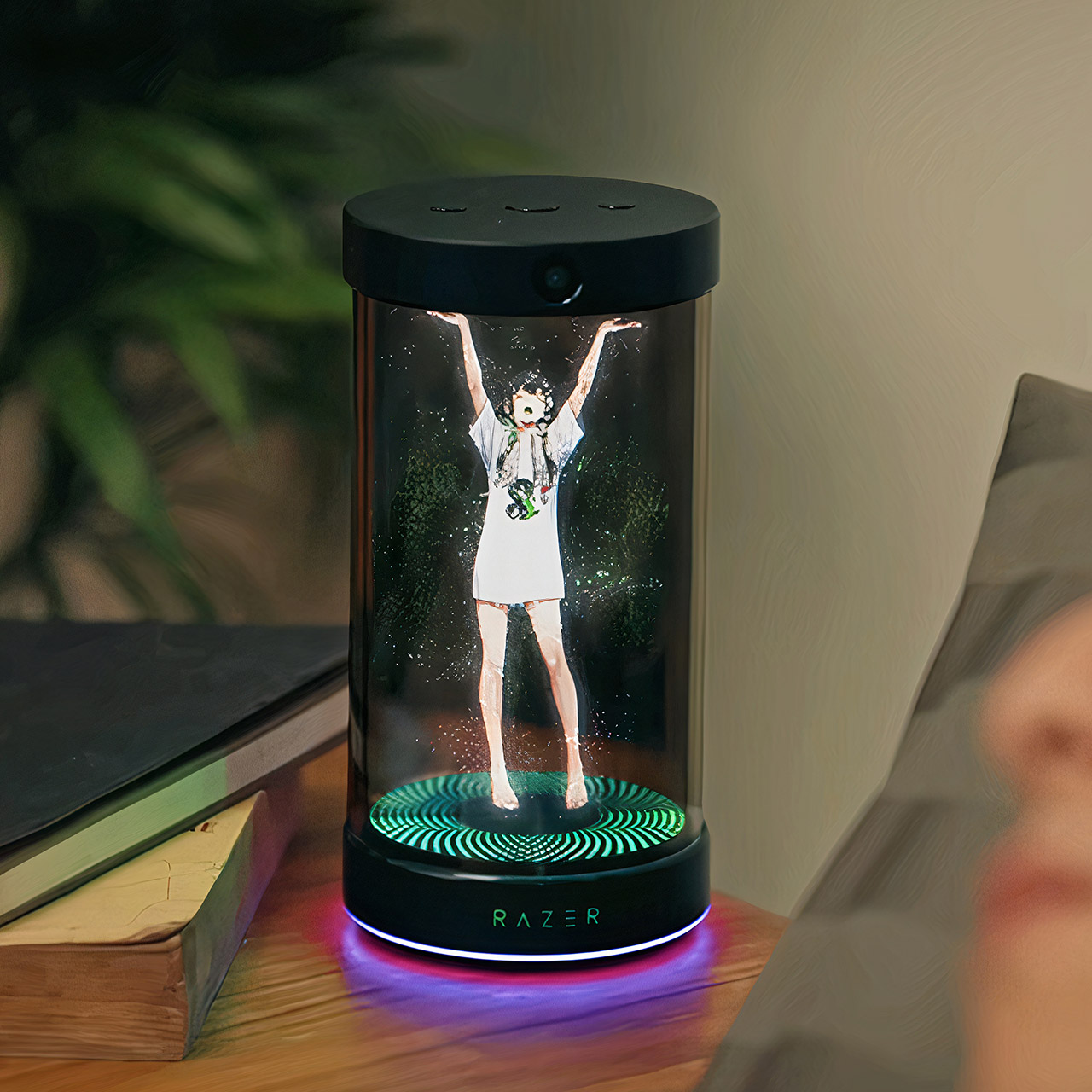
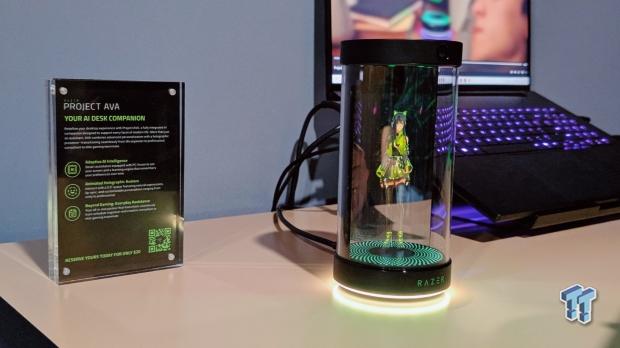
This isn’t just fantasy anymore. Prototypes like Razer’s Project Ava are bridging the gap between sci-fi and reality, promising a hands-free productivity boost that feels pulled from the future. As AI continues to integrate into every aspect of our lives, understanding its tangible, futuristic forms is the first step to harnessing its power.
What is a Holographic Desk Companion AI?
A holographic desk companion ai is an interactive desk ai gadget that projects 3D holographic images of an AI assistant onto your physical desk space. It creates a manipulable, visible interface for personal assistance, using holographic projection to display animated companions that interact via voice, gestures, and screen monitoring.
Think of it as revolutionizing your workspace by overlaying digital aids directly into your physical environment. Real-world examples, like the animated assistant in Razer’s Project Ava demo, showcase this leap from concept to prototype. This technology represents a significant evolution beyond standard voice assistants, merging the digital and physical worlds. It’s a key part of the broader trend towards explosive AI-powered virtual assistants.
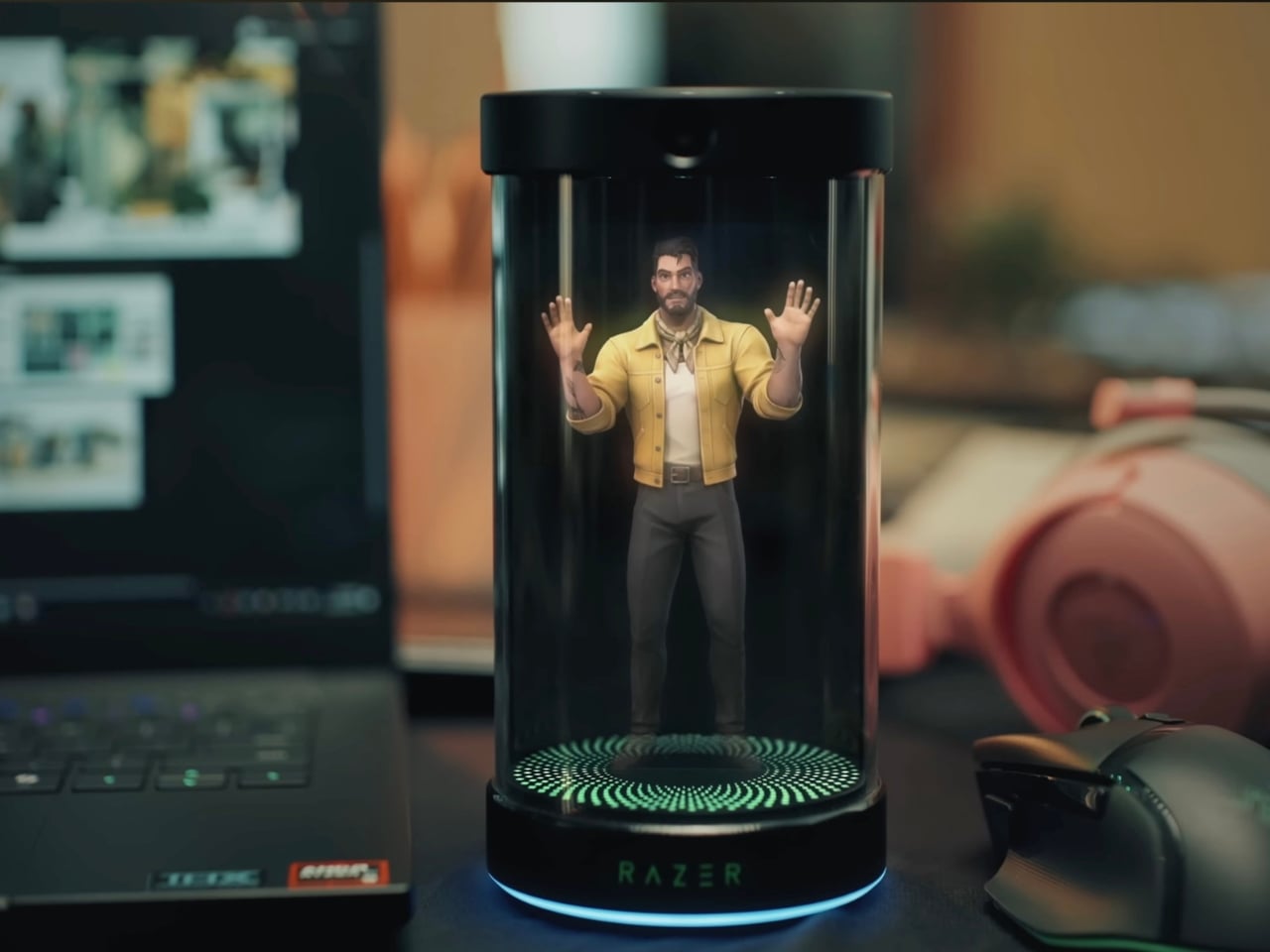
Core Traits:
- Visible 3D Projection: A photorealistic or animated hologram that appears to float in your workspace, not confined to a 2D screen.
- Voice & Gesture Interaction: Control it with natural commands and hand movements, moving beyond typing and tapping.
- Workspace Overlay: It integrates information and tools directly into your physical desk area, acting as a layer of augmented intelligence.
But how does this “magic” actually work? Let’s demystify the personal assistant projection tech.
How Does It Work? The Tech Behind the Magic
The Core Technology: Tensor Holography
The personal assistant projection tech relies on advanced methods like tensor holography. This is a deep learning technique that uses convolutional neural networks to generate photorealistic 3D holograms in real-time from standard images with depth data.
In simpler terms: complex AI algorithms calculate how light should be shaped to form a 3D image. This image is then created using lasers, specialized lenses, and sensors.

Imagine a tiny device on your desk: lasers beam through lenses and microscopic structures to diffract light, creating the illusion of a floating 3D image you can walk around. Sensors like LiDAR or multi-camera setups map the space to ensure the hologram is positioned correctly and can interact with your gestures.
AI Integration: The Brains Behind the Beauty
The hologram is just the display. The intelligence comes from integrated AI systems, as seen in products like Holoconnects’ AI Hologram and Razer’s Project Ava.
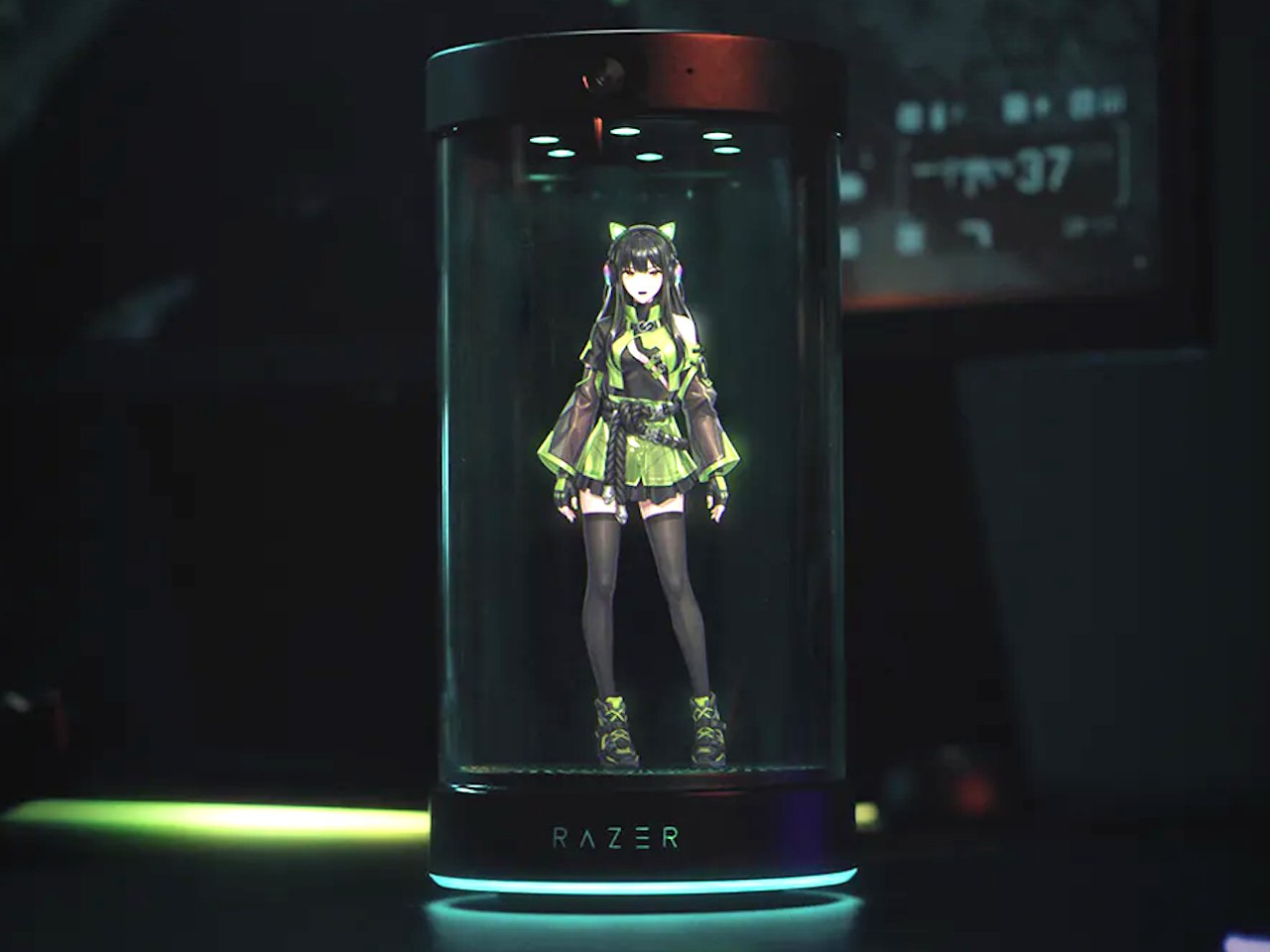
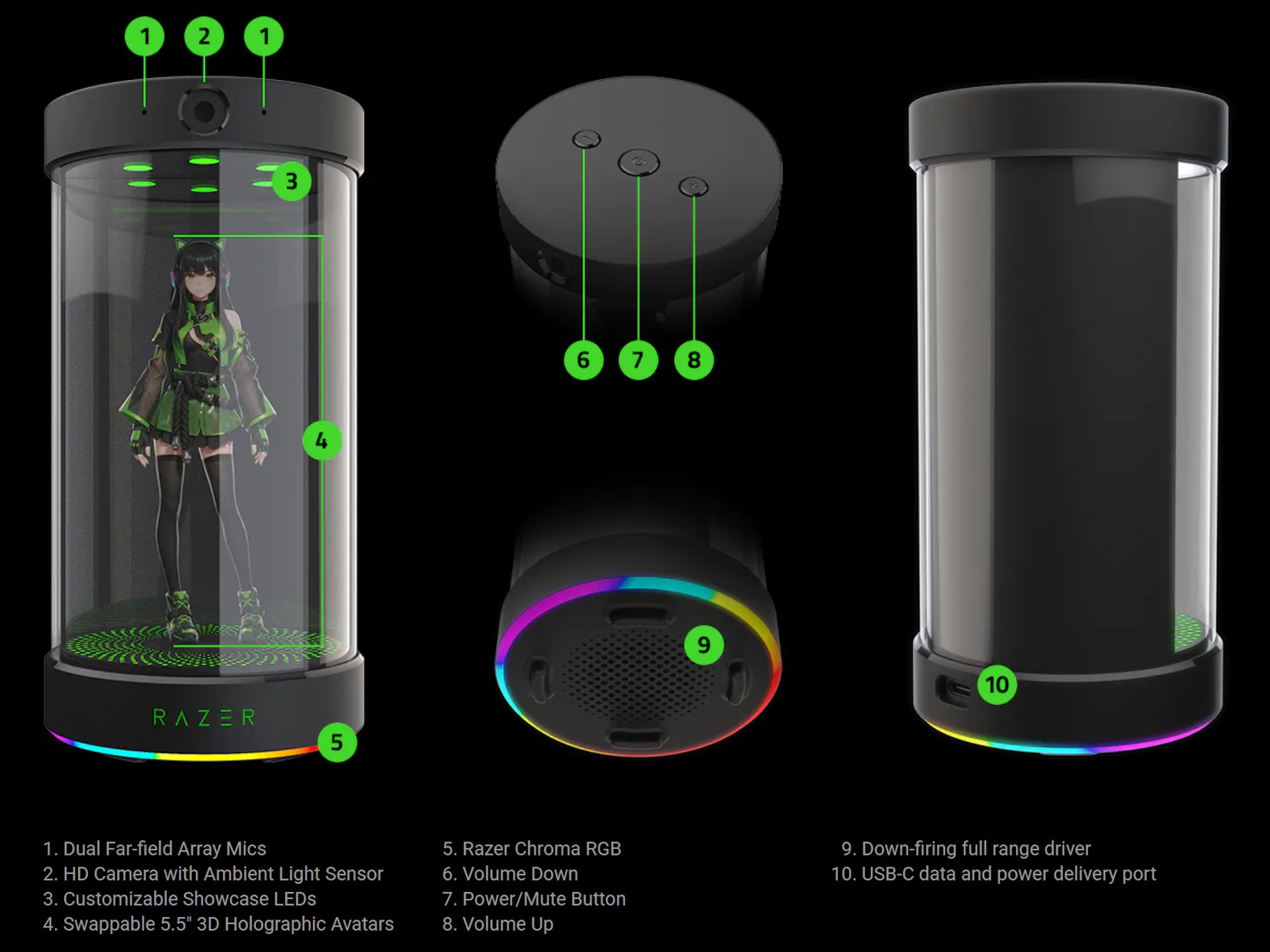
- Voice Recognition: Far-field microphones pick up commands from across the room, even with background noise.
- Natural Language Processing (NLP): Understands context and intent. Asking it to “remind me of my meeting” will trigger a calendar lookup and a timely alert.
- Machine Learning: The system learns your preferences and habits, adapting its suggestions—like proposing a coffee break when it detects your productivity dipping.
- Computer Vision: HD cameras with eye-tracking follow your gaze and monitor your screen, enabling gesture control and proactive help based on what you’re working on.
User Interaction: Voice, Gesture, and Context
Using your interactive desk ai gadget is designed to be intuitive and natural. It activates contextually as you approach your desk and evolves its interactions over time.
A typical interaction flow:
- Approach: The hologram activates as you sit down, recognizing your presence.
- Voice Command: You say, “Show my calendar for the week.” A 3D calendar visualization pops up next to the hologram.
- Gesture Control: You swipe your hand to flip to next week, or pinch to zoom in on a specific day’s details.
- Proactive Help: While you’re working on a document, the AI monitors your screen and floats a tip like, “Need stats for that report? I can pull the latest figures.”
Now that you know the tech, let’s see what these gadgets can actually do for your day.
Core Functions: What Can It Actually Do?
Current interactive desk ai gadgets like Project Ava pack a surprising range of features into their compact forms. Here are the core functions:
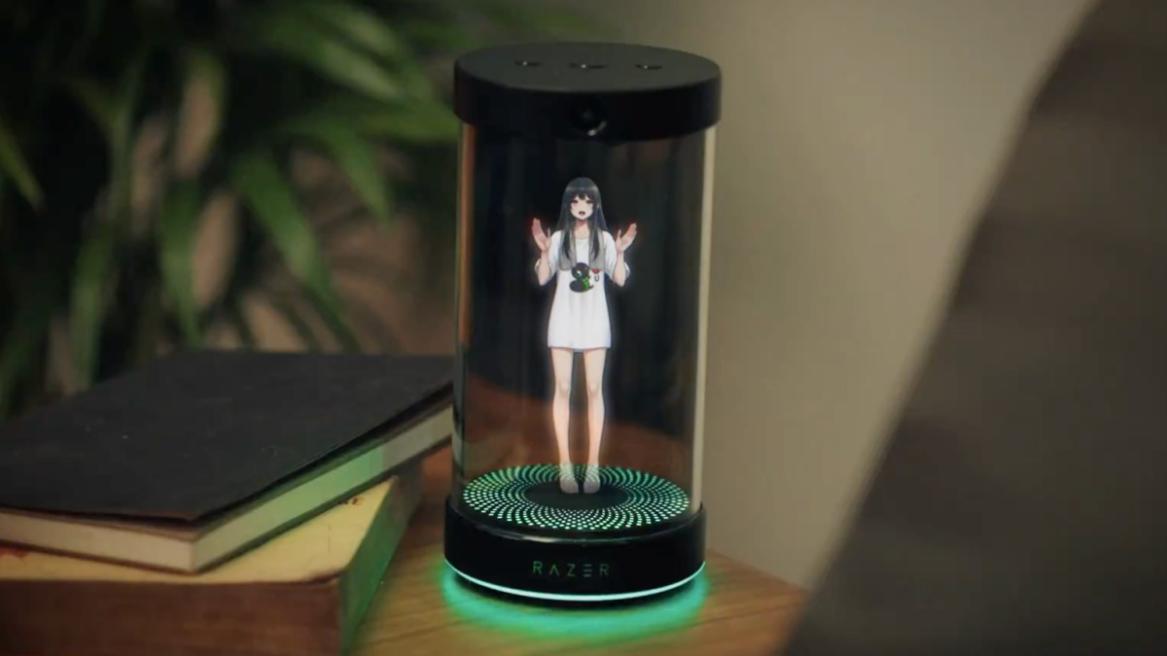
- Calendar & Schedule Management: Visualize your day in 3D, with meetings and tasks floating as distinct, manipulable objects.
- Task Organization: The AI can prioritize your to-do list, pulling items from emails and project tools to present a unified view.
- Real-Time Information Fetching: Get weather forecasts, news headlines, or stock tickers displayed as an overlay in your workspace.
- Contextual Reminders & Alerts: Timed or location-based pop-up alerts that won’t get lost in a notification center.
- Screen Monitoring for Advice: From suggesting better formulas in a spreadsheet to offering esports coaching tips during a game, it watches and advises in real-time.
Advanced and Future Uses
As personal assistant projection tech matures, its uses expand far beyond basic organizing. Holoconnects highlights applications in retail demos, healthcare explanations, and interactive 3D education.
“From gaming tips to healthcare demos, it’s a versatile platform for the future.”
Unique Professional & Personal Uses:
- For Designers & Engineers: Pinch, zoom, and rotate 3D models of products or architectural plans directly on your desk, collaborating with a holographic prototype.
- For Data Analysts: Interact with complex data visualizations—grab a floating 3D chart to examine a data point from all angles.
- Smart Home Control: A natural extension of AI-powered smart home trends. Say, “Turn off the living room lights,” and it happens.
- Immersive Communication: Future iterations could enable video calls where the other person appears as a 3D hologram on your desk.
These features aren’t just cool—they supercharge your workflow with productivity holographic tech, a key component of the shift towards game-changing AI-powered workspaces.
The Productivity Power-Up
Benefits vs. Traditional Assistants
The advantages of productivity holographic tech are tangible. It moves assistance from screen-based distraction to spatial integration.

| Benefit | Traditional Screen Assistant | Productivity Holographic Tech |
|---|---|---|
| Operation | Hands-on typing or touch required. | Hands-free via voice and gestures. |
| Visual Fatigue | Eye strain from focusing on a bright 2D screen. | Eyes rest on a 3D image in your natural workspace, reducing strain. |
| Multitasking | Requires switching between apps and devices. | Information is layered in your physical space, allowing seamless context switching. |
| Workflow | Fragmented across multiple tools. | Consolidated into a single visual interface, boosting focus. |
Experiential Perks: Beyond Pure Efficiency
The benefits go beyond metrics to more intuitive engagement.
- Tangible Data Interaction: Physically “grabbing” and manipulating a data point or 3D model makes complex information more understandable.
- Natural Conversation: The assistant can develop a more lifelike personality and conversational flow over time, making interactions less transactional.
- Immersive AR Without Glasses: You get an augmented reality experience without the discomfort of wearing a headset.
- Adaptive to Your Life: Whether it’s offering gaming advice or daily planning, it molds itself to your activities.
This positions the holographic desk companion ai as a true desk consolidator, reducing the need to switch between devices and screens.
Current Limitations and Real-World Positioning
Honesty is key for credibility. This exciting tech is still in its early stages.
Current Challenges:
- High Cost: Prototypes are not yet mass-market consumer products. The advanced hardware and R&D make them expensive.
- Limited Field of View: Early holograms, like Project Ava’s 5.5-inch display, are relatively small. The immersive effect works best when viewed from specific angles.
- Ambient Light Sensitivity: Bright room lights can wash out the holographic image, requiring controlled lighting for optimal viewing.
- Early-Stage Hardware: Components like phase-modulating displays and specialized lasers are still being refined for consumer use.
- Computational Demands: Generating real-time 3D holograms requires significant processing power, though techniques like tensor holography are making it more efficient.
The Future Evolution of Your Desk Companion
The trajectory points to rapid advancement, making this one of the cutting-edge AI technologies shaping the future.
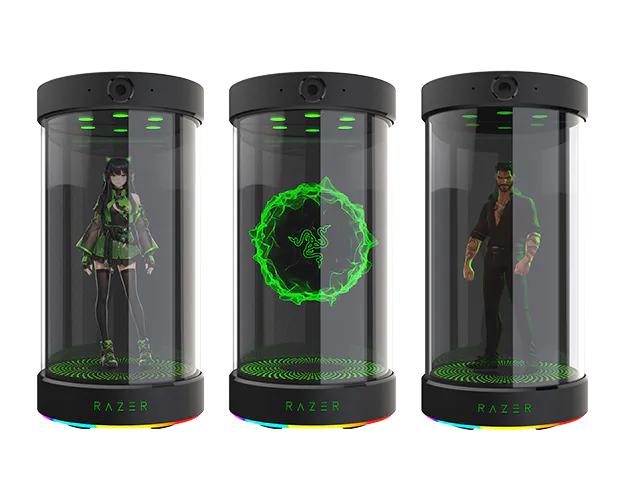
What’s Next?
- Miniaturization: Devices will become smaller, sleeker, and designed for any desk.
- Broader Ecosystem Integration: Seamless connection with VR, 3D printers, and the entire smart home ecosystem.
- Advanced AI Personalities: Customizable companions with unique “personalities” and deeper learning capabilities.
- Enhanced Visuals: Research into ophthalmic-customized displays could lead to sharper holograms tailored to individual eyesight, eliminating the need for glasses.
The holographic desk companion ai isn’t just a gadget—it’s your workspace’s future sidekick. Prototypes like Project Ava signal its imminent arrival. Stay ahead: Bookmark this for updates or explore the latest in productivity holographic tech today.
Frequently Asked Questions (FAQ)
Q: How is a holographic desk AI different from Alexa or Siri?
A: The key difference is the 3D spatial interface. While Alexa and Siri are voice-only or screen-bound, a holographic desk AI projects a visible, interactive 3D assistant into your physical workspace. You can interact with it using gestures and see information overlaid on your desk, moving beyond pure audio or a flat screen.
Q: Is this technology safe for my eyes?
A: Based on current research into holographic displays like MIT’s tensor holography, the technology is designed to be visually comfortable. It creates images by reconstructing natural light fields, which is less straining than staring at a bright, direct-emission screen. However, as with any new display tech, extended use studies will provide more definitive data.
Q: Can it work with any computer or is it a standalone device?
A: Early prototypes like Razer’s Project Ava are designed as standalone devices that connect to your computer and other services via software. They monitor your screen and system to provide context. Future models may be more deeply integrated or even built into monitors, but initially, they will likely be companion devices that work alongside your existing setup.
Q: What about privacy? It’s watching my screen and listening to me.
A: This is a critical concern for any always-on AI. Reputable developers will need to implement clear, user-controlled privacy policies. Features like a physical shutter for the camera, a mute button for the mic, and local (on-device) processing for sensitive data will be essential. Users should have complete transparency and control over what data is collected and how it’s used.
Q: When will these be available to buy, and how much will they cost?
A: Widespread consumer availability is still on the horizon. Prototypes are in development, and we are likely a few years from seeing affordable, mass-market versions. Initial prices for early adopter models will likely be high, reflecting the advanced technology, but costs should decrease as the tech matures and scales, similar to the evolution of VR headsets or flat-screen TVs.