The Ultimate Guide to the Best Free Keyword Research Tools
Estimated reading time: 8 minutes
Key Takeaways
- Keyword research is the foundation of SEO success, guiding content strategy from topic selection to optimization.
- Best free keyword research tools are essential for beginners and budget-conscious marketers to compete without paid subscriptions.
- This guide curates 9 tools covering discovery, search volume, trends, related queries, and user intent.
- Understanding metrics like search volume, competition, and long-tail keywords helps prioritize content efforts.
- Free tools have limitations but excel at validation and discovery, with actionable steps for immediate use.
Table of contents
- The Ultimate Guide to the Best Free Keyword Research Tools
- Key Takeaways
- Why Keyword Research Matters
- Free vs. Paid Tools: Setting Expectations
- Core Tools: Comprehensive Comparison
- Google’s Native Tools (Discovery & Already-Ranking Keywords)
- Volume & Trends Analysis
- Intent & Question Discovery
- Quick Win & Long-Tail Discovery
- Browser Extension for Quick Reference
- Comparison Table at a Glance
- Keyword Placement Strategy
- Actionable How-To: Using Each Tool Type
- Use Case Scenarios
- Limitations & When to Upgrade
- Integration with Content Strategy
- Frequently Asked Questions
Keyword research isn’t just a step in SEO—it’s the foundation that guides all content strategy, from topic selection to optimization[1]. At its core, keyword research is the process of identifying search terms your target audience uses, understanding their volume, competition level, and intent. For beginners and budget-conscious marketers, best free keyword research tools are essential to compete without paid subscriptions. In this guide, we’ll dive into a curated list of 9 tools that cover every aspect of discovery, from search volume to user intent, helping you unlock organic growth.

Why Keyword Research Matters
Think of keyword research as your SEO blueprint—it informs which topics to write about and how to structure content for maximum impact. By leveraging free keyword research tools, you can identify four core metrics:
- Search volume: The average number of monthly searches for a keyword, helping prioritize high-demand topics.
- Competition/difficulty: The relative difficulty in ranking for a keyword; free tools offer basic insights to gauge this.
- Related queries and variations: Synonyms and long-tail versions of your primary keyword that readers actually search for.
- Seasonality: Keywords that spike during certain times of year, crucial for content calendar planning.
Understanding these metrics helps build content clusters and editorial calendars, as highlighted in best practices for SEO keyword research. Without this foundation, you’re shooting in the dark—tools like those from Lowfruits make it accessible.

Free vs. Paid Tools: Setting Expectations
Free keyword research tools are beginner-friendly entry points, but they come with limitations. They often lack advanced metrics like precise difficulty scores, search intent classification, or deep competitor analysis. As noted by industry sources, free tools excel at discovery and validation but may require upgrading to paid versions (like Semrush or Ahrefs) for in-depth insights. Set realistic expectations: start free, scale as needed.
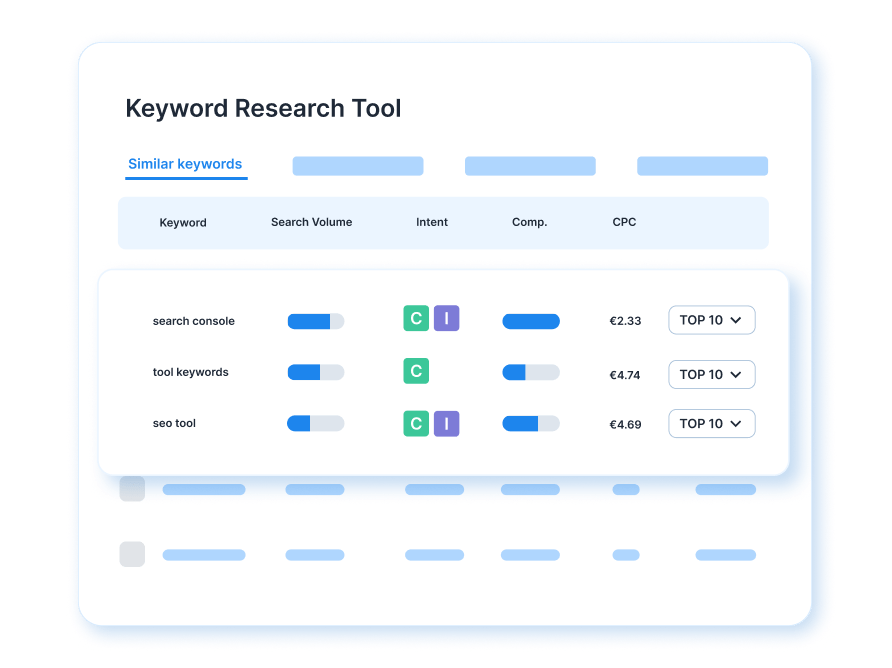
Core Tools: Comprehensive Comparison
We’ve grouped 9 best free keyword research tools by primary use case: discovery, volume & trends, intent & questions, browser extensions, and all-in-one solutions. Each tool offers unique strengths for different stages of your strategy.
Google’s Native Tools (Discovery & Already-Ranking Keywords)
Google Search Console: This free keyword research tool shows keywords you’re already ranking for, along with current positions and click-through rates. Access your GSC account, navigate to the Performance report, and filter by keywords with impressions but low clicks to find optimization opportunities. Best for understanding traffic drivers, but limited to existing rankings. Learn more from Lowfruits.
Google Autocomplete: Provides instant keyword suggestions based on real search behavior as users type. Simply enter a seed keyword into Google’s search bar and observe dropdown suggestions—these are real, high-volume searches. Ideal for discovering long-tail keywords and related terms quickly, though it lacks search volume data.
Volume & Trends Analysis
Google Keyword Planner: A cornerstone for search volume forecasts, trends, and keyword ideas for both organic and paid campaigns. Enter a seed keyword, select location and language, and get average monthly searches, competition level, and bid estimates. Perfect for validating keyword viability, but designed for Google Ads with estimated ranges. Details at Lowfruits.
Google Trends: Visualizes how search interest for a keyword changes over time and shows related rising queries. Enter a keyword, choose region and time period, and view graphs of search interest with “Rising queries” and “Related topics.” Best for identifying trending keywords and seasonality, though it doesn’t show absolute volume. Explore more on Lowfruits.
Intent & Question Discovery
AnswerThePublic: Visualizes “People Also Ask” questions and related search queries in a visual map format. Input your primary keyword to see common questions users ask, filterable by type (Who, What, When, etc.). Best for understanding search intent and building FAQ sections, but the free version has daily limits. Source: Lowfruits.
AnswerSocrates: Extracts questions from Google’s “People Also Ask” section for a given keyword. Input a seed keyword for a list of related questions from search results. Great for quick question discovery for content briefs, though it lacks volume data. Referenced in Lowfruits.
Quick Win & Long-Tail Discovery
Ahrefs Keyword Generator: Generates long-tail keyword ideas with search volume and difficulty ratings. Enter a seed keyword for 100+ suggestions ranked by volume, with estimated difficulty on a 0-100 scale. Ideal for finding low-competition long-tail keywords, but has daily limits. Learn from Lowfruits.
Ubersuggest: A beginner-friendly all-in-one tool providing keyword ideas, search volume, SEO difficulty, and competitor comparison. Input a keyword for suggestions with volume and difficulty scores, plus content ideas and competitor insights. Best for beginners wanting a single tool, but free tier limits searches. Details at Lowfruits.
Browser Extension for Quick Reference
Keywords Everywhere: A browser extension that displays search volume, cost-per-click, and competition directly in Google search results. Install it, perform a search, and see data inline. Perfect for quick checks without switching tabs, though it requires credits. Source: Lowfruits.
KWFinder: Shows keyword metrics and SERP analysis with a user-friendly interface. Input a keyword to see search volume, difficulty, and top-ranking pages. Great for visual learners, but free version has limited searches. Check Mangools for more.
Semrush Free Keyword Tool: Provides keyword ideas, search volume, and difficulty scores with Semrush’s proprietary data. Enter a keyword for reliable suggestions, but free searches are limited. Best for users considering an upgrade. Explore at Semrush.
Comparison Table at a Glance
Use this table to quickly scan and choose free keyword research tools based on your needs:
| Tool Name | Best For | Search Volume Data | Difficulty/Competition | Question/Intent Focus | Cost |
|---|---|---|---|---|---|
| Google Search Console | Already-ranking keywords | No | No | No | Free |
| Google Autocomplete | Quick suggestions | No | No | Limited | Free |
| Google Keyword Planner | Volume & trends | Yes (estimated) | Yes (basic) | No | Free with limits |
| Google Trends | Trending topics | No | No | Yes | Free |
| AnswerThePublic | Question discovery | No | No | Yes | Free with limits |
| AnswerSocrates | Question extraction | No | No | Yes | Free |
| Ahrefs Keyword Generator | Long-tail keywords | Yes | Yes | No | Free with limits |
| Ubersuggest | All-in-one for beginners | Yes | Yes | Limited | Free with limits |
| Keywords Everywhere | Browser-based checks | Yes | Yes | No | Free with credits |
This comparison helps prioritize tools for organic SEO, PPC, or beginner projects, ensuring you pick the right free keyword research tool for the job.
Keyword Placement Strategy
Integrating keywords naturally is key to SEO success. Follow these tips based on blog post SEO best practices:
- Use tool names like Google Keyword Planner or Ubersuggest as H2/H3 headings to satisfy search intent.
- Weave long-tail variations like “best free keyword research tools for beginners” into body copy organically.
- Reference secondary keywords such as search volume or keyword difficulty in context throughout the post.
- Place the primary keyword “best free keyword research tools” in the title, first 100 words, subheadings, and closing remarks for optimal SEO optimization.
As noted by Lowfruits and Zapier, natural integration avoids keyword stuffing and enhances readability.

Actionable How-To: Using Each Tool Type
For Discovery: Start with Google Autocomplete or Ubersuggest to brainstorm 10-15 seed keywords. Then, use AnswerThePublic to extract user questions around each seed. Document findings in a spreadsheet with columns: Keyword, Question, Volume (estimated), Intent.
For Validation: Enter validated keywords into Google Keyword Planner. Record search volume, trends, and competition level. Cross-reference with Google Trends to spot seasonality patterns.
For Competitor Insights: Use Ubersuggest to enter a competitor domain. Identify which keywords they rank for and which have high traffic. Prioritize keywords with low difficulty scores as quick wins.
For Content Brief Creation: Use AnswerThePublic and AnswerSocrates to extract FAQ questions. Organize questions by topic cluster, then integrate into a blog outline with primary keywords in H1/H2 and question-based subheadings. This aligns with SEO best practices for placing keywords in titles and introductions.

Use Case Scenarios
Scenario 1: Organic SEO & Blog Strategy
- Best tools: Google Search Console (identify underperforming content), Google Keyword Planner (volume), Google Trends (seasonality), AnswerThePublic (FAQ creation).
- Workflow: Start with GSC to find gaps, use Planner for volume validation, Trends for timing insights, and AnswerThePublic for question-based content.
Scenario 2: PPC & Paid Campaigns
- Best tools: Google Keyword Planner (forecasts, CPC), Semrush Free Tool (if upgrading), Keywords Everywhere (quick bid checks).
- Workflow: Use Planner for volume and bid estimates, Keywords Everywhere for competitor CPC analysis while browsing.
Scenario 3: Beginner Starting from Scratch
- Best tools: Ubersuggest (all-in-one), AnswerThePublic (questions), Google Trends (trends).
- Workflow: Leverage Ubersuggest for discovery and competitor analysis, AnswerThePublic for user intent, and Trends for timely topics.
These scenarios, inspired by Lowfruits and Zapier, show how to tailor tool selection to your goals.

Limitations & When to Upgrade
While free keyword research tools are valuable, they have gaps: no advanced difficulty scores, limited search volume accuracy, minimal competitor backlink analysis, and daily search restrictions. Consider upgrading to paid alternatives like Semrush or Ahrefs when scaling beyond 5-10 blog posts, targeting competitive keywords, or needing detailed backlink insights. As sources indicate, free tools are a starting point, not a long-term solution for advanced SEO.

Integration with Content Strategy
Keyword research should feed directly into content planning. Use keywords to build content clusters—group primary keywords with related long-tails in separate posts. Structure blog outlines around question-based keywords to satisfy search intent, as recommended in search intent SEO guides. Place primary keywords in title tags, headlines, first 100 words, and subheadings, with secondary keywords naturally woven into body text. This approach supports FAQ sections and topical authority, aligning with blog post best practices.

Frequently Asked Questions
What is the best free keyword research tool for beginners?
Ubersuggest is ideal for beginners due to its all-in-one interface, offering keyword ideas, volume, difficulty, and competitor insights in one place.
Can I use free tools for PPC campaigns?
Yes, Google Keyword Planner is specifically designed for PPC, providing search volume forecasts and bid estimates, though it’s limited compared to paid tools.
How do I find long-tail keywords with free tools?
Use Ahrefs Keyword Generator or Google Autocomplete to discover long-tail variations with lower competition and higher intent.
Are free keyword tools accurate?
They provide estimates rather than exact data. For validation, cross-reference multiple tools like Google Keyword Planner and Trends for better insights.
When should I upgrade to a paid tool?
Upgrade when you need advanced metrics like precise difficulty scores, competitor backlink analysis, or unlimited searches for scaling content efforts.